Your redesign is almost ready. The designer has supplied the brand fonts, the developer has added them to the site, and someone asks whether the license covers launch. There's a receipt in a shared folder, but nobody knows whether it covers the website, the downloadable report, or the client's new campaign domain.
That's where font licensing for websites becomes a delivery question rather than a design question. You need to connect the file people receive, the channel they receive it through, and the domain serving it to the permission your organization holds.
Why Web Font Licensing Differs From Desktop Licensing
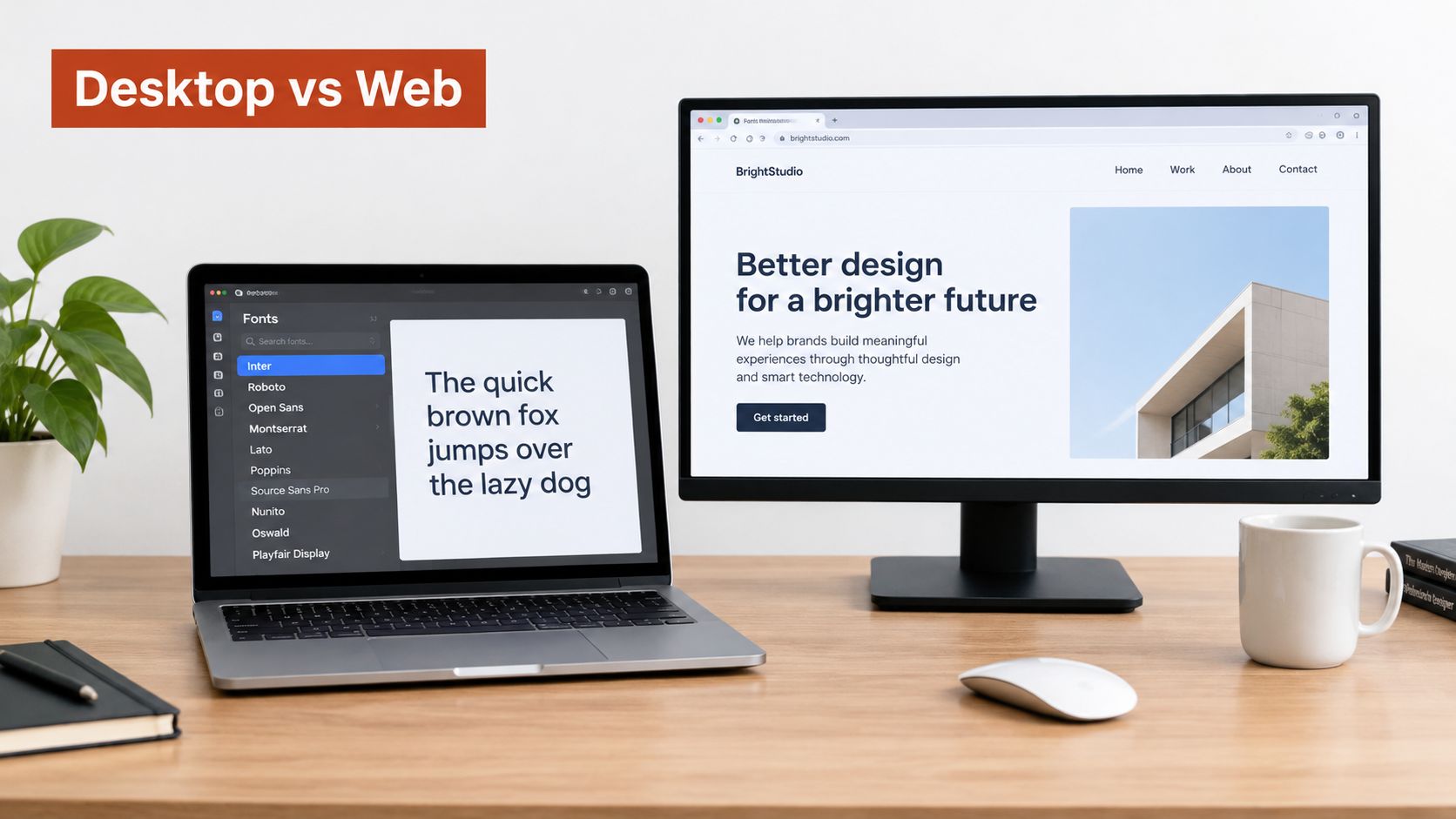
Owning a printed book lets you read it at home. It doesn't give you permission to reproduce its pages on a billboard. The analogy isn't a legal test, but it helps explain why buying a desktop font doesn't automatically authorize distributing that font through a website.
A font file is software-like intellectual property, not just the appearance of your headings. Installing it on a designer's computer and delivering it to visitors' browsers are different activities.
Why web delivery became a separate permission
The first public Web Fonts draft appeared on July 21, 1997, and the work entered CSS2, which became a Recommendation on May 12, 1998. Downloadable fonts became dependable and broadly usable with WOFF 1.0 in 2010, according to the W3C's history of web-font technology and licensing.
That history wasn't just about browser support. Foundries also needed to address intellectual-property rights and the risk of unrestricted font distribution. Earlier distribution mechanisms attempted to limit where font files could be used, which helps explain why web deployment developed its own contractual conditions.
Start with the delivery mechanism
For a practical review, distinguish what the designer accesses from what the visitor receives:
- Desktop use: A designer installs a font and uses it within the permissions of a desktop agreement.
- Web use: A browser obtains font data to render live website text.
- Other distribution: An application or downloadable document may contain font data under separate embedding permissions.
The differences between web and desktop font licensing are worth documenting before development begins, not after the files reach production.
Typography still deserves thoughtful design attention. PurpleCow Digital Marketing's resource on building trust through website typography offers useful context for that conversation, while licensing determines how the selected typography may be delivered.
Practical rule: Ask how the font reaches its audience before asking whether someone on the team owns it.
This article is informational, not legal advice. Verify the actual agreement with the foundry, and involve counsel when its meaning or application is uncertain.
Types of Web Font Licenses You Will Encounter
A launch can look compliant right up until someone asks which file the browser received. A developer may upload a WOFF2 from a shared folder, a designer may remember buying “the family,” and a lawyer may see only an invoice. The license question starts at delivery: which exact file reached which domain under which agreement.
The 2025 Web Almanac found that roughly half of the web fonts analyzed did not state a license in a machine-readable form; among pages where licensing could be identified, 64% of desktop pages and 65% of mobile pages used at least one SIL Open Font License font (Web Almanac font licensing analysis).
The practical lesson is straightforward: open licensing is common, but identifying a typeface does not finish the compliance review.
Web Font License Families at a Glance
| License family | Typical website permissions | Obligation to track |
|---|---|---|
| SIL Open Font License | Website use and distribution under the applicable license conditions | License text, metadata, modification conditions, and any reserved font names |
| Apache License 2.0 | Use and redistribution under Apache terms | License text, notices, and redistribution requirements |
| Ubuntu Font License | Use and redistribution under its family-specific terms | Applicable notices, redistribution conditions, and modification limits |
| Proprietary foundry web license | Defined web use within a purchased scope | Authorized files, formats, domains, traffic entitlement, and restrictions |
| Provider-hosted arrangement | Browser delivery through an approved hosted service | Hosting terms, project ownership, subscription status, and applicable usage limits |
Open licenses still carry conditions you must record, including notices and any reserved font names. Open-licensed families generally permit commercial use and self-hosting, and the license attached to each family sets the conditions.
Treat each license as family- and version-specific. Preserve the agreement that came with the files, then check its conditions before modifying or redistributing them. The guide to font formats and compliance provides a useful framework for keeping those records together.
Separate payment from permission
Proprietary licenses and hosted services need a different review. A subscription describes how access is paid for. By itself, it establishes neither unlimited domains nor permission to move files elsewhere.
Some arrangements measure pageviews or visitors. Others grant a defined scope without that particular ceiling. Record the actual terms rather than assigning assumptions to a category.
Your website-building approach also affects who must gather this evidence. Operosus's guide, should you build your own website, is useful context when deciding whether your team or an external partner will handle implementation. Whichever route you choose, assign responsibility for license records explicitly.
A useful procurement question is: What permission are we obtaining, and what evidence will we retain? That produces a clearer answer than asking whether a font is commercial or personal.
Self-Hosted Fonts Versus Foundry and CDN Hosting
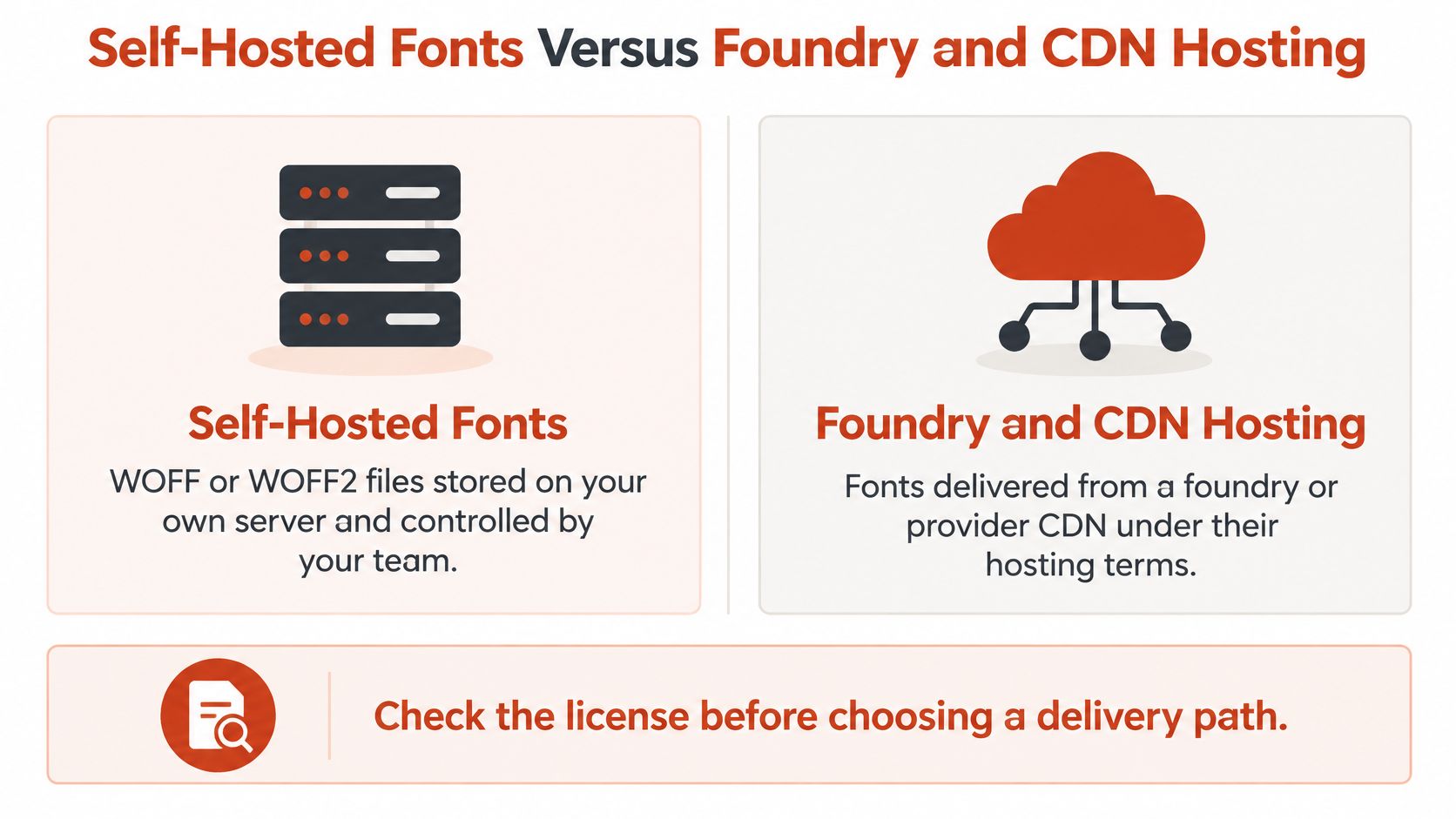
The same typeface can reach a browser through different delivery paths. Your team might store WOFF or WOFF2 files on infrastructure it controls, or load a stylesheet that retrieves fonts from a provider's content-delivery network. The file itself can be identical either way. What changes is who serves it and which contract covers that route.
Choose the operating model before copying files into the project. List every family, the domains serving it, and whether each file would be served by your server or a provider, then approve that list before copying anything. Having the files on your server is an infrastructure fact; the license decides whether you may serve them.
Compare responsibility, not just file location
| Decision area | Self-hosted fonts | Foundry or CDN hosting |
|---|---|---|
| Operational control | Your team manages font assets and deployment | The provider manages font delivery under its service terms |
| License check | Confirm permission to host the exact files | Confirm the approved hosted implementation |
| Migration work | Preserve authorized files and deployment records | Review permission before replacing the hosted arrangement |
| Audit evidence | Retain file identity, source, agreement, and server context | Retain project details, account ownership, and service terms |
Many hosted font providers deliver files through a global CDN and do not offer local hosting; if you need to self-host, you must buy a separate license for the files.
A hosted arrangement can also carry its own usage terms for fonts served through the provider's network, and that permission belongs to the hosted arrangement. It does not automatically follow a copy of the same files stored on your own server.
Treat migration as an approval point
Consider a hypothetical infrastructure change. A developer wants to consolidate website assets into a company-controlled storage bucket and copies cached font files alongside the images.
The site looks the same afterward, but the team has changed how the fonts are delivered and must confirm the license still covers that route.
Open-licensed files present a different situation. As noted earlier, their agreements may permit self-hosting, provided the team follows the relevant conditions. Don't apply proprietary subscription assumptions to an open license, or open-license assumptions to a hosted subscription.
A successful font request shows only that the delivery works.
The self-hosted versus hosted decision guide can help your designers and engineers evaluate the operating model together. Include procurement or legal stakeholders before committing to a path that changes your permissions.
Legal Obligations Behind Every Web Font
A web-font agreement sets limits on where, how, and in what format the font may be served. Your task is to describe those limits clearly enough that a developer can deploy within them and a reviewer can verify the result.
The record must name the licensed files, the intended use, and the contractual scope. Treat each deployed file as a delivery event: the same family can be allowed on one domain, restricted on another, and excluded from a document or app.
Record the boundaries that affect deployment
Foundry web-font EULAs often specify live-text rendering through CSS @font-face, web-specific formats, and monthly visitor limits. Terms may prohibit serving desktop OTF or TTF files, restrict conversion, require safeguards against extraction, or cap subdomains.
Do not assume a browser-supported format is a contractually permitted format. A desktop OTF file may be browser-compatible, yet the license can forbid serving it on a website.
For each family and weight, record:
- License holder and scope: Identify the organization authorized to use the font and the relevant domains or subdomains.
- Approved files and formats: Record which supplied webfont assets may be deployed and whether conversion is permitted.
- Usage entitlement: Capture the agreement's measurement unit, allowance, term, and renewal requirements.
- Modification conditions: Check subsetting, other file changes, and any required extraction safeguards.
- Distribution channels: Separate browser rendering from documents, applications, and other published outputs.
Read the measurement definition carefully
Some web-font agreements count pageviews when CSS containing @font-face is called, and each webfont in a kit can generate a count. Others measure monthly unique visitors, domains, or a prepaid allowance with a fixed term.
That difference matters operationally. In a hypothetical visitor-limited agreement, a campaign could exceed the entitlement even though nobody changes the font files. Use the contract's counting method rather than assuming an analytics dashboard measures the same thing.
Keep browser rights separate from output rights
Browser compliance covers one delivery route only. PDFs, EPUB files, applications, games, and digital documents can sit under different permissions even when the same family appears in all of them.
Maintain a usage matrix with family, weight, medium, output format, distribution channel, audience, and license tier. Check whether a generated asset embeds font data rather than inferring its technical behavior from its appearance.
Potential legal exposure depends on the agreement, conduct, and applicable law. There's no universal fine to quote here, and an uncertain record isn't itself a legal conclusion. This guidance is informational, not legal advice.
Common Licensing Pitfalls on Real Projects
A web font license works like a shipping contract: it specifies what may be delivered, through which channel, and to which destination. Trouble starts when a team treats a font as owned outright and sends it through a channel the contract never covered. Each scenario below begins with a reasonable production decision and ends with a missing permission or a missing piece of evidence. They are hypothetical rehearsal exercises for a project review, educational rather than legal advice.
The report and campaign graphic
A marketing team reuses the website's brand family in a downloadable report and a social graphic. Nobody checks how the export process handles font data or which permission covers the resulting asset.
The mistake is treating visual consistency as authorization. A license that covers serving font files to browsers may say nothing about embedding font data in a document. Embedded fonts, outlined shapes, and rendered pixels each raise different licensing questions, so inspect what the export produces rather than how it looks.
A screenshot of the finished page shows only the rendering. Export the file and open its font properties to see whether fonts are embedded; embedding is the permission your agreement must cover. Open the exported PDF, confirm which fonts are embedded, and compare each one against the usage matrix before publishing. The W3C WOFF licensing FAQ explains why embedding and distribution carry their own terms beyond how text appears on screen.
The preview environment that becomes public
An agency shares a staging site for approval, then leaves it publicly reachable after launch. The team documented production permission but never checked whether the agreement covers that second domain or environment.
Treat each deployed location as its own delivery channel. A preview anyone can open behaves like a public deployment, whatever the team calls it internally. Ask about development and preview environments during procurement, since some agreements allow staging only behind access controls while others count it as an additional domain. Include publicly reachable previews in deployment reviews.
The inherited theme
A developer activates a theme containing font references and assumes everything bundled with it is cleared for the project. The missing step is tracing each reference to its underlying license.
Before launch, inspect theme assets and dependencies. A technically valid WOFF file says nothing about permission, because someone may have converted or reduced a font without authorization to do so. This guide to font subsetting for web delivery explains how optimization changes font files, which is useful context when reviewing a modified asset. Optimization by itself is never the authorization.
The handoff without records
A client receives the repository, including font files, but no invoice, agreement, or hosted-project ownership details. The client can operate the website yet cannot show why its use is covered.
Hosted font services often separate service access from desktop, self-hosting, and application permissions; check which one your handoff covers. A handoff should transfer the relevant evidence and establish the client's authorization together with the files themselves.
Handoff check: The recipient should be able to explain why each deployed font is permitted without contacting the original designer.
Auditing Your Fonts Step by Step
An audit should let someone trace a live font request back to its authorization. Organize the work around deployed assets rather than starting and stopping with the brand guidelines.
Keep the working record somewhere designers, engineers, and reviewers can access. A spreadsheet or ticket system is enough if it preserves the evidence and makes unresolved questions visible.
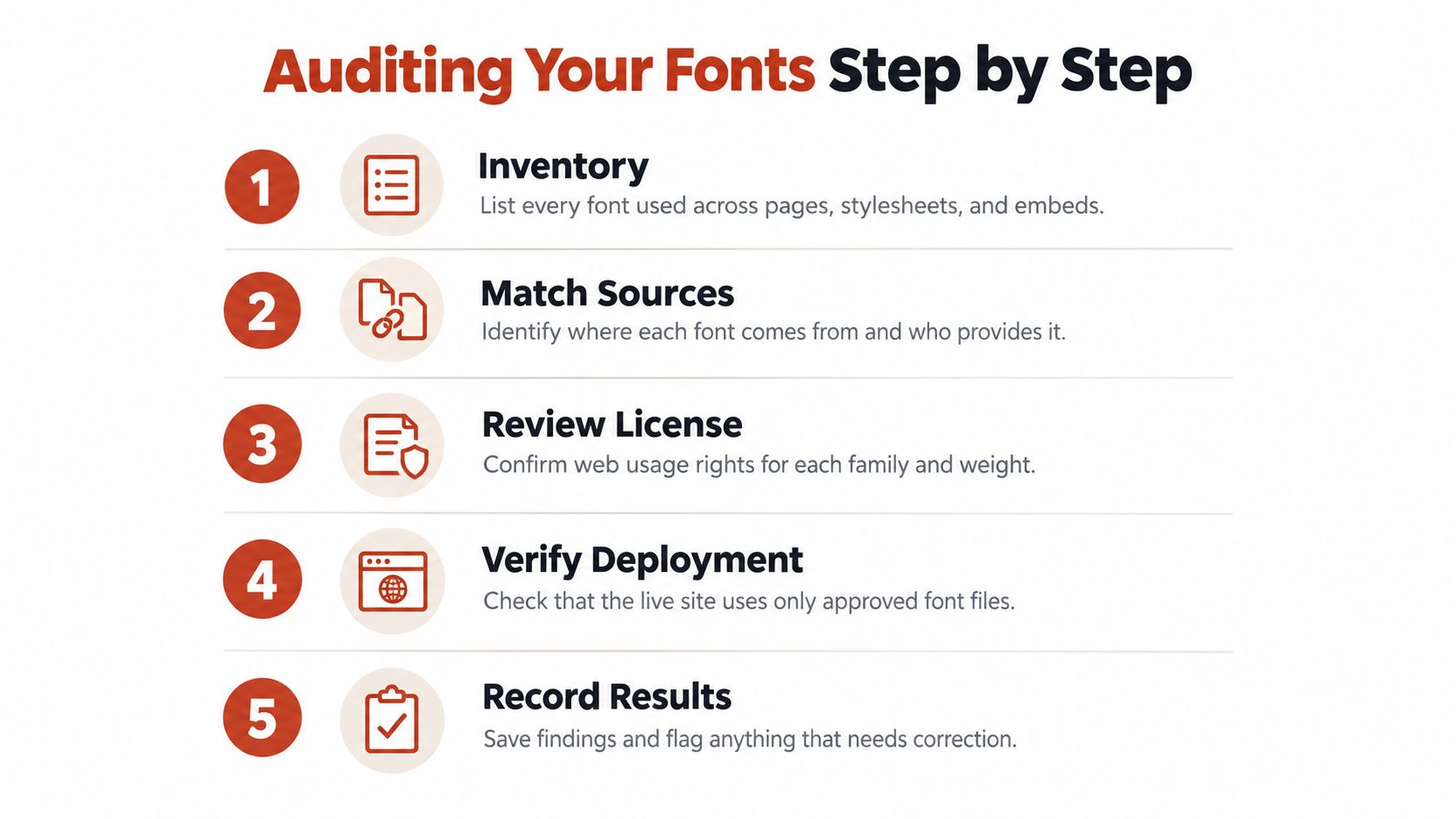
Build a traceable evidence chain
Use this checklist as a reusable task:
- Inventory the typography. List families and weights loaded through stylesheets, scripts, theme files, and third-party embeds. Include design sources that feed published assets.
- Identify the source. Record where each file originated, who supplied it, and whether delivery is local or provider-hosted. Keep unknown provenance visible.
- Attach authorization. Preserve the invoice, applicable agreement version, license holder, approved domains, allowed formats, and traffic entitlement. Capture the original license file for open-licensed assets.
- Verify the deployment. Match each served file to the approved asset. Record its file hash, CSS reference, deployment location, and relevant release history.
- Record findings and ownership. Mark confirmed matches separately from unresolved items. Assign an owner and review date to every gap.
A file hash helps distinguish files that share a family name. It doesn't prove permission by itself, but it lets reviewers connect the exact deployed asset to the evidence they inspected.
For documents, add an embedded-font check. For images, retain the source asset and export context rather than relying on visual identification alone.
Verify changes, not just launches
Set a recurring review schedule that fits your release process. Require a fresh check when a team adds a domain, changes a format, introduces another publishing channel, or replaces a font asset.
The practical website font audit guide can support implementation. Keep licensing findings distinct from technical findings, even when the same reviewer collects both.
A broader technical review can run alongside the licensing work. If you're planning to boost site performance with Netco Design, include font-loading observations in that scope while maintaining separate authorization records.
These checks support internal governance. They don't replace legal review of unclear terms, disputed rights, or a notice from a rights holder.
Remediation, Tools and Your Next Step
Finding a gap doesn't mean every font must be replaced. First determine which kind of gap you have: an evidence problem, a deployment mismatch, or a use that requires different permission.
Each remedy works like correcting a shipping label. The file, the channel, and the domain all have to match what the license authorizes, so the right fix depends on which element is out of alignment.
A missing invoice calls for retrieval and verification, because the permission may already exist. An unauthorized delivery mechanism calls for a deployment decision. An uncovered publishing channel calls for an appropriate license or a different asset.
Choose a remedy you can document
Possible responses include:
- Obtain the appropriate permission. Describe the actual deployment and channels when contacting the foundry or authorized reseller.
- Replace the font. Select an alternative whose documented terms cover the intended use, then test the affected layouts.
- Correct the delivery path. Restore an approved hosted arrangement or deploy properly licensed self-hosted files.
- Preserve the decision. Record the owner, date, supporting correspondence, changed assets, and verification result.
Don't overwrite the audit history once the fix is complete. Keep enough context for a later reviewer to understand what changed and why.
If a rights holder has contacted you, preserve the communication and the relevant records. Have an authorized legal reviewer assess the situation, because a technical fix does not settle any historical issue. This guidance is informational and is not a substitute for legal advice.
Combine document review with monitoring
Manual review handles judgment calls: interpreting agreements, resolving exceptions, and reading terms that cover unusual deployments. It becomes repetitive when reviewers must check many pages, templates, and releases for unexpected font changes.
Automated scanning can help maintain that inventory, but it shouldn't be treated as the final authority on contractual permission. Image identification, in particular, can suggest a typeface without establishing the source file or its authorization.
The publisher's auditing service accepts a live URL, PDF, image, or zipped font set. It identifies typefaces and license tiers, flags trial or expired copies, and supports recurring checks with automated alerts when a license lapses or an unexpected font appears. Scanning tools can export reports for legal and operations teams, which helps you connect detected fonts with your internal evidence.
Pair a documented remediation log with a scan on each release and a human review of any license that is not clearly covered. To put that rule into practice, start with a single page:
- Pick your highest-traffic page.
- Scan it.
- Match each detected font to the license record you already hold, and flag any gaps for review.
Font Checker Pro offers font scanning and exportable audit reports to help connect deployed typography with your licensing review. Use the results to check each identified font against its agreement, its authorized domains, and its approved delivery method.