The usual advice for finding a font in a PDF is to open the font-properties panel and copy the name. That's a useful start, but it isn't a finished identification. To find the font from PDF files without guessing, you need to establish what the document declares, what font data it really contains, and what you're permitted to reuse.
Why a Font Name in a PDF Can Mislead You
A viewer's font label isn't necessarily the identity of a complete, usable typeface. PDF font identification is fundamentally a metadata-and-embedding problem: font objects describe properties such as type, PostScript name, and encoding, while the font program may be embedded, subsetted, or obtained externally. That distinction matters more than how convincing the page looks, as described in this technical treatment of PDF font structures.
For a designer verifying a client's typography, the immediate question is family and style. A developer reproducing the layout also needs to know whether the available file can support new content. A compliance reviewer needs evidence connecting the identified software to its permitted use.
What a Checker Can Actually Establish
Expect one of these outcomes rather than an unconditional answer:
- Explicit identity: Embedded metadata supplies a family or PostScript name that can be investigated further.
- Subset identity: The PDF contains a reduced font program, potentially with an altered internal name.
- Unresolved reference: The document names a font without supplying its program, leaving uncertainty about the original and the viewer's substitute.
Those outcomes aren't interchangeable. A document that renders correctly on your workstation may be relying on something outside the PDF, so appearance alone can't settle the question.
Practical rule: Treat the displayed name as a lead, not as proof that you've found the original font file.
A defensible investigation combines structural metadata, visual comparison where needed, and an audit record that preserves uncertainty. Licensing is a separate check before installation, extraction, hosting, or handoff.
Reading the Font Metadata Inside a PDF
The font name shown in a PDF viewer is a useful clue, not a complete identification. Open the document properties font list in your viewer and record each name, type, and embedding label exactly as displayed. An Embedded Subset entry indicates that the PDF contains a reduced font program with the glyphs used in the document. A font entry without that label does not, by itself, prove whether the program is embedded or complete. Check the full entry using this guide to checking embedded PDF fonts.
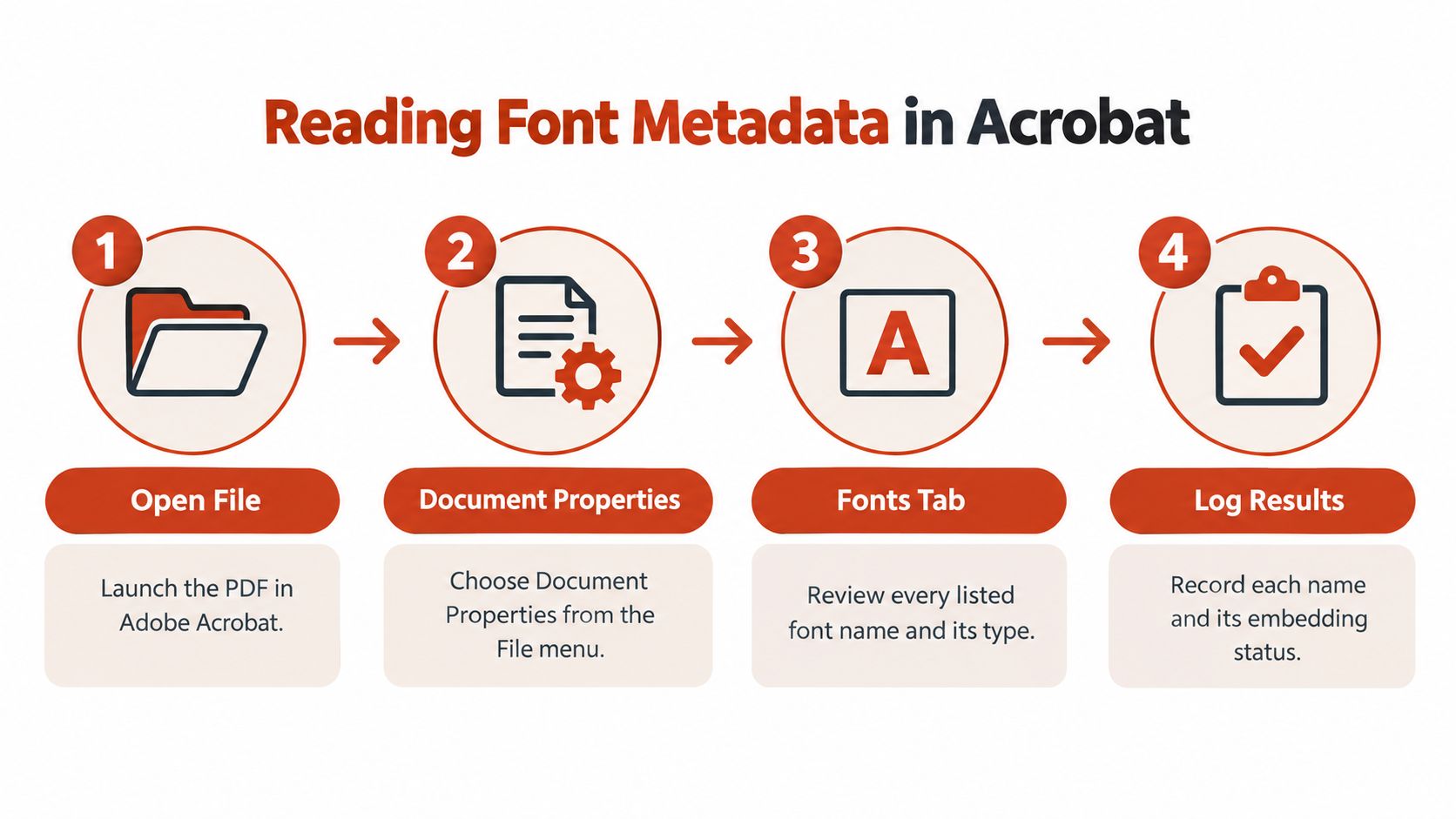
Inspect the original file without changing it. Re-exporting or printing creates a separate document, so its metadata cannot strengthen the evidence about the original.
Inspect the Structure Behind the Label
For a command-line inventory, run pdffonts document.pdf. It lists font names and types, along with embedding and subset status. Compare its output with the viewer's font list and note any differences.
For a reproducible technical record, inspect the PDF's font resources directly:
- Page resources: Check each page's
/Resourcesdictionary and/Fontentries. A check of the opening page alone may miss fonts used elsewhere. - Font dictionary: Record
/BaseFont, the subtype, the encoding, and whether a/ToUnicodeCMap is present. - Font descriptor: Follow
/FontDescriptorand check for/FontFile,/FontFile2, or/FontFile3streams.
A font's /BaseFont value can resemble a commercial product name without identifying a usable font file. Keep separate fields for declared name, embedded-program metadata, and unresolved questions. If the values conflict, document the mismatch and leave it unresolved rather than choosing the most familiar label.
For handoff, attach the inventory to the PDF it describes. Note the page location and inspection method so another reviewer can reproduce the finding. A recognized family or PostScript name does not establish permission to use the font.
Record metadata as evidence, and do not copy it into a purchase order as a verdict.
Matching Glyphs When the Metadata Runs Out
Visual matching becomes useful when structural inspection leaves you with an unresolved identity. It should narrow candidates, not manufacture certainty. A visually similar replacement is a design choice unless you can connect it to stronger evidence.
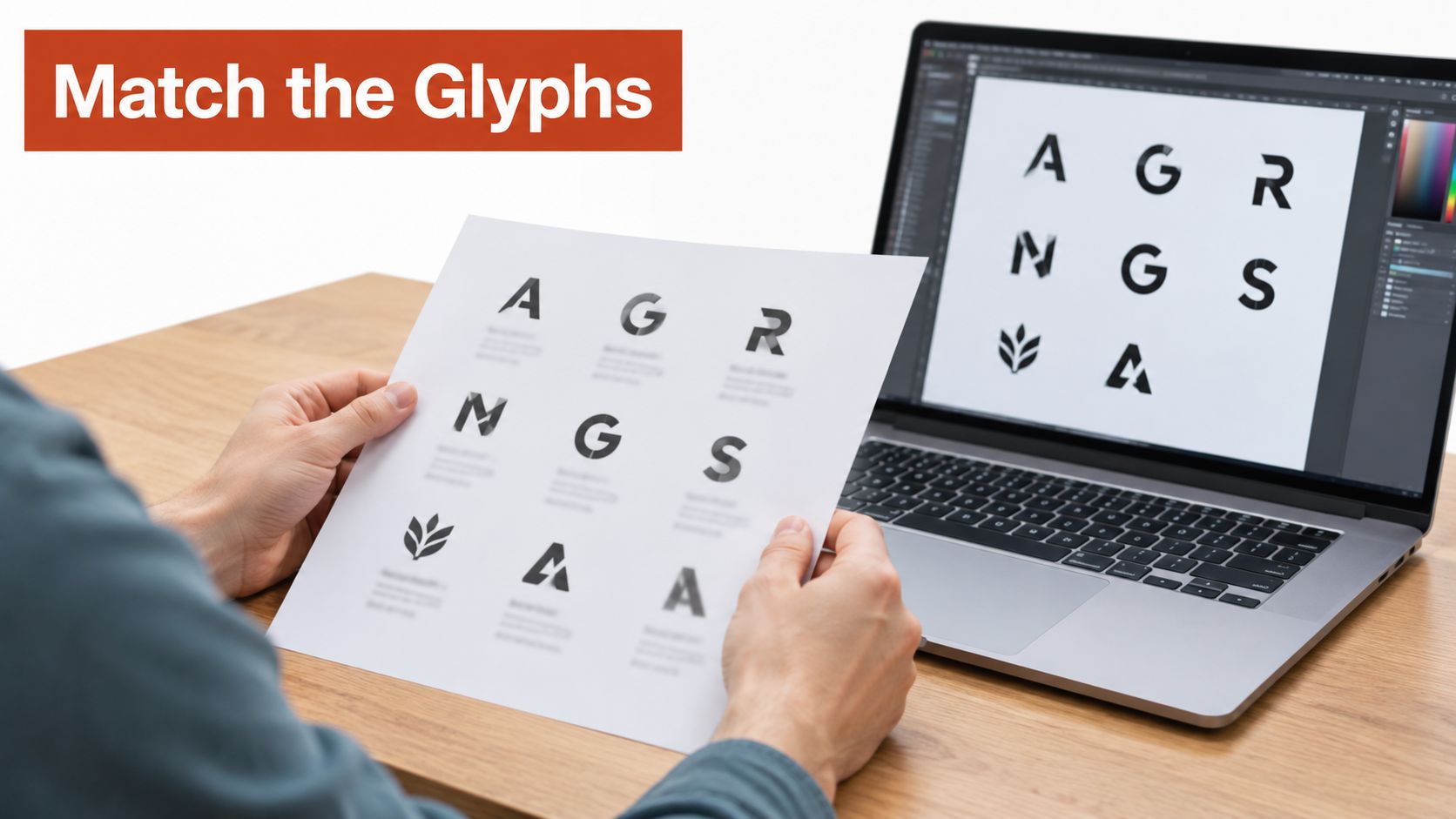
Render a clean sample at a large size and keep the original proportions. Choose a passage with varied characters rather than a short, all-capitals heading. Compare candidates using the same text wherever possible.
Compare Features, Not Overall Mood
Use distinctive shapes to reject candidates before judging the paragraph as a whole:
- Construction: Compare the lowercase
g, the bowl and terminal ofa, and the shape oft. - Distinctive details: Inspect the tail of
Q, the leg ofR, numeral shapes, and any ligatures. - Proportions: Compare x-height, width, and stroke contrast before evaluating spacing.
For example, a candidate might resemble the heading at a glance but have a clearly different R. Rejecting it on that visible contradiction is more defensible than accepting it because its overall texture feels close.
An image-based font matching workflow can help build a shortlist. Keep the relevant crop and your comparison notes, then label the conclusion probable family match unless other evidence supports exact identity.
Separate Scans From Text
First establish whether the page contains text, outlined glyphs, or an image. For scanned pages, use OCR to recover text before text-based inspection, while retaining the scan for visual comparison. OCR doesn't prove which original typeface produced the image.
That distinction also prevents a second mistake: confusing readable appearance with recoverable characters. The relationship between glyphs, character mappings, and extraction is explained in this overview of text extraction from PDFs.
Decoding Subset Names and Finding a Usable Font File
A strange name doesn't necessarily mean a strange typeface. Subsetted fonts commonly use a six-letter prefix followed by a plus sign, and the embedded program may contain only the document's used glyphs. Multiple subsets should be treated as separate entities even when they appear to come from the same typeface, as described in the PDF embedded-font specification notes.
That explains why a font list can contain repeated-looking entries. Don't merge them just because the text after the prefix matches. Preserve each resource until you've checked its metadata and coverage.
What Common PDF Font Names Usually Mean
| Name pattern | What it usually means | Next action |
|---|---|---|
Six-letter tag, +, then a name |
A subset identifier precedes the reported font name | Preserve the full name and inspect that subset separately |
| Similar names with different subset tags | Separate subset resources may share an apparent family | Compare their metadata without assuming identical contents |
| Recognizable family or PostScript-style name | A useful identity clue, not proof of completeness | Check embedding and compare against the foundry's catalog |
| Generic or opaque name | Commercial identity remains uncertain | Inspect the program metadata and retain unresolved status |
Find the Complete Font Deliberately
Once you have a credible family and style, check the foundry's catalog and obtain the appropriate file through an authorized channel. Confirm that it supports the characters your next document needs, especially punctuation, alternate forms, and additional languages.
A font-file analysis can support inspection of the candidate file. Don't assume that successfully extracting a subset gives you a complete desktop font, the rest of its family, or permission to install it.
Troubleshoot Extraction Separately
If search, copy-and-paste, or screen-reader output remains broken, inspect the ToUnicode mapping before replacing the typeface. The extraction issue described earlier can remain even when the family identification is correct.
Retest reading order and searchable text after any change. A visually convincing substitute isn't a reliable accessibility repair.
Comparing Manual Methods and Font Audit Tools
Choose the method according to the decision you need to make. For an isolated PDF with ambiguous metadata, manual inspection gives you direct access to the evidence. For a recurring client handoff, the harder problem is keeping the same checks and documentation across every file.
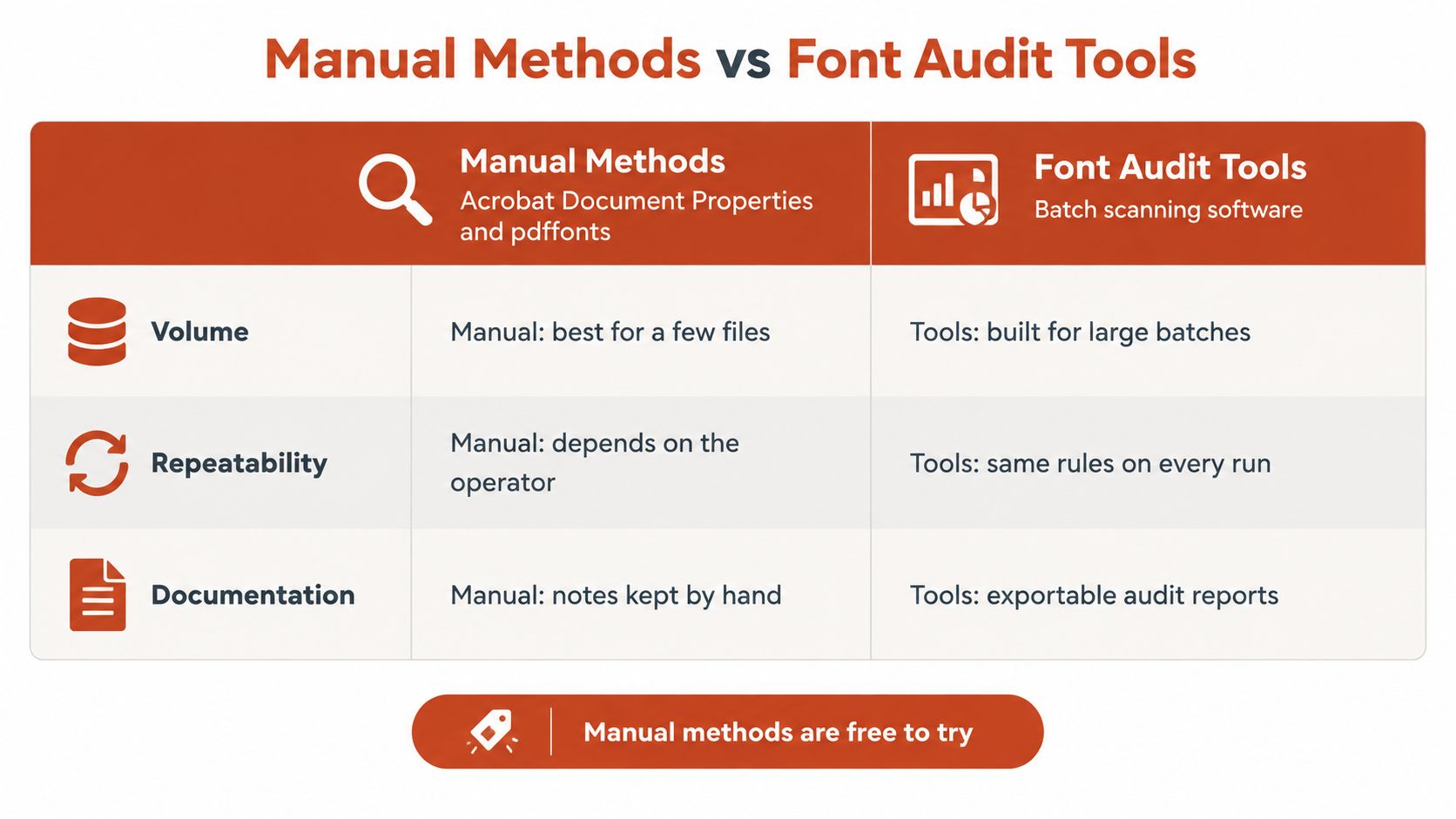
The viewer panel is convenient for reading entries interactively. The command-line inventory is useful when you want text output to retain alongside the source document. Neither approach eliminates the need to interpret ambiguous names, verify usable files, or investigate permissions.
Choose by Workload and Evidence Needs
| Decision criterion | Manual inspection | Automated audit workflow |
|---|---|---|
| Focused investigation | Useful for tracing an ambiguous resource | Useful for generating an initial inventory |
| Repeatability | Requires a written procedure and consistent notes | Can organize repeated scans and findings |
| Documentation | You assemble the record | Exportable reports can support handoff |
| Licensing interpretation | Requires the governing terms | Findings still require review against those terms |
A font audit search is another starting point when you need to organize identification work beyond an individual viewer session. The publisher's PDF scanning and report-export workflow can help collect evidence, but it shouldn't turn an uncertain family match into an asserted legal conclusion.
Validate the Report Before Relying on It
Use a document you've already inspected manually to evaluate an automated workflow. Check whether the output preserves subset status, distinguishes missing data from confirmed findings, and lets a reviewer trace a result back to its source.
Ask whether a foundry attribution is supported by embedded metadata or inferred from a name. Keep those evidence types separate in your own record, even if the report presents them together.
A useful audit report preserves what's unknown. A polished report that hides uncertainty is harder to defend than a careful spreadsheet.
Manual and automated methods work well together: automate inventory collection where practical, then spend reviewer time on contradictions and unresolved references. Neither method replaces legal review.
Checking Licensing Before You Reuse the Font
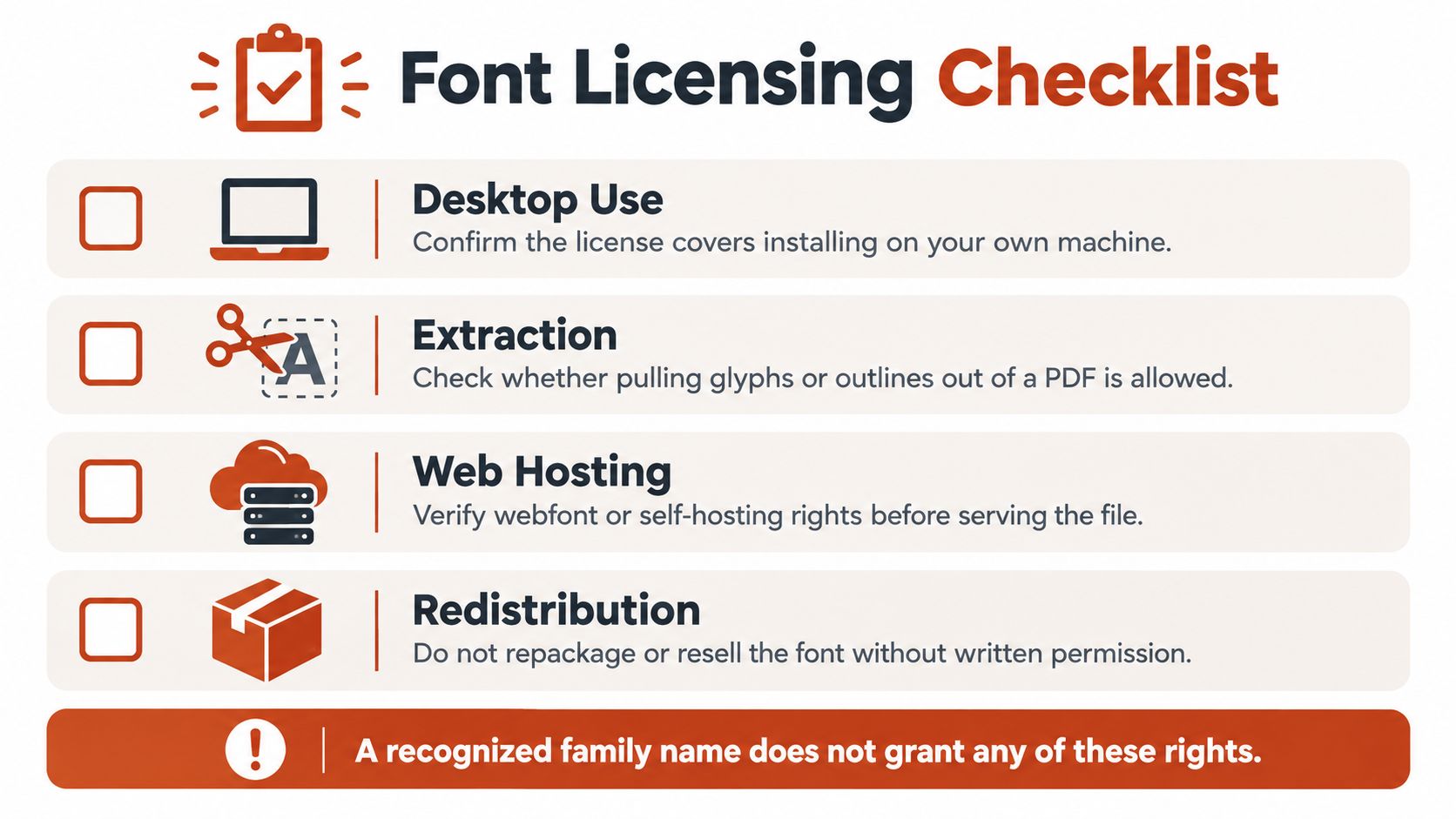
A font name in a PDF identifies a possible family or embedded resource. It does not establish what your team may install, extract, host, or redistribute. Check the EULA for the specific font file and the use you have planned. Desktop installation, website embedding, server-side use, and electronic documents can have separate permissions. The font licensing terms and definitions explain common licensing terms.
A designer may be licensed to create a client PDF on a local machine, while the development team may need separate permission to serve the font through CSS or a CDN. The PDF itself does not grant those rights.
Match the License to the Deployment
Check whether web use is limited by domains, page views, or unique visitors. Review electronic-document terms separately from desktop permissions, and confirm what embedding the agreement allows. The font licensing guide outlines these categories, but the EULA for the font you hold governs your use.
Advertising, applications, and automated server-side work need their own review. A service that renders PDFs or generates images may require server rights; a designer's local installation permission may not cover that deployment. Check the applicable licensing terms and conditions.
A font audit workflow comparison can help you decide how to collect and route licensing evidence. It cannot determine permission. That decision comes from the governing EULA and, where terms are unclear, qualified legal review.
Build a Pre-Reuse Record
- Identity: Record the family, style, foundry, and candidate font file. Treat a recognized name as an identification clue, not proof that the file is licensed.
- Agreement: Save the applicable EULA and purchase or entitlement record.
- Deployment: Specify the medium, users, domains, and distribution method, including electronic documents and server-side generation where relevant.
- Extraction and handoff: Confirm whether the agreement permits extracting the font or giving recipients the font software.
- Approval: Refer unclear terms to the foundry or a qualified legal reviewer before deployment.
Use free or safe only with the relevant licensing conditions stated. Successful rendering and technical embedding do not establish contractual permission.
A licensing mismatch may require additional payment, replacement work, or lead to a legal dispute. Avoid assuming a standard fine or settlement amount, since consequences depend on the agreement and circumstances. This content is informational, not legal advice.
Next Steps for Your Font Audit
Pick a PDF you already need to reproduce or hand off. Open its font-properties panel, run the command-line inventory, and save both findings beside the unchanged source file. Use a spreadsheet with fields for declared name, embedded identity, subset status, page location, candidate file, and licensing evidence.
Turn Inspection Into a Decision
- Classify the identity: Use exact embedded identity, probable family match, or unresolved reference.
- Escalate selectively: Apply visual matching only where the structural evidence leaves a gap.
- Check the deliverable: Assess usable-file availability, text recoverability, and accessibility independently.
- Approve the intended use: Complete the licensing review before deployment or redistribution.
For repeated work, evaluate a bulk font analysis workflow against that manually checked record. You'll have a concrete basis for deciding whether automated collection fits your workload and whether the exported evidence answers your reviewers' questions.
If the approved family is moving into a product interface, DOM Studio's resource on typography tokens for consistent UI provides a useful next step for organizing implementation. Keep that design-system decision separate from the identification and permission records.
Start with the document on your desk, not an idealized sample. Record one defensible conclusion and the evidence supporting it, then use that record as the template for your next handoff.
Font Checker Pro scans PDFs and exports font-audit findings to help you organize identification evidence before reuse. Visit Font Checker Pro to inspect a document and compare its report with your manual inventory, keeping unresolved identities and licensing questions visible for review.