Extracting a font name from a PDF doesn't prove you've identified the exact typeface, and it certainly doesn't establish that its use is permitted. A PDF can declare a family name while embedding only a subset, relying on a local substitute, or storing no usable font program at all. Identifying fonts in PDF files is an evidence-grading task: declarations, embedded data, visible letterforms, document behavior, and licensing terms each answer different questions.
For designers, developers, agencies, and compliance teams, that distinction matters. A brand handoff may call for a precise typeface match; an archival review may need a record of what the file contains; a licensing audit must examine more than a font name. This guide offers a practical way to investigate those questions. The findings are informational, not legal advice.
Why Font Names Are Not Final Answers
A designer receives a branded PDF. The text looks right, but nobody can say with confidence which font produced it. A properties panel shows a name, and the first instinct is to treat that name as the answer. That shortcut can lead to the wrong family, an unsupported claim about the exact font cut, or an unjustified assumption that the document's font use is compliant.
Extraction, identification, visual matching, and licensing are separate tasks. Extraction tells you what a tool can read from the file. Identification asks what typeface the evidence supports. Visual matching compares letterforms, but remains an inference unless corroborated. Licensing review determines what the relevant agreement permits.
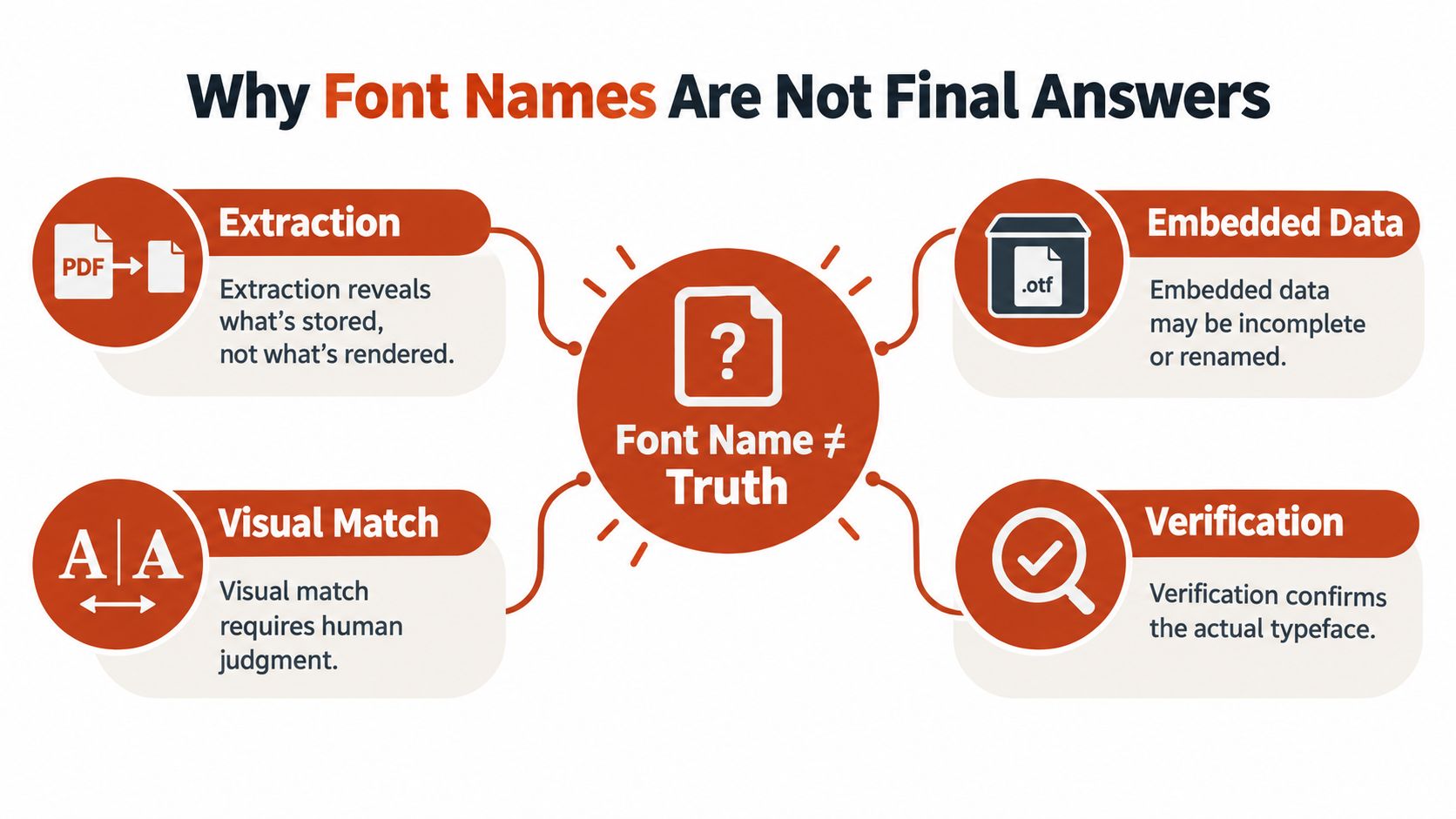
PDFs commonly contain subset fonts. Custom encodings, incomplete character maps, ligatures, accented characters, and scattered glyph positioning can complicate extraction, so a successful extraction doesn't necessarily establish the exact typeface (technical discussion of PDF font extraction challenges). A reported name may be generic or carry a subset prefix, while a viewer may substitute a local font if the original program isn't embedded.
Treat the name as a lead, not a verdict. A defensible finding should distinguish the declared PDF name, the identity suggested by any embedded program, the visual match, and the rights evidence. Each may reach a different level of certainty.
That approach serves different teams in practical ways. A designer can use the visible match to guide a replacement while marking it provisional. A developer can investigate why rendering varies across systems. A compliance reviewer can document what's technically present without claiming that the file proves a license.
Understand PDF Font Evidence
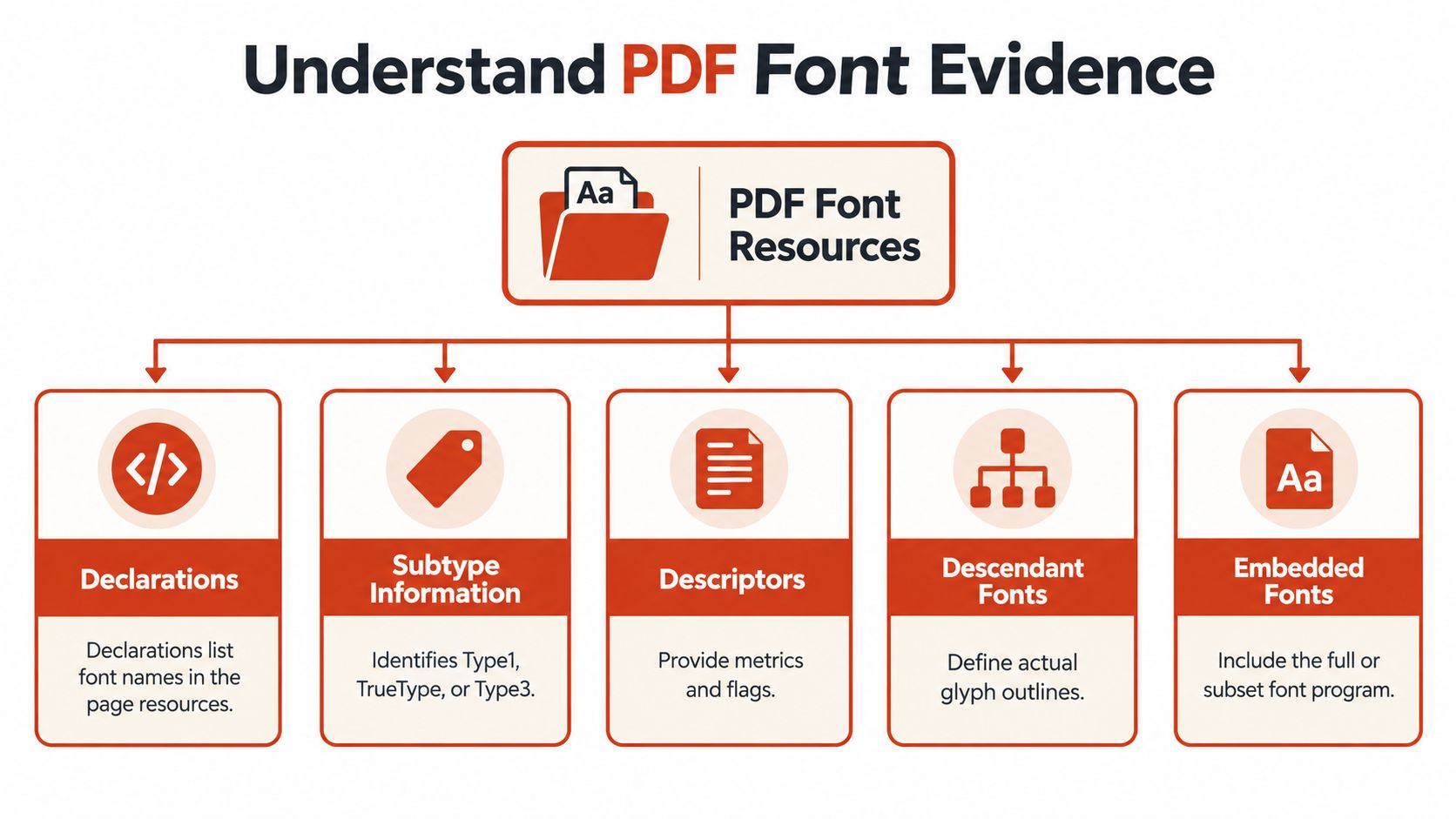
PDF font identification starts with resources and descriptors, not visual appearance alone. Font data, when embedded, is stored inside the PDF as a font stream. The file may contain a complete font program or just a subset with the characters used in the document, so a declared name and the available glyph data don't necessarily tell the same story (Adobe's PDF font-handling documentation).
Read the resource chain
A page's resources list font entries used for its content. Those entries refer to font objects, which may point onward to descriptors, descendant fonts, and font-file streams. Reading the chain matters because a visible resource name alone may not expose the actual embedded program or explain how a composite font maps characters to glyphs.
Subtype information gives useful context. Common subtypes include Type0, Type1, TrueType, and Type3. A Type0 font can reference descendant fonts, so inspecting only the parent object may miss details of the glyph-producing font. Descriptors provide additional properties and can contain references to embedded font data.
A complete font program is stronger evidence than a name-only reference or metrics-only entry. But even a program doesn't necessarily represent the full family: subset embedding preserves only part of the glyph inventory. Adobe documents support for Type 1 and TrueType fonts; OpenType fonts can use either Type 1-based or TrueType-based internal structures. Don't assume the human-readable name tells you which internal format is present.
Establish what kind of text you're inspecting
The document's text can be live, outlined, or rasterized. Live text retains character content and may use a PDF font resource. Outlined text consists of vector shapes, so it can preserve appearance without offering a normal font program to inspect. Rasterized text is pixels, not editable characters or recoverable font data.
These forms affect search, editing, accessibility, and identification differently. If text selection or search behaves unexpectedly, investigate the document's text representation before concluding that a font is missing. For additional context on distinguishing PDF text from image-based content, see this guide to text detection in PDFs and font reports.
A useful report separates what the PDF declares from what the file contains. Record the declaration, subtype, descriptor and stream evidence, then qualify the result according to what can be verified.
Inspect Fonts in a PDF Manually
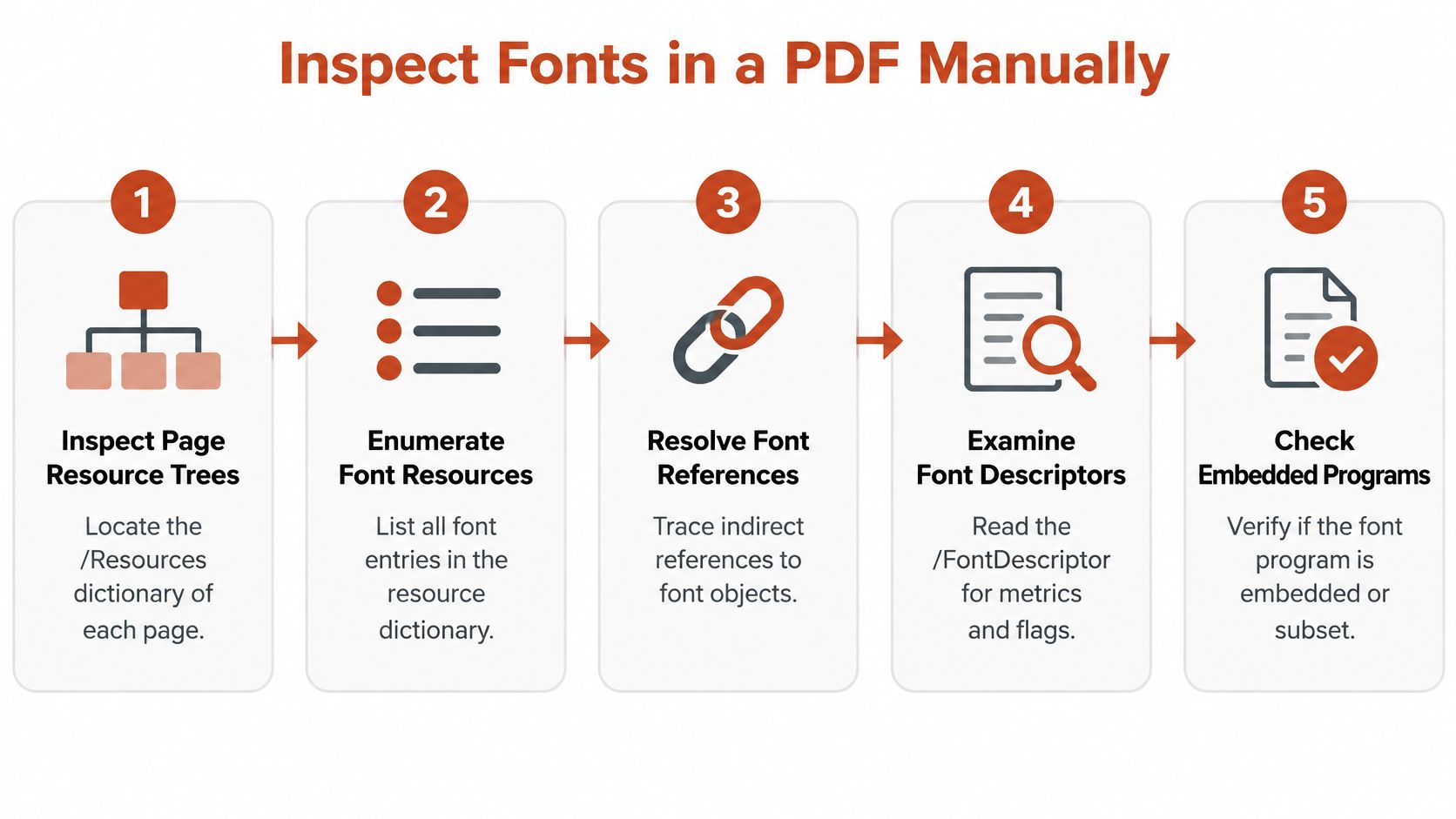
A repeatable manual audit begins at the page, not at the font name shown in a viewer. Page-resource trees reveal which font entries the page references and provide a path to the underlying objects. Adobe's PDF font API describes the resource and font structures that support this kind of inspection (PDF font resource reference).
Follow each font reference
Inspect page resources. Check each page's
/Resourcesdictionary and note where the font entry appears. Fonts can be reused across pages or defined at different resource scopes, so record the page location rather than assuming one list covers the whole document.Enumerate the
/Fontentries. For every entry, preserve the raw resource key and resolve the referenced object. Record its object location so another reviewer can find the same evidence.Read the font object. Note the subtype and the raw
/BaseFontname. ForType0fonts, follow/DescendantFonts; for other relevant fonts, inspect the font object and its descriptor references rather than stopping at the parent name.Follow the descriptor. Inspect
/FontDescriptorand follow any/FontFile,/FontFile2, or/FontFile3reference. A font is embedded only when its program is stored as a stream in the PDF. A name or metrics without a program may leave the renderer dependent on a host-system substitute.Record the evidence and its limits. Note encoding or CMap quality, whether the program is full or subsetted, and any reason confidence is limited. A
Type3font, custom encoding, or unclear character-to-glyph mapping deserves particular caution.
Preserve raw names and grade confidence
A six-uppercase-letter prefix followed by a plus sign, such as ABCDEF+Myriad, marks a subset instance. You can remove that prefix when grouping entries by likely family, but keep it in the raw record. Separate subset instances can coexist, especially in merged PDFs, and deleting the prefix can erase useful traceability.
A practical worksheet should include the page and object locations, subtype, raw and normalized names, embedding status, subset status, encoding or CMap notes, and confidence. Use “declared identity” and “embedded-program identity” as separate fields. If only a name or metrics are present, don't report a precise identification as though the file confirmed it.
| Observed PDF evidence | Recommended identification | Next verification |
|---|---|---|
| Name present, no font stream found | Declared name only | Check for substitution and consult source files |
| Subset prefix and embedded stream | Likely family-level identification | Review glyph coverage and compare visible forms |
| Embedded program and consistent metadata | Stronger program-level evidence | Validate against the rendered letterforms |
| Custom encoding or uncertain CMap | Qualified or unresolved match | Check character mapping and representative glyphs |
| Type3 resource or outlined text | Limited font-level evidence | Document the representation and avoid overclaiming |
Handle Subsets and Missing Font Programs
A subset font can retain a recognizable internal identity while containing only the glyphs used in the PDF. Subsetting reduces file size, but a limited glyph inventory makes it harder to determine the full typeface or evaluate how the complete family behaves. The effect can be pronounced in multilingual documents, logos, scientific notation, or text that uses stylistic alternates.
Adobe's PDF Generator documentation gives a threshold example: with a configured threshold of 35%, only used characters are embedded if fewer than 35% of a font's characters are needed (Adobe's font-subsetting settings). The example illustrates why a readable font name doesn't imply that the PDF contains the full glyph set.
Choose the right conclusion for the file
- Complete embedded font: The file contains a font program that can support stronger technical identification. Verify its metadata and don't assume the presence of a complete program settles licensing.
- Embedded subset: Keep the raw subset prefix, group by the normalized name when appropriate, and inspect whether the visible glyphs support the family-level conclusion. Don't claim the complete family or exact commercial cut from partial coverage alone.
- Unembedded reference: The PDF may name a font but rely on a viewer's local substitute. The rendered result can vary by system, so record the declaration and mark the actual program as unavailable.
- Metrics-only storage: Metrics can support layout without supplying the font outlines. Treat the name as limited evidence, not proof of the installed or rendered face.
Custom encodings and incomplete CMaps can make character-to-glyph mapping unreliable. Ligatures and accented characters may also complicate comparisons. With a Type3 font, the glyphs may be represented through PDF graphics rather than a conventional font program. In these cases, qualify the identification and note which characters couldn't be verified.
Outlined and rasterized text create a different limit. Outlines can be compared visually but don't normally provide an extractable font program; raster images offer pixels, not reliable font metadata. Image-based matching can suggest candidates, but it remains a visual inference that should be documented as such. For a focused discussion of extracting and auditing embedded programs, see this guide to PDF font extraction and recovery.
Compare Real PDF Font Scenarios
A brand-handoff PDF may show a family name followed by a subset prefix. The name helps the design team group the resource, and the embedded glyphs may support a family-level match. But the file might not establish the exact cut, variable-font instance, or license. The useful handoff says what was observed, what appears likely, and what source file or purchase record is still needed.

A multilingual report calls for a different reading. If the PDF contains only part of the font, its embedded glyphs may not cover every language in the source document. A custom character map can further obscure the relationship between extracted characters and visible forms. When the document renders differently across systems, check whether it references an unembedded font and relies on local substitution before treating the displayed face as definitive. A guide to practical fixes for PDF fonts that don't display properly can help frame that investigation.
A merged document can contain multiple subset prefixes for the same likely family. Keep each raw name and object location, then group entries only as a separate analysis step. That preserves evidence of distinct subset instances instead of collapsing them into a single untraceable label.
An outlined logo may look stable and match the brand artwork, yet contain no normal font program to identify. Rasterized text provides even less font-level evidence. Report the visible match as an inference and identify whether the content is live, outlined, or rasterized.
Finally, consider the document's purpose. A secured, read-only deliverable and an editable template raise different questions about whether recipients can view, print, edit, install, extract, or reuse embedded data. Those rights are separate issues, as described in this overview of PDF font embedding permissions. Don't label a detected font "approved" without checking the relevant agreement.
Validate Results and Check Font Rights
Technical identification and permission review answer different questions. A desktop license can cover installation on licensed computers for work such as print layouts and PDFs, while a web license covers hosting web-specific files for browser delivery. One permission category doesn't automatically authorize the other (Fort Foundry's licensing overview).
Match each use to its terms
Start by mapping the font's actual use: desktop design software, PDF embedding, public web delivery, a mobile application, or another distribution channel. Then locate the applicable EULA and purchase records. Check the licensed users or devices, permitted domains or traffic terms where relevant, embedding conditions, document security, and renewal status.
Don't infer permission from technical availability. A font can be detectable in a workflow but absent from the delivered file because of embedding restrictions. Conversely, an embedded program may improve portability while still raising contractual questions about the document's distribution, editability, or exposure of reusable font data.
A separate distinction applies to live and converted text. Live text may retain embedded font data; outlined or rasterized text may preserve appearance while losing reliable font metadata. That difference affects identification and future editing, but it doesn't by itself establish that the original use complied with the relevant terms. Keep the technical finding separate from the legal conclusion.
For designers who need a broader grounding in creative work and copyright, The Online College of Art Design on copyright considerations for art students offers useful context. It doesn't replace the font's own agreement or a qualified legal review.
Decide how much tooling the audit needs
For a single document with accessible resources, manual inspection may be enough. When a team needs consistent reporting across PDFs, a scanner can organize detected names, types, encoding, embedding status, and subset warnings. Font Checker Pro can scan PDF font resources and provide technical inventory information; its reported processing time is about four seconds per page, with PDF, CSV, and JSON outputs. Treat those results as investigation evidence, not as a license determination.
Use an image-based match only when the PDF doesn't provide enough font data, and label the outcome as a visual candidate rather than a confirmed identity. For the permission side, compare findings with the exact agreement and, when the stakes require it, seek jurisdiction-specific advice. A practical overview of font licensing for commercial use can help teams organize the questions they need to verify.
Build a Defensible Font Audit Record
A useful audit record lets another reviewer reproduce the finding and see where certainty ends. Preserve the original PDF, record a file hash, and keep raw names alongside normalized grouping labels. Then document page and object locations, subtype, embedded-program status, subset indicators, encoding or CMap quality, glyph coverage, and whether the text is live, outlined, or rasterized.
Add a visual comparison and note any substitution behavior observed during review. Attach relevant licensing records separately, including the agreement, licensed installations, embedding conditions, document security, and any restrictions on recipient extraction. Keep reviewer notes and unresolved questions visible rather than forcing a precise match.
A structured audit trail helps teams preserve those decisions over time.
An embedded font can improve portability while still creating licensing exposure. Extracting a name is only the start of identification.
Font Checker Pro can support repeatable technical reporting and organize findings for handoff. The conclusions remain limited by the PDF evidence and the terms that govern the actual use. This guide is informational, not legal advice.
Use Font Checker Pro to scan PDFs, identify embedded font resources, and export a structured inventory for your design, engineering, or compliance review. Start with the report, preserve the underlying evidence, and check the applicable license before approving reuse.