A launch is approaching, the brand team has approved a distinctive typeface, and the interface looks polished in design files. Then the first real browser test arrives. The font doesn't load, headings wrap onto extra lines, buttons become taller, and carefully balanced cards no longer align. Developers investigate network requests while compliance asks a different question: do we even have the right to serve this font?
Web safe fonts won't solve every typography problem, but they give teams a dependable rendering path when custom fonts fail, aren't appropriate, or create unnecessary governance work. They also provide a useful baseline for deciding when a system stack or a hosted web font is justified. This guide treats typography as an operational concern involving performance, brand expression, accessibility, and licensing. It's informational, not legal advice, so legal teams should verify the terms attached to each font before approving production use.
Why Web Safe Fonts Still Matter Today
The common assumption is that web safe fonts belong to the early web, before modern browsers handled custom font files well. That history is partly true, but it misses the role these fonts play now. A fallback stack is still the layer that takes over when a font request is blocked, delayed, unsupported, or removed from a project.
Consider a product page using a custom sans serif for navigation, pricing cards, and calls to action. The primary font has a strong visual identity, but the page depends on a download before the browser can display the intended shapes. On a slow connection, visitors may see a substitute first. On a stricter corporate network, the request may fail altogether. If the fallback has different character widths, the text wraps differently and the entire component changes height.
Reliability is a design decision
A resilient typography system starts by deciding what must remain stable. Body copy, navigation, form labels, and error messages need predictable readability even when the preferred font isn't available. A brand wordmark or campaign headline may justify a more distinctive font, but the surrounding interface still needs a reliable path.
That's why a web-safe choice is better understood as infrastructure for text rendering, not a visual preference. It reduces dependence on an external font request, gives developers a known fallback, and makes failure testing possible before launch. Teams working on performance can also review how much character data they need by using a practical font subsetting guide for faster, safer websites.
What this means for mixed teams
Designers should know which visual decisions survive without the primary font. Developers should define an ordered stack and test it deliberately. Compliance and procurement teams should know whether the selected font is merely installed on a designer's computer or licensed for browser delivery.
Practical rule: Treat the primary font as an enhancement unless the product genuinely depends on its exact letterforms. The fallback should be capable of carrying the experience on its own.
The strongest outcome is not that every visitor sees an identical font file. It's that every visitor can read, and complete the intended task while the interface remains structurally sound.
What Web Safe Fonts Are and How They Work
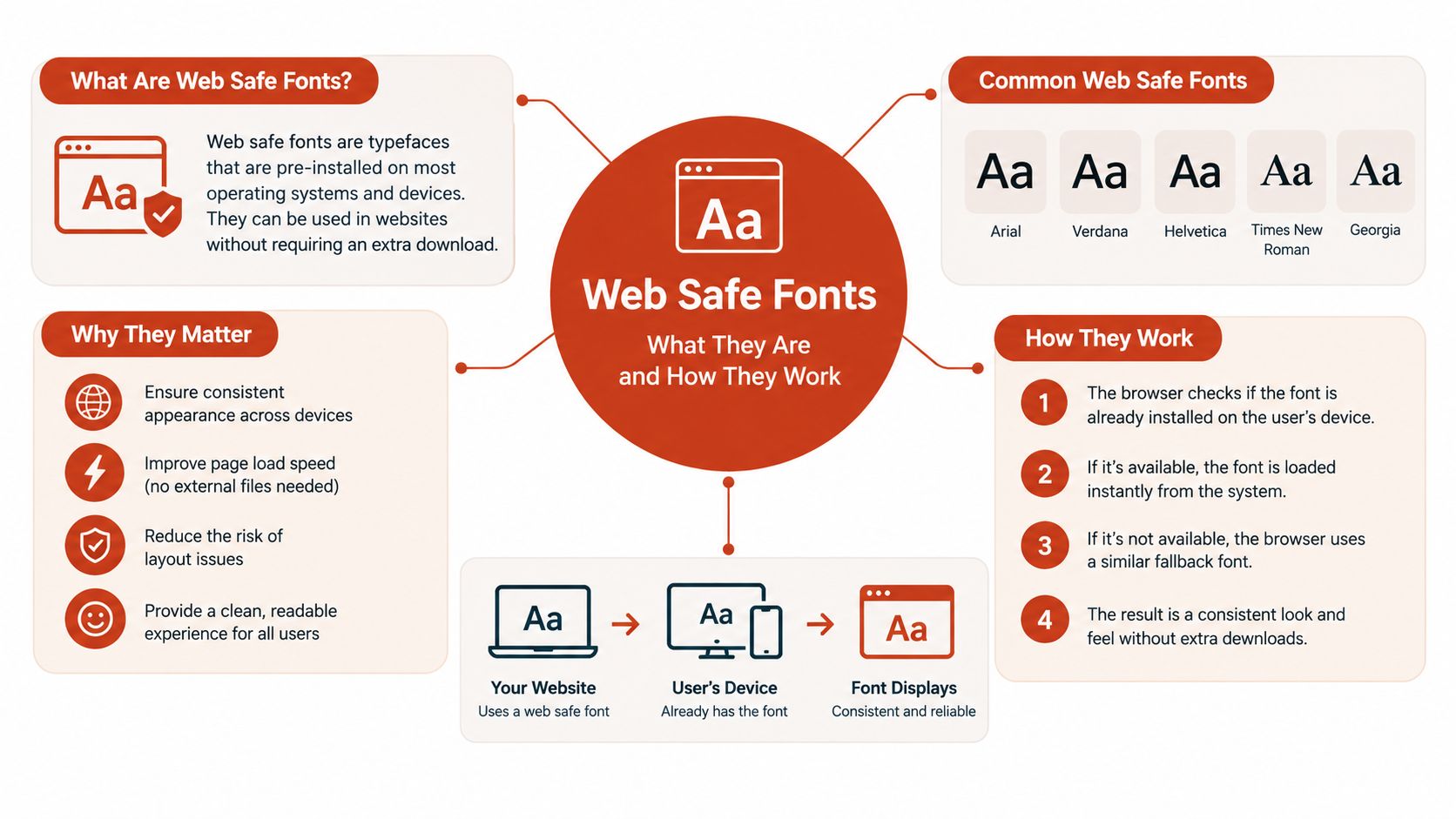
A web safe font is a typeface that's pre-installed on widely used operating systems, allowing a browser to render it without downloading a font file. Common examples include Arial, Verdana, Georgia, Times New Roman, Trebuchet MS, and Courier New, although availability varies by platform and configuration.
A useful analogy is a meeting room with supplies already on the table. If every participant has access to the same pens, nobody waits for a delivery before taking notes. A downloaded web font is different. The browser must request the file, receive it, parse it, and decide how to display text while that process completes.
The browser's decision path
When CSS includes a font stack, the browser checks the choices from left to right.
- It looks for the preferred family.
- If that family isn't available, it tries the next family.
- It continues until it finds an available match.
- If none of the named families exist, it uses the generic family at the end.
The word safe doesn't mean guaranteed. It means broadly available enough to serve as a dependable choice or fallback across common environments. A device can have unusual software, a managed corporate image, or user settings that alter the result.
Because the browser doesn't need to fetch a file for an installed font, the page avoids the external font request associated with that choice. That can reduce waiting caused by font loading and lower the chance that visitors see a temporary substitute or a layout shift while the preferred face arrives. It doesn't remove every source of layout movement, since text dimensions also depend on size, weight, language, and rendering environment.
Choosing by role
Sans serif families often suit navigation and interface text because their forms are straightforward. Serif families such as Georgia can support editorial content, while Courier New is useful when aligned character widths matter, such as code or tabular examples. The right choice still depends on contrast, spacing, language coverage, and the reading context.
A dependable type system also needs consistent sizing and hierarchy. Teams that are formalizing those relationships may benefit from guidance on building a consistent type scale from DOM Studio.
Web safe fonts provide a no-download rendering path, not a promise that every device will produce identical pixels.
How Web Safe Fonts Became the Web Standard
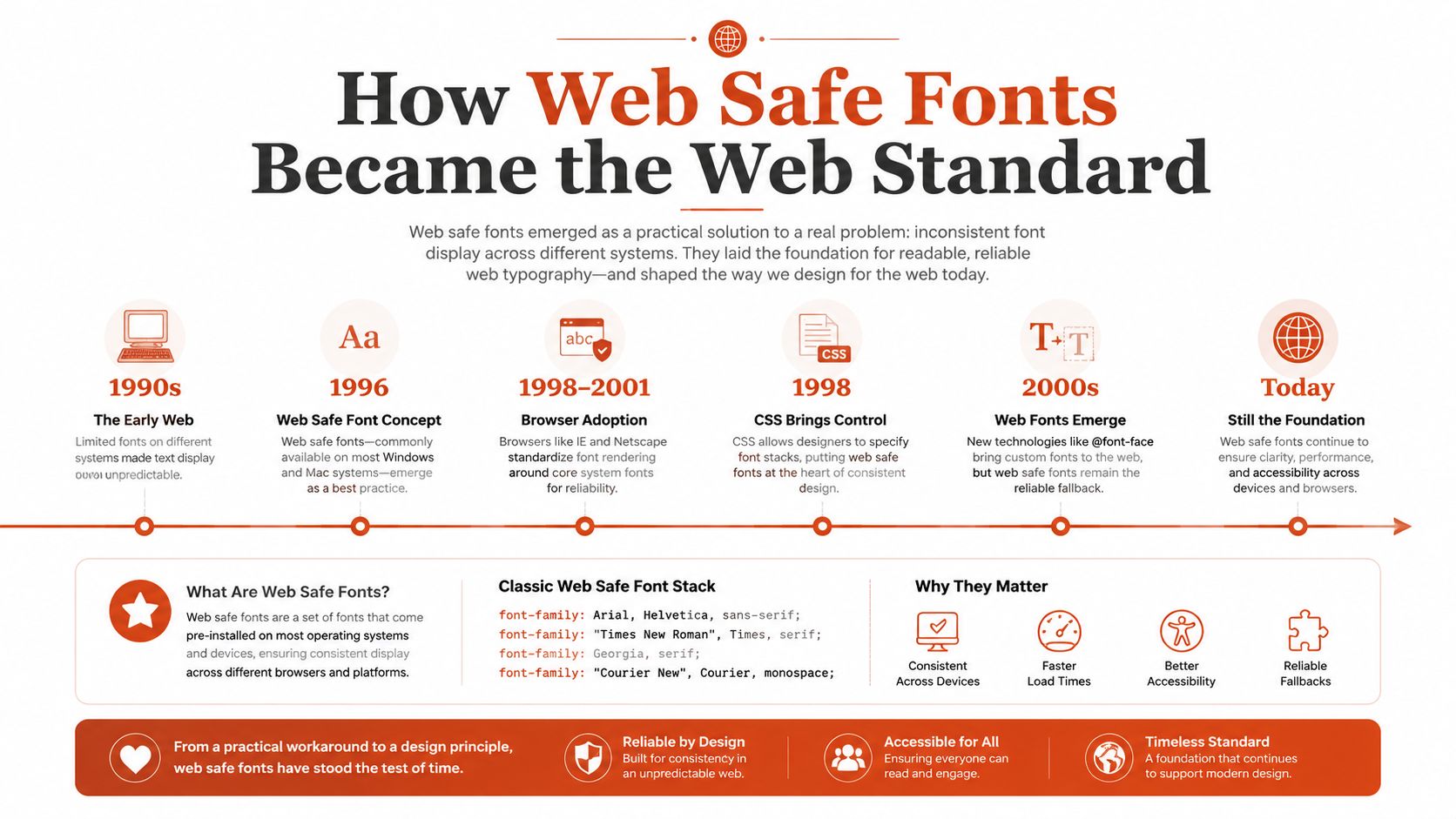
The familiar web-safe list came from a distribution problem. In 1996, Microsoft began the Core fonts for the Web initiative, an early large-scale attempt to make a compact group of typefaces broadly available for web use. The project included fonts such as Arial, Courier New, Times New Roman, Comic Sans MS, Georgia, Impact, Trebuchet MS, Verdana, and Webdings.
Microsoft distributed the fonts for both Windows and Macintosh users under restricted licensing terms and made them freely distributable within those conditions. That distribution helped create a shared practical palette during a period when browser font embedding was immature. Designers could assume that a small group of faces would exist on many visitors' systems instead of requiring a custom download workflow.
From a shared palette to fallback engineering
The initiative was formally terminated in August 2002, but its practical influence lasted much longer. The important historical point isn't that the list became a formal web standard. It's that distribution made certain fonts common enough to become reliable design assumptions. The web-safe idea grew from operating-system availability as much as from browser behavior. (Historical background on web safe fonts)
Today, custom web fonts are much easier to deliver. Modern browsers support WOFF2 at about 97% coverage, according to a performance review citing CSS Font Stack data. That broad support means teams can use richer brand typography, but it doesn't make fallback planning optional. A font can still fail because of network conditions, configuration errors, blocked requests, incorrect MIME handling, or licensing decisions.
Why familiar families persist
Availability data explains why several classic choices remain useful. A 2023 performance review reported Arial availability at 99.84% on Windows and 98.74% on Mac. The same review reported Verdana at 99.84% on Windows and 99.1% on Mac, while Times New Roman appeared at 99.67% on Windows and 97.48% on Mac. Georgia was listed at 99.4% on Windows and 97.48% on Mac. (Font availability and web font performance context)
These figures don't describe every device, and they shouldn't be read as a guarantee. They show why these families continue to function as high-availability resilience layers. The historical scarcity solution has become a modern reliability technique.
Building Reliable Fallback Stacks With CSS
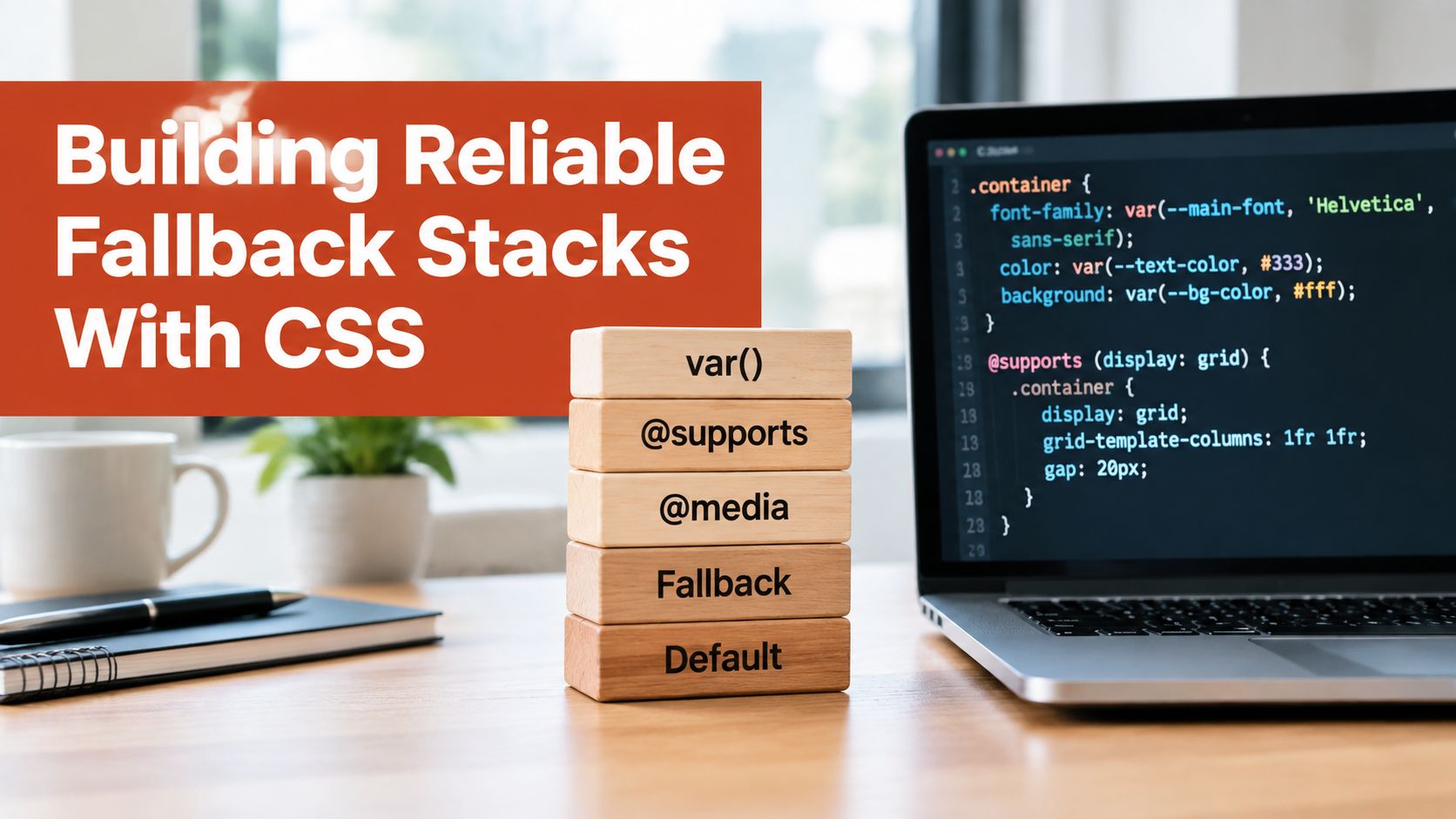
A font stack should read like a prioritized contingency plan. Put the intended family first, add a compatible fallback next, and finish with a generic family keyword that tells the browser what category to use if the named choices aren't available.
Start with the role of the text. Body copy usually needs a proportional sans serif or serif. Code needs a monospace family. UI text may use a brand font first, but its fallback should have similar width and visual weight.
Build the stack from specific to general
Use quotation marks when a family name contains spaces. Leave generic keywords such as sans-serif, serif, and monospace unquoted.
body {
  font-family: "Brand Sans", Arial, Helvetica, sans-serif;
}

.article-copy {
  font-family: Georgia, "Times New Roman", serif;
}

.code-sample {
  font-family: "Courier New", Courier, monospace;
}
The first example gives the brand font priority, then moves toward broadly available sans serif choices. The second preserves a reading-oriented serif direction. The third maintains the fixed-width behavior expected in code if the preferred family isn't present.
Fallbacks should be visually compatible, not merely famous. Compare letter width, x-height, weight, punctuation, and the way numbers align. If the fallback is much wider, a navigation label may wrap. If it's much narrower, a heading may lose its intended rhythm.
Example fallback stack patterns by use case
| Use Case | Example Stack | Why This Order Works |
|---|---|---|
| Brand-led interface | "Brand Sans", Arial, sans-serif |
Preserves the brand face when available, then uses a familiar sans serif category. |
| Editorial content | "Brand Serif", Georgia, serif |
Keeps a literary tone while retaining a readable serif fallback. |
| Technical content | "Brand Mono", "Courier New", monospace |
Protects aligned character widths when the preferred monospace font fails. |
| Utility interface | Arial, Verdana, sans-serif |
Uses broadly available sans serif options before the generic category. |
Test the failure state
Don't test only the ideal state. Disable the web font in browser developer tools, block its request in a local test, or temporarily remove the @font-face declaration. Then inspect:
- Line wrapping: Does text create unexpected extra lines?
- Component height: Do buttons, cards, and form controls still align?
- Weight mapping: Does bold text remain visibly distinct?
- Language behavior: Do accented characters and other scripts remain usable?
- Focus and error states: Are important messages still clear?
Keep the stack close to the component that needs it, but define shared tokens for recurring roles. A team reviewing implementation details can also use this practical guide to website typography for design and code as a reference point.
Web Safe Fonts Versus System and Web Fonts
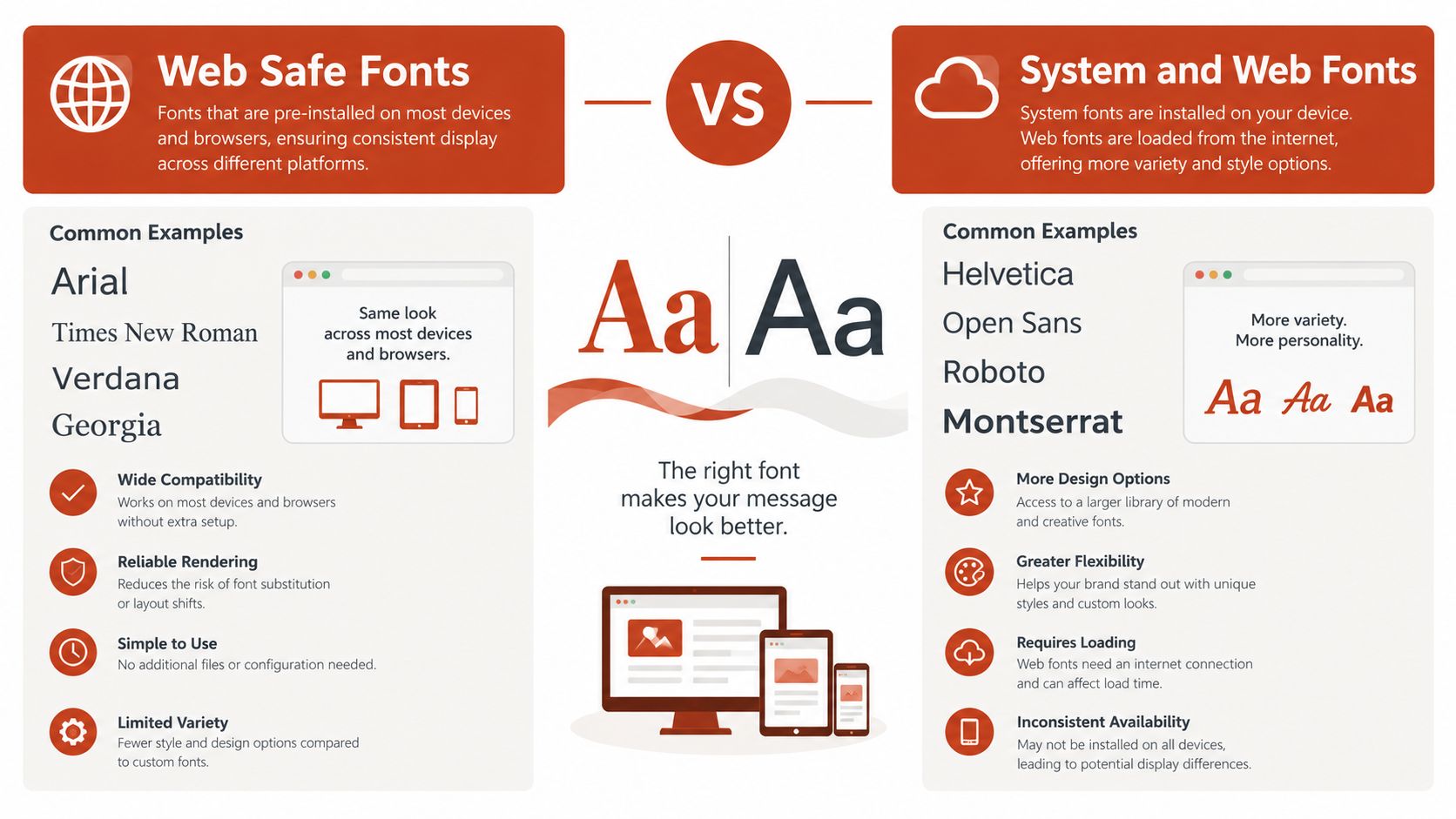
These three approaches solve different problems. Web safe fonts prioritize availability without a font download. System-font stacks ask the operating system to provide its native interface typeface. Hosted or self-hosted web fonts provide stronger control over brand expression, provided the delivery and licensing model is sound.
The choice depends on what the interface must protect. A privacy-sensitive form, a low-latency utility page, and a campaign site can reasonably make different decisions.
The practical trade-offs
Web safe fonts avoid a font-file request for the selected family and reduce dependence on third-party delivery. Their weakness is limited differentiation. A team can build a strong identity through spacing, hierarchy, color, shape, and layout, but the letterforms themselves may feel familiar.
System stacks can align an interface with the user's platform and may feel native in an application-like product. Their appearance changes across operating systems, so a design that depends on exact text dimensions needs careful testing.
Web fonts offer the most control over a brand's letterforms and typographic personality. They also add delivery, caching, subset, loading, and license-management responsibilities. A variable font can consolidate design flexibility into one resource, but it still needs responsible loading and a valid web-use right.
Decision matrix
| Requirement | Web Safe Fonts | System-Font Stack | Web Fonts |
|---|---|---|---|
| Minimize font delivery dependency | Strong fit | Strong fit | Requires careful loading |
| Preserve exact brand letterforms | Limited | Limited and platform-dependent | Strong fit |
| Reduce external requests | Strong fit | Strong fit | Depends on hosting |
| Match a native product interface | Moderate | Strong fit | Depends on the chosen design |
| Support a distinctive campaign identity | Moderate | Weak to moderate | Strong fit |
| Simplify font inventory | Usually simpler | Usually simpler | Requires active management |
| Keep privacy-sensitive pages self-contained | Strong fit | Strong fit | Self-hosting may help, but rights still matter |
No option is automatically best. For a utility interface where text must appear quickly and predictably, a web-safe or system stack may be the sensible default. For a brand surface where typography carries a large part of the identity, a web font may earn its cost. Teams considering hosting choices should document the trade-off with a self-hosted versus hosted font decision guide.
The best typography strategy is often layered. Use expressive type where it earns its place, and keep the rest of the system resilient.
Understanding Font Licensing and Real Risks
A font installed on a designer's computer is not automatically licensed for browser delivery. A desktop font license usually covers installation on local computers for design work, print, logos, and other static outputs. It generally does not grant permission to serve that font as live text through a website. Browser embedding normally requires a separate web font license, with terms that may depend on pageviews or domains. (Explanation of desktop and web font licensing)
The accounting model differs too. Desktop licensing commonly depends on the number of computers or users permitted to install the font. Web licensing is often measured by monthly pageviews or limited by domain scope. (Guide to web font licensing models)
The assumptions that create exposure
Teams create risk by calling a font “free” because it arrived with software, appeared in a design file, or was available for download. None of those facts proves permission for a specific use. A license may limit workstations, exclude certain contexts, or distinguish static artwork from live web text.
Legal exposure can result from using a font without a valid license, installing it on more workstations than allowed, or using it in an excluded context. A Daeryun Law overview of typeface copyright notes that willful infringement can lead to statutory damages of up to US$150,000 per infringed work under U.S. law. (Legal overview of typeface and font copyright risks)
That figure does not predict the cost of a dispute, and this article is not legal advice. It shows why teams should involve qualified counsel when the facts or license terms are uncertain.
Build an audit trail
For every production font, retain the foundry or distributor, license document, permitted use, covered domains, relevant pageview terms, renewal dates, and evidence of purchase or authorization. Record each location where the font appears, including CSS, design files, PDFs, images, and campaign assets.
An audit should answer three questions:
- What is this font? Identify the family, files, weights, and source.
- Where is it used? Map live pages, repositories, documents, and exported graphics.
- What permits that use? Match each use to the applicable license and restrictions.
Plan the response with a guide to legal risk mitigation for fonts and web typography, especially when ownership, scope, or past usage is unclear.
Automated detection can find fonts that manual inventories miss, but it cannot replace legal interpretation. Use it to surface evidence, then have the responsible team verify the rights. A clear audit trail turns web safe fonts into a governance layer, supporting predictable delivery while keeping branding and font permissions visible.
How to Test Audit and Govern Fonts Across Your Sites
A durable font process begins with observation. Open a live page in developer tools, inspect rendered text, review computed font-family values, and check which @font-face rules load. Compare the result with the declared stack, because the CSS preference isn't always the face the browser renders.
Test the fallback state deliberately. Disable font requests, inspect line wrapping, compare component heights, and check key flows such as navigation, checkout, login, and validation messages. Review the payload and unused glyph ranges for custom files, then record whether the chosen font improves the experience enough to justify its delivery and governance cost.
Turn checks into team practice
Create a central inventory with ownership and renewal information. Add recurring reviews for live sites and repositories, and route alerts to the people who can act. Design teams can use token documentation to connect font roles with the broader system, including Polaris token implementation advice from Presidio.
A repeatable workflow might look like this:
- Discover: Scan pages and assets for declared and rendered typefaces.
- Verify: Compare each finding with the approved inventory and license terms.
- Measure: Review payload, unused glyphs, fallback behavior, and loading impact.
- Remediate: Replace unauthorized files, correct stacks, or obtain the appropriate rights.
- Monitor: Schedule scans, preserve reports, and connect checks to release workflows.
For a more detailed operational process, use this complete website font checker audit guide. The goal isn't to eliminate expressive typography. It's to make every font choice visible, testable, and defensible.
Before handoff, confirm that:
- The fallback works: Core journeys remain readable without the primary font.
- The stack is intentional: Each family has a reason and a compatible successor.
- The license is documented: Web and desktop permissions aren't being confused.
- The inventory is current: Owners, domains, files, and renewal details are recorded.
- The process repeats: New pages and releases enter the same review cycle.
Font Checker Pro scans live URLs, PDFs, images, and zipped font sets to identify typefaces, review stack hygiene, benchmark font performance, and flag licensing concerns with exportable reports. Visit Font Checker Pro to audit your current typography inventory and establish continuous monitoring across design, engineering, agency, and compliance workflows.