Your campaign team signs off on a bold, condensed headline. The landing page goes live, the social graphics match, and everyone moves on. Weeks later, a licensing review finds that the developer uploaded a font copied from a designer's desktop installation. The headline looks right. The permission to serve it to visitors is missing.
Choosing an action hero font means separating visual impact from deployment rights. These seven options include individual typefaces and libraries where teams can find action-style display faces. Each offers a different route from mockup to published work.
The name also needs care. Christopher King's Action Hero, published by Wing's Art Studio, is a brush display family, not a generic label for every cinematic headline font; its MyFonts listing also notes OpenType variants that require compatible software. If that's the exact family you need, verify its files and license rather than substituting a similarly named download.
This guidance is informational, not legal advice. The governing license determines what you can use, embed, and hand over.
1. Google Fonts Action and Display Families (Open Font License)
Bangers, Anton, Bebas Neue, and Black Ops One offer different kinds of headline energy. Bangers suits comic-style promotion. Anton and Bebas Neue give short headlines a condensed, poster-like structure. Black Ops One works when the design calls for a stencil treatment.
Google Fonts is a useful starting point for an open-source licensing path. Many families use the SIL Open Font License, which generally permits commercial desktop use, web embedding, and modification subject to its conditions. Confirm the license supplied with the exact family, retain its text, and respect any Reserved Font Name requirements when modifying files.
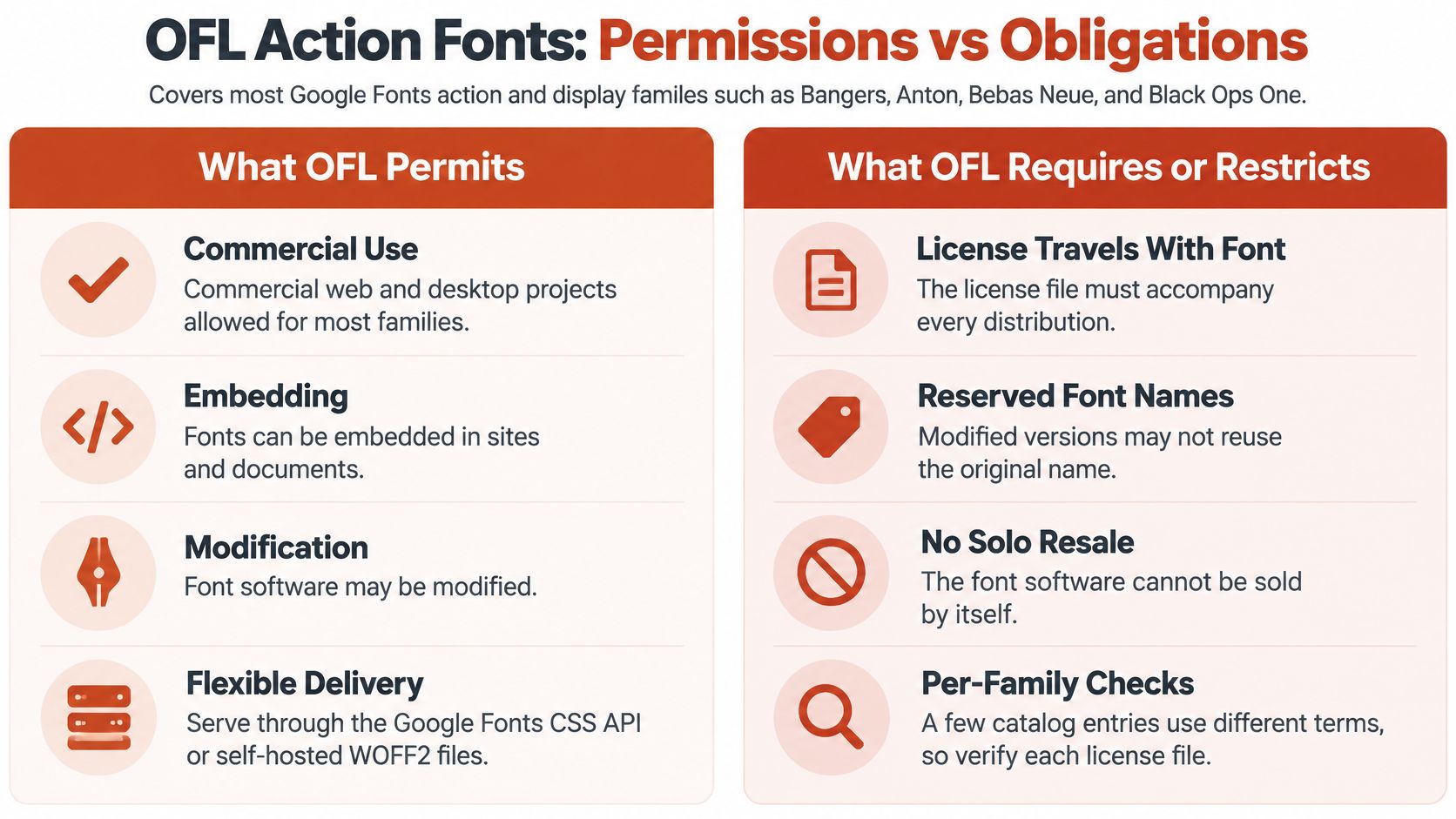
Keep permission and performance separate
Say an event team chooses Bangers for a game launch page. It can evaluate hosted CSS delivery against self-hosted webfont files, then document the selected family's terms using this Google Fonts licensing and formats guide.
Neither delivery method removes the need to inspect the payload. Web fonts appeared on approximately 88% of websites in 2025, according to the HTTP Archive Web Almanac, but widespread use doesn't make every implementation efficient.
- Archive the license: Keep it beside the original files and deployment assets.
- Subset carefully: Preserve punctuation and language characters the campaign needs.
- Test the fallback: Check line wrapping before the custom font arrives.
An open license can simplify procurement. It doesn't replace rendering tests or a clean handoff record.
2. Monotype Impact (Commercial Licensed Typeface)
Impact delivers dense, blunt lettering that suits meme-style captions, entertainment graphics, and forceful promotional headlines. Its familiarity is useful when the message needs immediate recognition rather than a distinctive brush texture.
That familiarity also creates a licensing trap. A designer may have Impact installed through software or an operating system and assume the file can travel with the website. A desktop license covers the workstation; redistribution needs separate rights.
Separate the graphic from the font file
A trailer campaign exports Impact headlines from a licensed workstation, then someone recreates them as live text on the campaign site. That rebuild introduces a separate deployment question. As the Fort Foundry licensing guide explains, desktop licensing covers authorized computer users, while web licensing authorizes serving fonts and may depend on monthly page views.
Practical rule: A CSS reference to a visitor's locally installed font and an uploaded font served through
@font-faceare different technical actions. Price them as separate licensing decisions.
For self-hosted Impact, obtain the applicable web rights and approved files. A local-only CSS reference uploads nothing, so no serving rights attach to it, and visitors without Impact installed will see a fallback face.
Run the entitlements through the guide to Monotype font license types. Record the desktop entitlement, the web entitlement, the licensed entity, and the deployment owner separately, because the workstation invoice rarely answers who may serve the files.
3. Bebas Neue Pro (Dharma Type Commercial Edition)
A sports campaign can look consistent across broadcast graphics and a landing page while using different editions of Bebas Neue. That's where an otherwise tidy brand system becomes difficult to audit.
The open-source family and Bebas Neue Pro from Dharma Type shouldn't share a vague inventory entry called Bebas. The Pro edition extends the family's design resources, but its commercial files come with their own licensing terms. Permission associated with the open-source edition doesn't automatically apply to the Pro files.
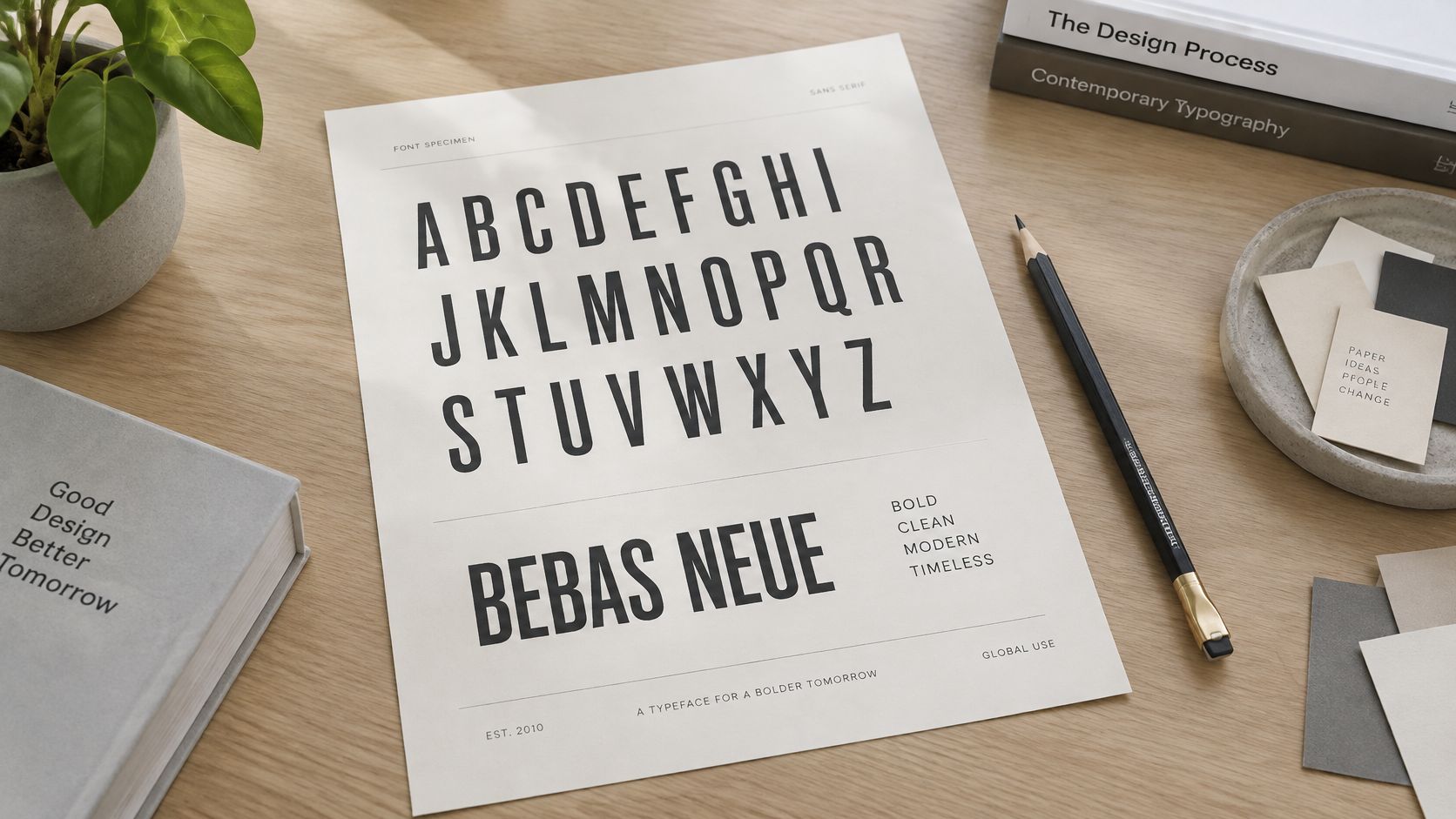
Identify the edition before approving deployment
For a multilingual event campaign, test the actual headlines, sponsor names, accented characters, and numerals before choosing an edition. Don't buy extra styles merely because they're available. Choose the files the design needs, then license the required desktop and web uses.
- Record the identity: Save the family, edition, version, style names, and original filenames.
- Separate the uses: List workstation installation, website serving, and motion-graphics production independently.
- Preserve the purchase trail: Keep the invoice and applicable license with the delivered assets.
The main handoff risk is substitution. A developer might replace a missing Pro file with an open-source download, changing spacing or character coverage. A designer might make the reverse substitution and introduce an unlicensed commercial file.
Compare the deployed files with the approved inventory before launch. Visual similarity isn't proof of identical rights, and a matching family label isn't enough to establish which edition reached production.
4. Fontspring Commercial Display Library
Fontspring works as a marketplace of commercial display families, so each family's license must be checked on its own. Two purchases from the same storefront can carry different domain limits, traffic tiers, and permitted media. Treat the catalogue as a starting point for evaluation, and pull the license record from each foundry's own agreement.
For an agency building an entertainment site, begin with the actual deployment scope. Will the client publish on a main domain, campaign subdomains, or separate regional sites? Will the same lettering appear in downloadable documents, editable templates, or software?
Match the license to the deployment
Review each family's agreement rather than assuming every marketplace purchase has identical terms. Check whether its web license uses traffic tiers, domain limits, or other restrictions, and establish who monitors those limits after handoff.
Medium-specific rights matter here. The Foundry Types' licensing terms distinguish desktop files from separately licensed web, app, and EPUB uses and describe potential charges for unauthorized use. Those are that foundry's terms; other foundries on the marketplace set their own.
- Map the environments: Include production, staging, regional domains, and client-owned hosting.
- Assign an owner: Give someone responsibility for reviewing usage against the purchased tier.
- Document extensions: Revisit the license before adding an app, game, or editable customer-facing tool.
If the campaign becomes a permanent brand platform, has anyone reviewed the original purchase?
The display font uses and licensing guide connects the visual shortlist with production requirements. A striking specimen is only useful if the client can maintain the deployment.
5. DaFont Community Font Library
DaFont is strong for action, brush, grunge, and distressed lettering, but treat it as a source of candidates rather than cleared assets. A download grants only what the included license states.
Naming overlap makes identification harder. The DaFont listing for Hero by offset media describes a separate typeface from Christopher King's Action Hero. Its listing label should not be transferred to another family, and even a font marked free needs the applicable terms checked for desktop artwork, @font-face serving, and any editable deliverable.
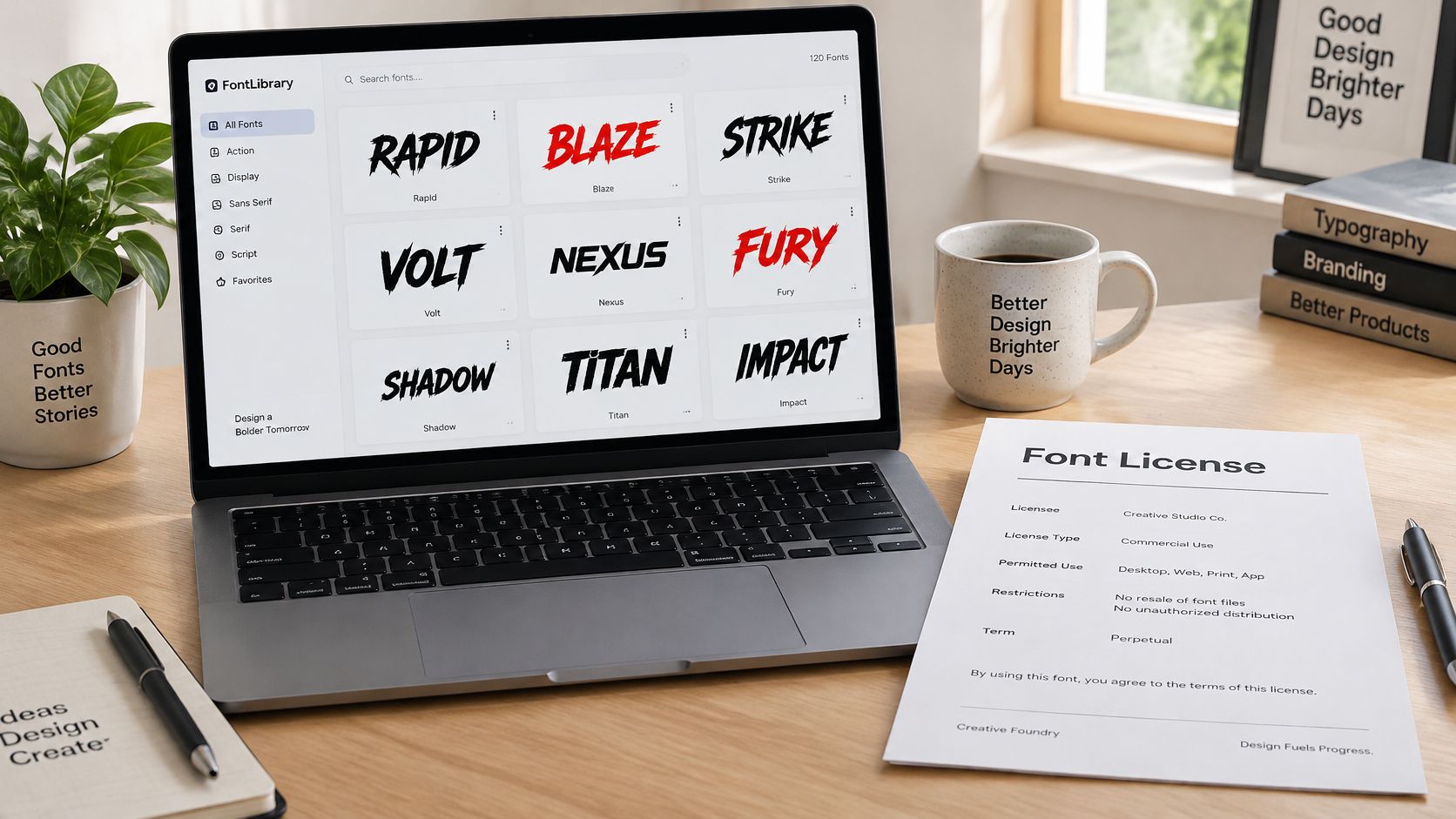
Treat each download as a separate rights review
A freelancer downloads a brush font for a client's launch poster, and the license it needs is inside the archive. Before that lettering moves to a commercial landing page, the team needs the actual terms, not the catalog category or a memory of the download page.
A personal-use file stays personal-use after the designer outlines it, rasterizes it, or exports it as an image.
Read the license and readme together, reconcile them with the listing, and get written clarification when they conflict. Keep the author name, download record, and any purchase or donation receipt with the project so a later developer can prove provenance.
The same discipline applies when typography goes to a supplier providing video animation services. An exported video and an editable project containing font dependencies create different handoff questions.
Use the DaFont safety and licensing guide to structure that review. Do not pass downloaded font files to collaborators unless the license permits redistribution.
6. Font Squirrel Commercially Filtered Library
Converting a font changes its format, not its permissions. That's the central rule when using Font Squirrel's library and webfont generator.
Its commercial-use filtering can help narrow a shortlist, but a commercial-use label doesn't answer every deployment question. A font might permit business graphics while imposing separate conditions on embedding, modification, redistribution, or web serving.
For a startup landing page, a sensible workflow starts with the original license. Confirm that it permits web embedding and any conversion you intend to perform before generating WOFF or WOFF2 assets. Keep those generated files connected to the original download and its terms.
Make the generated package traceable
A webfont package often outlives the person who created it. Give the next developer enough information to explain why those files are present and what they're allowed to do with them.
- Preserve provenance: Retain the original family name, author, download record, and license.
- Record conversion: Note which source files produced the deployed assets.
- Test actual content: Check accents, punctuation, currency symbols, and campaign-specific characters.
- Inspect production: Confirm that the browser requests the approved files, not an older theme asset.
Handoff insight: A folder named webfonts tells the next team what the files do. It doesn't tell them whether serving those files is authorized.
The practical trade-off is convenience versus verification. A generator can simplify packaging, but it can also make an unauthorized desktop file look production-ready.
If the license is unclear about conversion or embedding, resolve that uncertainty before launch. Don't let a successful browser test stand in for permission.
7. Adobe Fonts Library (Creative Cloud Subscription)
Adobe Fonts suits teams that already use Creative Cloud and want coordinated desktop and hosted web typography. Condensed and display families can support action-style headlines without requiring the same self-hosting workflow as a separately purchased webfont package.
The dependency matters at handoff. Treat the activated desktop font and the live web project as separate assets with separate license paths. Under Adobe's font licensing guidance, website use should rely on the supplied embed code; directly embedding activated font files isn't licensed web use through that service.
Hand over the dependency, not copied files
An agency chooses a condensed display family for a film promotion and must hand over the subscription dependency. The delivery notes should identify the web project, account owner, subscription dependency, and person responsible for maintaining access.
Adobe's service also distinguishes desktop and web use from embedding fonts directly inside applications. Don't package activated files into an app or send them to outside collaborators on the assumption that the agency's subscription covers everyone.
- Name the account owner: Make responsibility explicit before the client takes control.
- Plan the fallback: Test headline wrapping with the custom font unavailable.
- Document editable work: Clarify what authorization another designer needs to continue editing.
- Review plan changes: Check dependencies before canceling or changing subscriptions.
The Adobe Fonts licensing guide can help organize the handoff questions. If the client requires self-hosted files, verify whether a separate license is available rather than extracting files from the service.
Subscription convenience works best with clear ownership. Without it, a routine account change can become a typography maintenance problem.
How the seven action hero font options compare on licensing and delivery
| Item | License Model | Web Embedding | Desktop Use | Best For |
|---|---|---|---|---|
| Google Fonts Action and Display Families (Open Font License) | Mostly SIL Open Font License 1.1; verify each family | Google Fonts CSS API or self-hosting, subject to family license | Generally permitted under OFL | Commercial projects needing bold display fonts and flexible delivery |
| Monotype Impact (Commercial Licensed Typeface) | Proprietary commercial license; web rights may require a separate license | Requires applicable webfont license | Available on many systems; use is subject to its EULA | Meme graphics, posters, and projects seeking a familiar bold look |
| Bebas Neue Pro (Dharma Type Commercial Edition) | Commercial Pro license; distinct from the open-source edition | Web-optimized formats available under applicable license | Desktop files available under applicable license | Multilingual campaigns needing expanded weights and coverage |
| Fontspring Commercial Display Library | Commercial licenses, often separated by desktop and web use | Often tiered by page views, domains, or hosting | Desktop licenses for design and print | Teams needing documented commercial licensing and scalable web terms |
| DaFont Community Font Library | Varies by font; may be personal-use, commercial, or open | Often unspecified; check each font's terms | Downloadable for desktop; check each font's terms | Concept work and finding distinctive display styles after license review |
| Font Squirrel Commercially Filtered Library | Varies by font; review the actual license | Webfont generator supports conversion, but does not change license terms | Available according to each font's license | Finding fonts for commercial projects with a curated starting point |
| Adobe Fonts Library (Creative Cloud Subscription) | Subscription-based access through Creative Cloud | Adobe-hosted embeds tied to web projects and active subscription | Activated and synced through Creative Cloud | Creative Cloud teams needing a large, centrally managed font library |
Choosing an Action Hero Font You Can Defend Later
The strongest action hero font choice is one whose license you can show to a client, procurement team, or auditor. Appearance gets the design approved. A documented deployment keeps the handoff defensible.
Confirm desktop and web terms separately, then record the exact edition, files, licensed entity, and applicable tier. Retain the agreement that governed the purchase rather than relying on a catalog page that may change. For subscription-based delivery, document account ownership and maintain a tested fallback stack.
Keep evidence with the brand assets
Licensing exposure can be substantial. In the United States, statutory copyright damages can reach $150,000 per infringed work where infringement is proven willful, as discussed in Fontfabric's enterprise font licensing guidance. That isn't an automatic font fine or a prediction of liability; eligibility and outcomes depend on the facts and legal requirements.
Build the font record into ordinary brand documentation. A guide to branding listing tours for agents addresses a different creative setting, but the practical connection is straightforward: anyone reproducing branded work needs usable rules, not just attractive examples.
FontCheckerPro's Hobbyist Free plan costs $0 forever and includes 5 scans per month, with no card required, making it a practical starting point for a font inventory. We don't license typefaces to customers, and identifying a face in a report doesn't grant any right to use it. Identification can also be imperfect, so the governing license remains the controlling document.
Keep the final approval with the people responsible for the deployment and legal review. This information is informational, not legal advice; consult counsel about your specific rights and obligations.
Font Checker Pro scans live URLs and supplied assets to identify typography and produce audit reports for review. Visit Font Checker Pro to inventory your action-style headlines, check their serving origins, and compare the findings with your desktop and web license records before your next handoff.