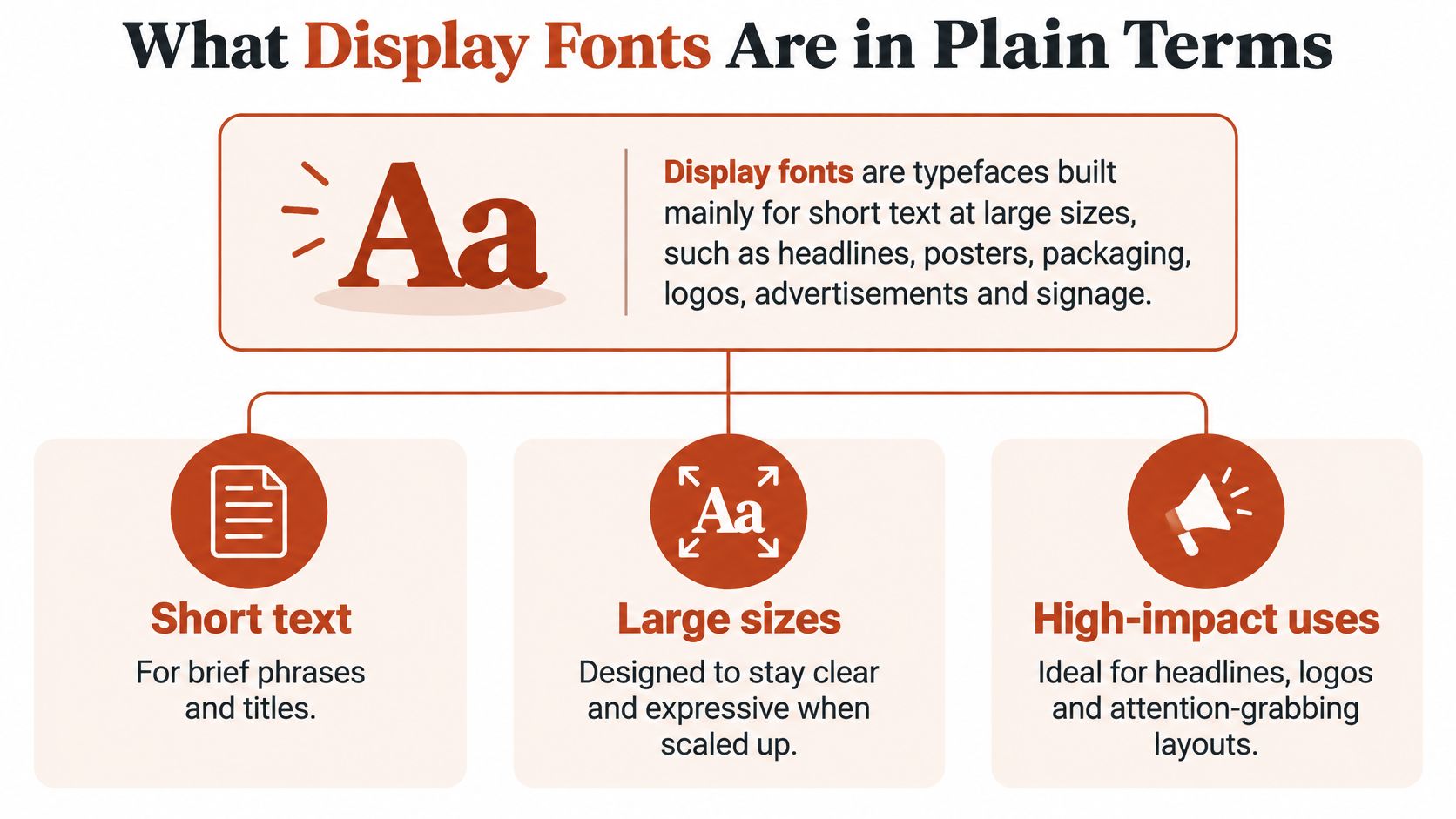
Display fonts are typefaces designed mainly for short, large-size text such as headlines, posters, logos, packaging and signage, not for long reading.
But if a font looks right in a headline, does that mean it's ready for your website? Appearance is only part of the decision. Designers need to check how the letters behave at their actual size, developers need to evaluate delivery costs, and agencies need to confirm that the licence covers the intended use. This guidance is informational, not legal advice.
What Display Fonts Are in Plain Terms
Say a bakery needs a window poster and a menu. The poster's headline must attract attention from outside; the menu must help someone read ingredients comfortably. Those jobs call for different typographic priorities.
A text face is like a comfortable reading chair, built for a long sitting. A display face is the statement piece you notice from across the room. Neither is better. Each works best in the setting it was designed for.
The Visible Language study of display typography describes a category defined partly by size and partly by function, rather than a uniform visual style. Display designs can exaggerate letter structure because readers encounter them prominently and briefly.
Display fonts compared with text fonts
| Trait | Display font | Text font |
|---|---|---|
| Main job | Grab attention in short, large text | Sustain reading across paragraphs |
| Typical settings | Headlines, posters, logos, packaging, signage | Body copy, articles, interface text |
| Stroke contrast | Often high and dramatic | Moderate, tuned for small sizes |
| Letter detail | Ornate serifs, unusual terminals, novelty forms | Simple, open, consistent letter shapes |
| Letter spacing | Often tighter by default | Looser for small-size clarity |
| Performance at small sizes | Often breaks down | Designed to hold up |
These are tendencies, not compulsory features. A restrained sans serif can serve a display role, while a decorative serif may be unsuitable for anything beyond a short title.
A role, not a single style
The display typeface overview explains why features such as high stroke contrast, condensed proportions and unusual terminals suit enlarged lettering. Large sizes make those details easier to distinguish.
Enlarging a conventional text face creates display typography, but shrinking an expressive display face doesn't automatically create a useful text font. Classify it by its role in the layout and its optical-size design, not just the family name.
Where Display Fonts Came From
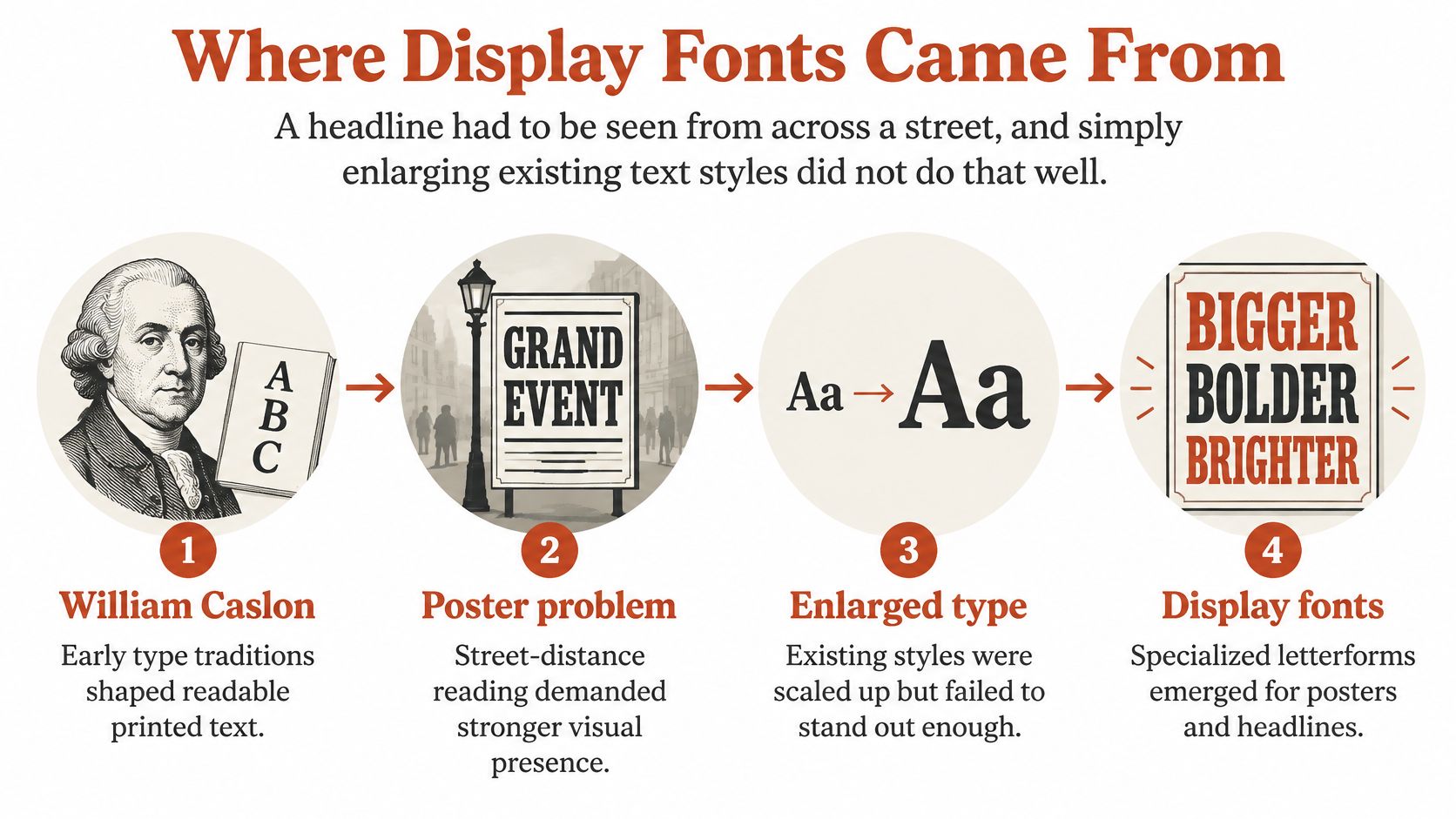
A poster headline had to be seen from across a street. Enlarging familiar book lettering didn't always provide enough visual presence, so printers needed stronger shapes and practical ways to manufacture them.
In its history of display type, Google Fonts identifies William Caslon IV's English Egyptian, an all-capital sans serif shown around 1816, as an early example, and records Darius Wells's mechanized wood-type router in New York in 1827. That manufacturing change helped printers mass-produce large letters.
Wood solved a material problem as well as a design problem. Large lead letters could cool unevenly during casting, leaving cracks, deformation and inconsistent surfaces. Wood offered a lighter, durable alternative that made large-format lettering more practical.
Different shapes for different kinds of attention
Printers and advertisers developed a broad visual vocabulary:
- Fat faces and slab serifs added conspicuous weight, with dramatic stroke contrast or substantial rectangular serifs.
- Condensed and expanded forms changed how lettering occupied a narrow column or broad poster.
- Decorated letters introduced shadows, outlines, inline details, Tuscan forms and multicoloured effects.
Display typography developed around a communication problem: getting brief messages noticed where people weren't already sitting down to read.
For a useful contrast, the history and construction of old-style serif fonts show how book-oriented traditions developed around different reading conditions.
Today's decorative serifs, scripts, novelty designs and expressive sans serifs continue that attention-seeking role. They don't all resemble historical posters, but the design question remains familiar: what should a passerby notice, and how quickly can they understand it?
Legibility, Size and Accessibility Limits
Size, spacing and legibility reference values
| Reference point | Value | What it means for you |
|---|---|---|
| Historical display-type definition | Larger than 18 points | Sizes above this were classed as display |
| Text-to-display transition in type history | Around 18–20 points | Mid-size headings sit in a grey zone, so test them |
| Eighteenth-century foundry display types | 7–40 points, mean 16.1 points | Display sizes have varied more than the term suggests |
| Line spacing for display-led screen text | 25–33% of font size | Tight headlines still need room to breathe |
| Character height read significantly faster | 0.11 inch versus 0.10 inch | Check apparent height at real viewing distance |
| Horizontal character spacing | At least one stroke width | Tight kerning deserves particular scrutiny at narrow widths |
The historical values describe typographic usage, not universal accessibility requirements. The screen and control-panel guidance associated with Monotype's typography terminology gives the spacing and character-height references above; those are context-specific checks, not automatic CSS settings.
In particular, a line-spacing allowance isn't the same thing as setting the entire CSS line height to a fraction of the font size. Preserve room between lines, then evaluate the rendered result.
Separate character recognition from comfortable reading
Legibility means being able to identify individual characters quickly. Readability concerns recognising words and following groups of words, which also involves character spacing, word spacing and line spacing.
When a display face shrinks, enclosed spaces inside letters, called counters, can close visually. Thin strokes can disappear, and tightly spaced neighbours can merge. A headline may remain decipherable while taking too much effort to read.
Keep luminance contrast strong, inspect apparent character height at the intended viewing distance, and test condensed headlines at narrow viewport widths. Don't approve a desktop specimen and assume the mobile version will work.
Approval test: Judge the actual words at their intended rendering size, against the actual background, after the headline wraps.
A successful headline face can still be unsuitable for navigation, captions, legal copy or continuous reading. If you're also evaluating the wording itself, distinguish visual testing from readability scoring formulas and metrics. A sentence can be linguistically simple yet difficult to see.
Using Display Fonts for Branding and Headlines
Display fonts earn their place in wordmarks, logos, hero headlines, posters, packaging, billboards, merchandise, pull quotes and signage. Start by deciding which message deserves attention, rather than applying an expressive face everywhere the brand appears.

Build a pairing that supports the message
- Give the expressive face a defined territory. Use one display face per layout as a working rule, reserving it for short, prominent text. A bakery's campaign title can be playful without making its ingredient list playful too.
- Pair a high-contrast display serif with a quiet humanist or neutral sans serif for paragraphs. Alternatively, use a bold condensed display sans above a restrained sans for captions and interface labels.
- Check proportion, not just category. Look for a roughly compatible lowercase height, known as x-height, or a shared sense of proportion. Compare actual words, since nominally equal sizes can look quite different.
- Keep the supporting text face neutral, and prevent the display face from drifting into reading-size components. Define exceptions deliberately rather than letting a heading style spread into buttons and footnotes.
Document those decisions in typography brand guidelines that scale, including permitted roles, pairings and fallback behaviour. That gives designers and developers a usable system instead of a specimen sheet.
Typography also works alongside colour and imagery. Networking2000's discussion of the role of colour and symbols in game design offers a related visual-identity perspective, useful when considering how lettering fits into a broader composition.
Confirm permission before adopting the identity
Abbr Foundry's desktop licensing documentation describes desktop fonts as optimized for non-dynamic documents, including logos and visual identities. The applicable end-user licence agreement, or EULA, determines the permitted uses in print, advertising and digital assets.
A display category label isn't evidence that a font is unrestricted. Even a font described as free needs a licence check for the intended commercial use, distribution method and deployment.
How Display Fonts Affect Page Speed
A display font isn't automatically a performance problem, and a variable font file isn't automatically a solution. Visual suitability and delivery efficiency are separate decisions.
The HTTP Archive's 2025 Fonts chapter reports variable fonts on 39.4% of desktop sites and 41.3% of mobile sites, up from roughly 33% and 34% in 2024, while cautioning that multiple large font files can still hurt loading performance.
An expressive family may include broad language coverage and numerous variation axes. Reducing request count won't necessarily compensate for downloading glyphs and design variation the page never uses.
Choose files around the actual design
- Limit the display assignment. Reserve the face for headlines and necessary above-the-fold brand text, rather than spreading it through every component. This clarifies which styles the site needs.
- Subset glyphs to the languages the site serves, where the licence permits it. Preserve required punctuation, symbols and language-specific characters; a visually complete English headline doesn't prove complete multilingual support.
- Choose a metrically similar system fallback. Compare line breaks, occupied width and element height before and after the webfont loads. A substitute that looks vaguely similar can still cause disruptive movement.
- Use a variable file when the design benefits from continuous variation. If the site only needs a few preset weights, compare their static files against the variable alternative instead of assuming either will be smaller.
Compare actual payload and text-paint behaviour, not file count alone.
A font-subsetting workflow helps connect language coverage with delivery decisions. Global sites need testing across their real languages and mobile conditions, not just a fast connection and a short sample heading.
Infrastructure also matters. Digital Souls Studios LTD's guidance on hosting choices that improve performance provides broader delivery context, but hosting changes won't remove unnecessary glyphs or unused font styles. Measure what the browser downloads and what the reader sees while it loads.
Desktop and Web Licensing Differences
Desktop versus webfont licence scope
| Aspect | Desktop licence | Webfont licence |
|---|---|---|
| Where the font runs | Installed in applications such as Word, InDesign, Photoshop | Live HTML text through CSS @font-face |
| Typical output | Logos, social graphics, print materials | Website text |
| File formats | OTF or TTF | WOFF or WOFF2 |
| Pricing basis | Number of users | Monthly page views |
| Term | The purchased EULA sets the duration | Annual, often limited to one domain |
| Converting to web format | Often prohibited by the EULA | Use the supplied, authorized web format |
These are common licensing patterns, not universal promises. Monotype's licensing guidance distinguishes installed desktop use from website use and describes annual webfont licences that may be limited by domain and monthly page views.
A desktop licence and a webfont licence authorize different technical uses. Exporting a permitted static logo image isn't the same operation as serving the underlying font so visitors' browsers can render live text.
Common mistakes when a desktop font reaches a website
Treating a desktop purchase as hosting permission. A designer's authorized installation doesn't automatically allow an engineer to upload that file to a public website. The reverse also applies: website rights don't necessarily cover every workstation.
Converting files without checking the EULA. Changing an OTF or TTF into WOFF2 doesn't create permission. Some agreements expressly prohibit that conversion, even when the resulting file works perfectly.
Replacing or renaming supplied webfonts. Foundries may require particular files and original font names. Keep the delivered package and purchase record together so developers can trace the deployed asset.
For practical handoffs, record the licensing differences between web and desktop fonts alongside the approved files, domain scope, traffic allowance and authorized users.
Unauthorized use can lead to legal notices, payment demands and forced replacement. Financial penalties or fines shouldn't be presented as automatic or assigned an invented amount; consequences depend on the agreement, claim and applicable law. Check the foundry's terms and consult qualified counsel for interpretation. This is informational, not legal advice.
Audit Your Display Fonts Before You Ship
A useful audit connects the visible design to the deployed file and the permission record. Don't stop at the font name in a design document.

- Inventory the assets. List display faces across the website, PDFs, images and brand files, noting where each appears and who owns the record.
- Classify each use as desktop or webfont, then check domain, traffic and user scope against the purchase documentation.
- Inspect file handling. Confirm formats and check that desktop files haven't entered a public script bundle or downloadable archive. Ivy Foundry's licensing terms illustrate explicit restrictions on desktop-font sharing, conversion and web embedding.
- Review intended sizes, wrapping and fallback definitions in the deployed layout, not only the design mockup.
- Look for unexpected faces. Check subpages and inherited components for typefaces the team didn't ship.
Turn identification into a documented check
FontCheckerPro scans publicly accessible URLs, uploaded PDFs, images and zipped font sets, identifies typefaces and produces audit reports. Its Drift audit crawls subpages to flag rogue typefaces the team didn't ship.
We don't license typefaces to customers, and identifying a face in a report doesn't grant any right to use it. Keep the report with the applicable licence and purchase record. This information isn't legal advice; licence interpretation belongs with the foundry or qualified counsel.
Before your next launch, visit Font Checker Pro to audit the typefaces in your public pages and uploaded assets. Use the report to connect each display font to its intended design role, deployed files and licensing documentation, then resolve discrepancies before handoff.