A brand file is open on your screen, the headlines are set in Baskerville, and a developer has already pointed the site CSS at a self-hosted file. A PDF proof is with the client. Nobody can say which Baskerville that is, who published it, or which channel the purchase covered.
That gap is the problem. A Baskerville font license is a chain of evidence, not a family name. The chain runs from the exact file to the publisher, to the permitted channel, to the asset that is deployed. A file that was lawful on a designer's desktop can become unlicensed the moment the same binary is served on a website.
What follows is informational, not legal advice. It shows how to identify the release, separate desktop rights from web, app, and commercial rights, and keep records that still make sense when someone asks later.
Why the Family Name Does Not Settle Baskerville Rights
A brand folder holds two invoices for a font called Baskerville, bought on different dates from different suppliers. One names a desktop purchase. The other is a bundle line item with no agreement attached. Both files report the same family name, and nobody on the team can say which release each receipt covered.
I see this pattern in audits. The shared name hides the split.
The history of Baskerville records John Baskerville's editions of Virgil in 1757 and John Milton in 1758, a 1929 revision by George W. Jones for Linotype & Machinery, imported to the United States two years later, and surviving punches and matrices recognized in 1917 and given to the University of Cambridge in 1953. None of that history travels with the file you bought.
Digital versions are recuttings and revivals from separate type companies, and each file carries its own contract. One historical label can sit across desktop, web, application, and embedded releases with different terms. Whether a typeface design is copyrightable is a separate question from whether the file in your build is licensed.
Four identifiers before any other check
- File name and version. Record the binary, not the menu name.
- Publisher or foundry. The name table and copyright notice often show it.
- Distributor or purchase route. Note the shop, subscription, or bundle.
- Licence agreement. Keep the contract tied to that purchase.
Match the copyright notice to the receipt. If they disagree, you do not have clearance yet.
Common Baskerville Releases and Their Rights Holders
A brand audit usually fails at the lookup stage: the font menu says “Baskerville,” the server holds three different builds, and the invoice in the folder belongs to a fourth. Use the table as a chain check. Release name ties to the binary, publisher ties to the copyright notice, channel ties to the order record, and the deployed asset has to stay inside that grant.
| Release | Rights holder or publisher | Channel evidence to record | Licence signal to check |
|---|---|---|---|
| Monotype Baskerville | Monotype Imaging | Foundry order, reseller invoice, or service subscription terms | Named agreement and SKU; serving or embedding can sit outside installed-use rights |
| Baskerville Old Face | Stephenson Blake and URW; bundled editions may carry another reserved copyright interest | Operating-system bundle or bundled software media | All-rights-reserved wording; redistribution of the binary needs explicit permission |
| Baskerville (Bitstream) | Bitstream | Authorised font-retailer invoice and download record | Per-user seat count plus limits in the attached terms |
| Baskerville Regular | AGFA Monotype | Direct purchase record or agency handoff file | “Commercial” marking only starts the check; the agreement fixes scope |
| Baskerville (Linotype) | Linotype | Foundry order or legacy bundle | Permitted-use clause controls before the file is treated as cleared |
| Baskervville SC | Named in the SIL notice shipped with the font | Open-licence package and notice file | SIL Open Font License 1.1 conditions on notice and sale |
What each row is telling you
Monotype Baskerville is the release people most often mean. The publisher name still leaves channel open: a workstation install, a served web asset, and an embedded document are different evidence events. Clearance follows the exact agreement attached to the exact file.
Baskerville Old Face shows how split ownership complicates approval. Reserved rights can sit with typeface and font-data interests at once, so bundled availability does not create redistribution permission.
Bitstream and Linotype releases prove that one family label can hold separate contracts. Seat count, geography, product use, and transfer limits live in the agreement, not in the font menu. Baskerville Regular from AGFA Monotype carries the same lesson under a Commercial label: mark the file unproven until the purchase agreement is read.
Baskervville SC is the open outlier. The SIL Open Font License 1.1 permits use, modification, embedding, and redistribution if you keep the licence and avoid selling the font software by itself. That permission stops at proprietary Baskerville variants.
Practical rule: Record the release name, the publisher, the purchase route, and the deployed location before approval. Treat a blank cell as an open item until the agreement confirms it.
Desktop, Web, App and Commercial Rights Side by Side
A desktop licence follows the file, not the deliverable. It typically covers creating, printing, and sharing flat, non-editable artwork inside applications on licensed machines. The moment the same file is served to a browser through @font-face, the chain of rights changes: you need a webfont grant tied to that file, its publisher, and the domain it loads on. Raw font files stay non-redistributable under a desktop-only grant.
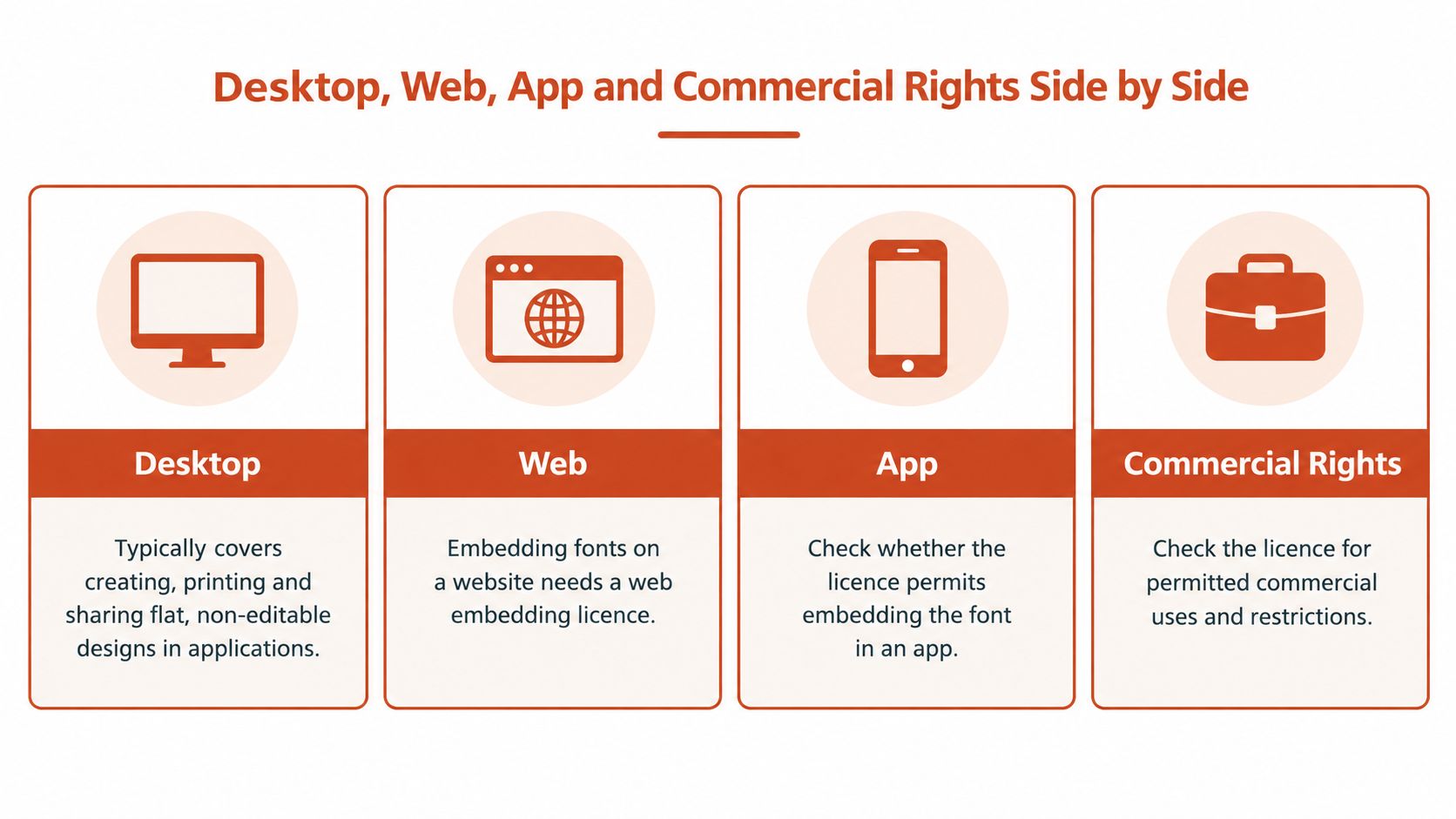
Hosted access works differently again. Under a hosted font service's terms, a release such as Monotype Baskerville can cover commercial use, websites, and PDF embedding while the subscription stays active, but the entitlement stops there. Self-hosting, mobile-app bundling, or organisation-wide deployment points back to a foundry agreement. An e-book still needs a commercial electronic-document licence even when print work is covered. Check the logo and trademark clause, the geography, and the user count on the listing you bought, and read a fuller walk-through of commercial font licensing beside the agreement itself.
| Use case | Desktop licence (typical) | Web, PDF, or app delivery | Verify before proceeding |
|---|---|---|---|
| Flat, non-editable print or static artwork | Usually covered | Not applicable | Confirm the licensed user count |
| Logo or trademark use | Often restricted | Digital marks fall under the same clause | Read the logo and trademark clause |
Self-hosted @font-face webfont |
Not covered by a desktop-only grant | Needs a webfont licence per domain set | Confirm licensed domains |
| Hosted service use on websites | Not a desktop grant | Covered while the service subscription is active | Confirm the entitlement is current |
| PDF embedding in a distributed document | Covered for standard print-ready output | Self-hosted embedding needs the clause named | Check the PDF and embedding clause |
| Mobile app or e-book bundling | Not covered | Needs an app or commercial electronic-document licence | Get written terms before bundling |
| Handing raw font files to a client | Not permitted | Not permitted | Deliver artwork, never the files |
Treat each row as a link in the same chain: the file, the publisher, the channel, and the deployed asset. A font that was fully licensed in the design tool becomes unlicensed the instant a stylesheet serves it without a webfont grant. Match the planned deliverable to a row, then open the document that row names. Any link you cannot put in writing stays an open item until the agreement covers it.
How to Verify a Baskerville License in Seven Steps
Start with the file. Open it in the operating system's font manager or in file properties and note the name-table fields for family, manufacturer, designer, and copyright. Each step below should leave a piece of evidence, not a memory.
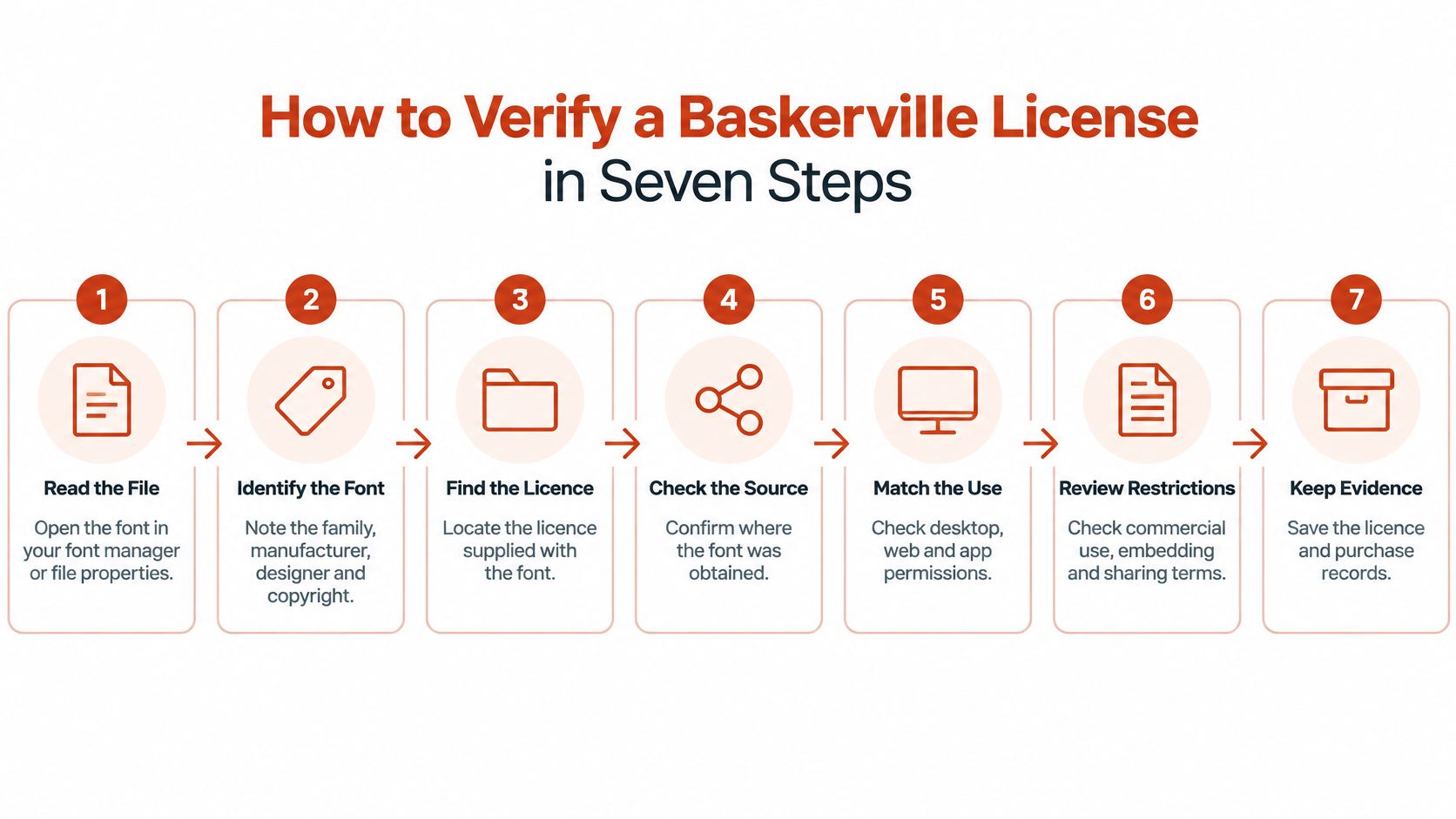
- Export the file inventory. Record file name, version, and hash from the source package. A family name matches many files, so the hash is what proves identity.
- Read the metadata. Use the copyright notice to name the publisher. Baskerville Old Face is the cautionary case, because several parties hold rights in one listing.
- Match a receipt. Tie that publisher to a purchase or subscription and write down the tier.
- Map every channel. Desktop design, print, website, PDF, app, e-book, and client handoff each need a line in the agreement. A practical compliance checklist for 2026 is a useful place to park those lines so nothing stays in a chat thread.
- Record the limits. Note user count, domain count, and term end date, and flag anything expiring.
- Compare the deployed asset. Confirm format, style range, and location, including CDN copies and any staging domain that can be reached from the public web. A method for checking whether website fonts are licensed helps when the live CSS and the purchase folder have drifted apart.
- File the set. Keep the agreement, the invoices, and a dated audit report together.
If step 6 fails, steps 1 through 5 don't save the launch. The licensed package and the served file have to be the same thing.
Variable Fonts, Multi-Site Agencies and Other Edge Cases
Licensing FAQs usually say whether @font-face is allowed. They rarely tell you how to prove the deployed file matches the package, or what happens when the format changes. The cases below are hypothetical. Each one turns on a single question.
Four situations that break a tidy licence
A performance pass replaces four static weights with one variable file. The 2025 Web Almanac reports variable fonts on 39.4% of desktop websites and 41.3% of mobile websites, up from roughly 33% and 34% in 2024. Ask which file, version, and style or axis range the purchase describes. A licence written for static webfont styles doesn't automatically cover the variable asset.
An agency builds one template for three clients and reuses a single webfont licence. Monotype states that one webfont licence can't be shared across websites operated for different clients. Ask which domain belongs to which client, and buy coverage per site. Agency file handling is covered in more depth in this font licence guide for digital agencies.
A staging domain, copied from production CSS, becomes public and serves the font. Ask whether that hostname is inside the licensed domain count. If it isn't, take it offline or extend the licence before anyone treats the preview as harmless.
A rebrand ends, or a subscription lapses, and old files stay cached on a CDN. Ask which term ended, and which copies are still reachable. A properly licensed webfont can still create risk when teams self-host a desktop file, expose unused weights, or leave last year's binary in place.
Optimisation isn't automatically safer. Consolidating files can increase ambiguity when the purchase describes something else. Before any migration, list the file, the domain, the style range, and the term end date.
What Misuse Can Cost and Why Records Matter
Unauthorized use can create real financial exposure. The remedy depends on the jurisdiction, the rights involved, and the conduct. A law-review analysis of font disputes reports that U.S. statutory copyright damages are typically between $750 and $30,000 per infringement, with a maximum of $150,000 per infringement for willful misconduct. It also notes that many font disputes settle and that damage awards lack a uniform standard.
These figures are not a Baskerville penalty and not an automatic fine. A claim may rest on copyright, contract, trademark, or other theories, and the rules differ internationally. This is informational, not legal advice.
Conduct that raises the stakes
Exposure is highest when a business self-hosts a desktop-only font, exceeds the licensed user or domain count, sends font files to clients, or keeps using fonts after a subscription or term ends. Logo work adds a second question, because a small mark is still a commercial use of both the artwork and the type inside it. Teams weighing using small McDonald's logos on websites are already in trademark territory, and a Baskerville file inside that mark still needs a licence that allows logo use.
What shortens a dispute is paper, not recollection. Keep invoices, the licence text, user and domain inventories, and dated audit reports in one place. A practical approach to compliance documentation for teams is to treat that folder as the answer, not the designer's memory. If a claim or a settlement demand arrives, take it to qualified counsel.
Confirm the License Before You Ship the Design
Turn the audit into one decision.
Go when the chain of evidence is complete: the exact release, file version, and publisher are recorded, the licence tier covers every deliverable in the plan, user, domain, and term limits sit inside the agreement, and the deployed asset matches the licensed package. A file that was legal on the desktop loses that cover the moment it is served on a website, so the asset in production is the one that has to match.
Hold when any link in that chain is missing. Fix the gap before launch. Treat a blank line in the audit as a stop.
Ask counsel when the agreement is ambiguous, a licence has lapsed while files remain in use, or a claim or settlement demand has arrived.
Before launch, scan the live URLs, the PDFs, or the font set so the team can see which files are present, which tiers apply, and whether a rogue file has appeared. Automated alerts can flag a lapsed licence, and exported reports give legal, operations, or CI a dated record to file. Scanning keeps the chain of evidence current; the agreement and qualified counsel still set the rules.
No Baskerville release is free or safe without the caveat in its own licence.
Font Checker Pro scans a live URL, a PDF, an image, or a zipped font set and returns an exportable report that ties each detected face to a foundry and a licence tier, which is the same chain a Baskerville font license audit needs before you ship. It also flags self-hosted files, trial copies, and lapsed rights, and it can alert the team when a served file no longer matches the purchase. Visit Font Checker Pro and run the files you are about to publish.