Your campaign landing page is live, and the display face looks exactly like the print campaign your company commissioned years ago. Then someone asks for the webfont license. Procurement finds a purchase receipt, the agency finds a font file, and nobody can confirm whether serving that file to browsers was ever covered.
Why Corporate Font Decisions Now Carry Governance Risk
A regional office exports the brand deck as a PDF, a product team embeds the same family in an app, and a vendor reprints the logo on packaging. Each handoff looks like ordinary reuse of an approved face. Each one is a separate medium, and the original order may cover only some of them.
A purchase record shows that a purchase happened. It does not grant permission for uses added later.
Corporate font governance is a repeatable register. Each approved face is linked to its license, the media that license permits, and the proof a later reviewer can open. The record covers websites, PDFs, decks, apps, packaging, signage, and regional subsidiaries, and it states who chose the face, who checked the rights, and where the evidence sits.
Scale makes informal ownership hard to defend. The HTTP Archive's 2025 Web Almanac fonts chapter found fonts on roughly 88% of websites, with approximately 72% of sites serving at least one font file from their own origin. Self-hosting places the files, the deployment controls, and the supporting records inside the organization.

Assign ownership before deployment
Design, engineering, and procurement each touch the same family for a different reason. In Monotype's 2024 Global Font Use & Forecasting Survey, 47% of respondents said font licensing was challenging to manage. A designer's authorized laptop install and a developer's browser deployment need separate checks, even when both files share a family name.
Unresolved rights can bring a demand or takedown notice, a retroactive license invoice, a forced replacement, inconsistent branding, and unplanned redesign work. I would not attach a standard fine to every gap. The contract, the disputed use, and the applicable law set the consequence.
Governance rule: Approve the deployment with its medium, serving method, and stored proof recorded beside the typeface name.
Raze's guidance on building trust through SaaS typography connects consistent, readable type with how users judge a product. Holding that consistency across releases depends on a rights record that still matches every screen where the face is served.
Treat the font register as part of your digital asset compliance workflow. Selection, medium-specific permissions, inventory, launch checks, handovers, and rendering tests belong on one trail, so a later review does not depend on a spreadsheet only one team maintains.
This content is informational, not legal advice. The applicable foundry or reseller end-user license agreement, or EULA, and the governing order control each decision.
Selecting and Documenting Corporate Typefaces
A headline family chosen for the brand site often turns up next in a pitch deck, a product UI, and a regional campaign. Build a register of approved families, with one entry per brand role. That entry is the font corporate s record: foundry, license tier, permitted media, and the proof behind the approval.
- Assign the brand role. State whether the family covers headlines, body copy, interfaces, or decorative and campaign work. List approved weights and styles. Family approval covers only those files, not every cut the foundry ships.
- Capture the rights context. Record the foundry or reseller, purchased tier, covered media, named entity, and territory. Write desktop, web, print, app, and advertising uses on the same row so a later handoff does not have to guess them.
- Record who approved what. The brand owner selects the face. Legal or procurement confirms the intended media fit the purchased rights, then marks the entry approved, with dates on the same row.
- Document the fallback. Specify a system fallback stack with comparable metrics and language coverage for the markets you publish in.
- Preserve substitutions and retirements. Keep retired faces in the register with end date, replacement, and the historical license proof. The design can change. The evidence trail stays.
- Review on a set cadence. Review annually and whenever a new brand role or subsidiary is added. Store the register beside the license files it cites.
Make approval usable in production
Treat distribution as a lookup against approved register IDs. A local install stays a workstation setup for the person who holds the seat.
For implementation teams, ogBlocks' guide to theming shared React component libraries shows how type tokens live in one shared theme. Map each token to a register ID. If that ID has no license tier, permitted medium, or proof, the token does not ship.
Your typography brand guidelines should name the register owner and the approval route, and point each specimen back to its register ID. The row is an operational record. The foundry or reseller EULA and the order still control what that row may authorize.
Which License Covers Each Medium
A typeface approved for staff artwork may still need separate rights when it appears on a website, in an app, or inside an editable document. Record each medium against the license terms and the specific deployment.
| Medium | License type usually needed | What to verify | Common gap |
|---|---|---|---|
| Desktop installation on staff computers | Desktop license | Number of users or computers in the order | Assuming one desktop seat covers web use |
| Print collateral | Desktop or print license, per EULA | Print run or copy limits in the order | Assuming print rights transfer to web or ads |
| Hosted webfont served through a CDN | Hosted webfont license | Domain scope and monthly pageview allowance | Omitting page loads that call the kit's webfont CSS |
| Self-hosted WOFF or WOFF2 files | Webfont license with self-hosting rights | Permitted domains and file formats | Placing desktop OTF or TTF files in a public assets folder |
| PDF or e-book embedding | Document or embedding rights in the EULA | Subsetting and redistribution terms | Assuming desktop rights allow embedding |
| Mobile app | App or mobile license | Platform and install scope | Reusing web rights inside a native app |
| Digital advertising | Digital ad license | Campaign scope and placement terms | Using a website license for paid placements |
| Open-source families such as SIL OFL, Apache or Ubuntu | License text shipped with the font | Redistribution and modification conditions | Treating open source as condition-free |
Installation isn't publication permission
A desktop license generally covers local installation for production work. The order should specify whether the limit counts users or computers. Monotype's licensing guidance distinguishes desktop and webfont permissions and describes webfont models based on domains and pageviews, including page loads that call the kit's webfont CSS for each font.
A designer's authorized production asset may be used in a different delivery method only if the relevant terms allow it. For hosted fonts, check the permitted embed mechanism. For self-hosting, confirm that the license allows distribution of the supplied webfont files.
Format conversion changes the file, not the rights attached to it. Foundry5's EULA restricts linking full CFF OpenType or TrueType desktop fonts directly for web use outside its webfont terms. Putting desktop OTF or TTF files in a public assets directory can expose the files and breach the license.
Check the deliverable, not just the source application
A PDF with an embedded font, a rasterized image, and an editable document each raise different licensing questions. For PDFs and e-books, check whether the font remains embedded, whether extraction is restricted, whether subsetting is required, and whether recipients can edit the document. Before exporting, confirm the EULA's embedding clause and any limits on redistribution.
MyFonts' licensing FAQ separates desktop, webfont, mobile app, digital advertising, and electronic-document licenses. It states that its Company Desktop license does not cover webfont use or embedding in mobile apps or digital ads. Check the terms for the specific license you hold, since coverage varies by agreement.
Open-source fonts can permit commercial use while still setting conditions for redistribution and modification. Keep the license text shipped with the font alongside the deployment record.
Use the web and desktop font licensing distinctions to frame deployment checks. For each output, record the applicable medium, the relevant license clause, and the evidence supporting the decision.
Font Inventory and Launch Gate
Inventory the files that people deploy, then connect them to the register. A CSS declaration is useful evidence, but a developer can rename a family without changing the font underneath it.
Build the file-level evidence trail
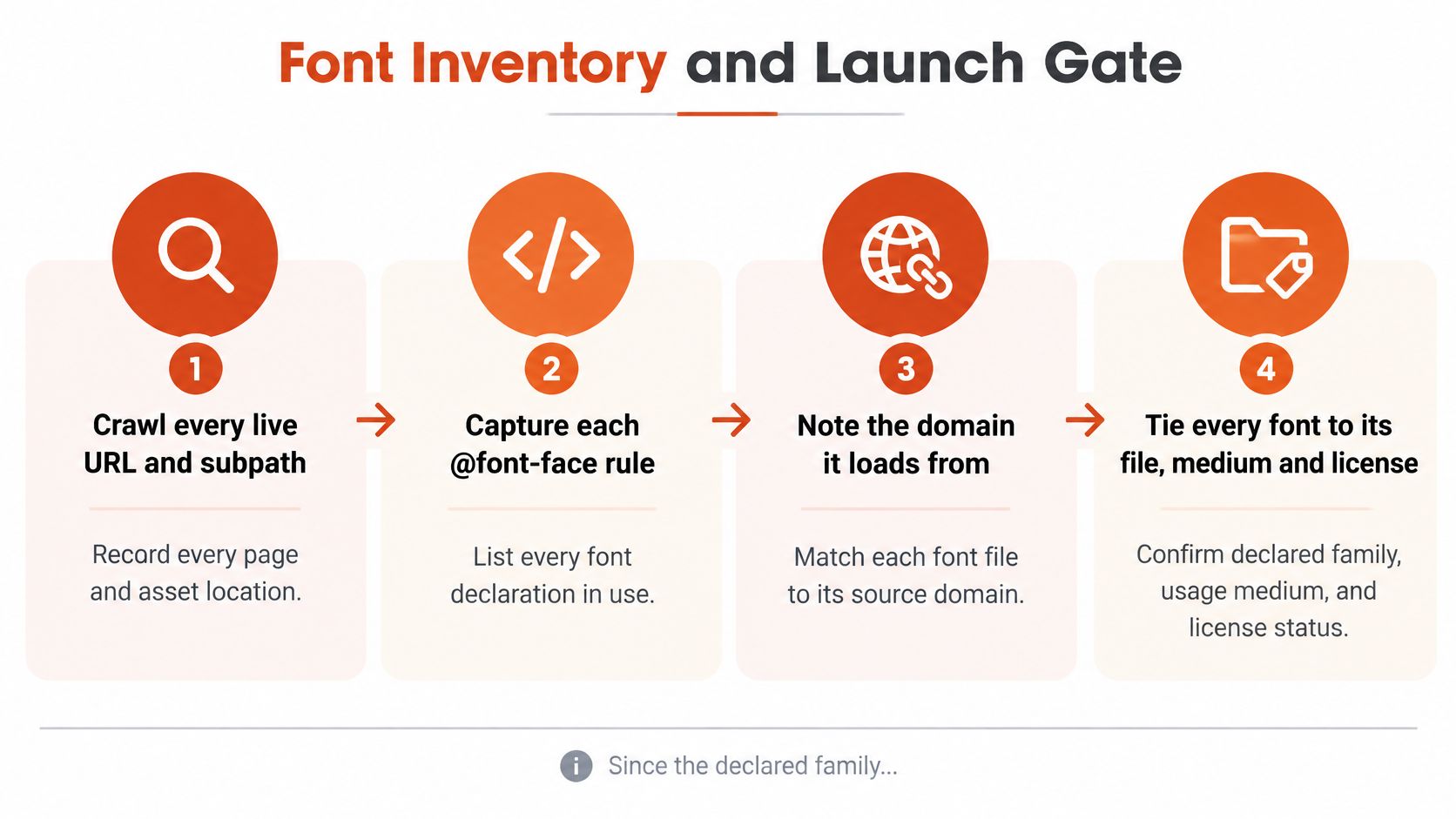
- Crawl live URLs and subpaths. Capture each
@font-facerule, requested file, and serving domain. Reconcile the crawl with your route list so pages behind navigation, login, or conditional flows aren't omitted. Audit restricted routes through an authorized internal process. - Collect non-web assets. Inspect shared drives, brand portals, slide masters, PDF exports, and application bundles. A website-only inventory won't establish what employees distribute in editable presentations or packaged products.
- Fingerprint the files. Record family, foundry, version, format, variable axis ranges, and a file hash. Inspect internal naming and metadata rather than trusting the filename. Mark trial and subset copies separately from the full licensed family.
- Map the deployment medium. Classify each occurrence as web CSS, PDF, image, application, or editable document. Keep separate occurrence records when the same file supports different deliverables.
- Attach contractual proof. Preserve the invoice, EULA version, order form, and relevant written permissions. Record the named entity and territory; an invoice alone may not contain the conditions you need.
- Assign exceptions. Give unlicensed, expired, or out-of-scope copies a named owner and a resolution status. Distinguish confirmed violations from missing evidence that still requires investigation.
- Set the next review. Record a review date and the changes that trigger an earlier check, such as a new domain, acquisition, or app release.
Adobe's font licensing guidance distinguishes authorized web embedding from other uses and addresses document embedding, including subsetting and protection requirements under its terms. That's why detecting a family in a PDF and on a webpage doesn't establish that both deployments are authorized.
Require evidence before release
At FontCheckerPro, our license forensics classifies each @font-face and image-identified face using its loading domain, the Google/Adobe catalogue, or self-hosted origin, and shows the source of each verdict. We classify fonts by where they're served from and by AI visual identification, not only by the declared font-family name. Font Checker Pro doesn't license typefaces to customers, and identification in a report grants no right to use a face.
Before launch, reconcile every in-scope site, PDF, and app against its medium-specific rights. Record entity, domain, territory, user count, and unresolved clauses, then obtain written foundry confirmation where the contract is unclear.
A practical team font-management procedure should also define recurring checks between launches. Release approval is a dated decision about known assets, not permanent clearance for whatever gets added later.
Handover Cases Where Font Rights Get Lost
Continuity of design does not carry continuity of rights, so inherited fonts need their own evidence check. The risk is especially clear when an agency, acquired company, or regional subsidiary hands over files without the terms that governed their use.
| Handover case | Check to make | Who signs off |
|---|---|---|
| Missing purchase invoice | Ask the reseller for the order record and applicable license terms | Procurement with legal review |
| Agency handover | Confirm whether the client can continue using the agency's licensed assets | Brand owner and legal |
| Merger or acquisition | Check whether the existing agreement covers the intended deployment after the transaction | Legal and IT |
| Regional subsidiary | Confirm that the named entity and territory match the planned use | Regional legal lead |
| Font bundled inside a product | Review embedding and downstream distribution rights | Product counsel |
| Variable font file | Check that the agreement covers the file and its intended instances | Typography lead and legal |
| Trial or subset copy | Confirm that the specific file is permitted for production use | Procurement |
A Fontstand survey of more than 1,300 font users found that nearly three-quarters cited unclear or buried usage rights as their biggest frustration. During a handover, that uncertainty can leave a team unable to tell whether an inherited file is cleared for continued use.
Reconstruct permission without guessing
If an invoice is missing, ask the reseller for the order record and terms that applied to the purchase. A screenshot showing a family name may not establish the license scope. For agency transitions, agree who is responsible for confirming continued rights before accepting the files. The division of font licensing responsibilities between agencies and clients should be clear in the handover criteria.
For an acquisition or subsidiary, check whether the contract names the entity and territory that will use the font. For a product bundle, review the terms for embedding and downstream distribution. A variable font's marketing name alone does not confirm that the agreement covers the delivered file and its intended instances.
Trial and subset files also need a production-use check. A subset may be an authorized derivative, while a trial file may have restrictions that rule out release. Visual similarity does not settle the question.
Keep the handover decision connected to the approved font register, rather than rebuilding the evidence list from scratch. Record any unresolved permission question as a release issue and assign an owner to resolve it.
A Worked Example Across Three Deployments
Say a consumer brand is auditing its designer installations, main website, and campaign subdomain. Its purchase records point to a foundry agreement, but nobody has compared the current deployment with the purchased tier.
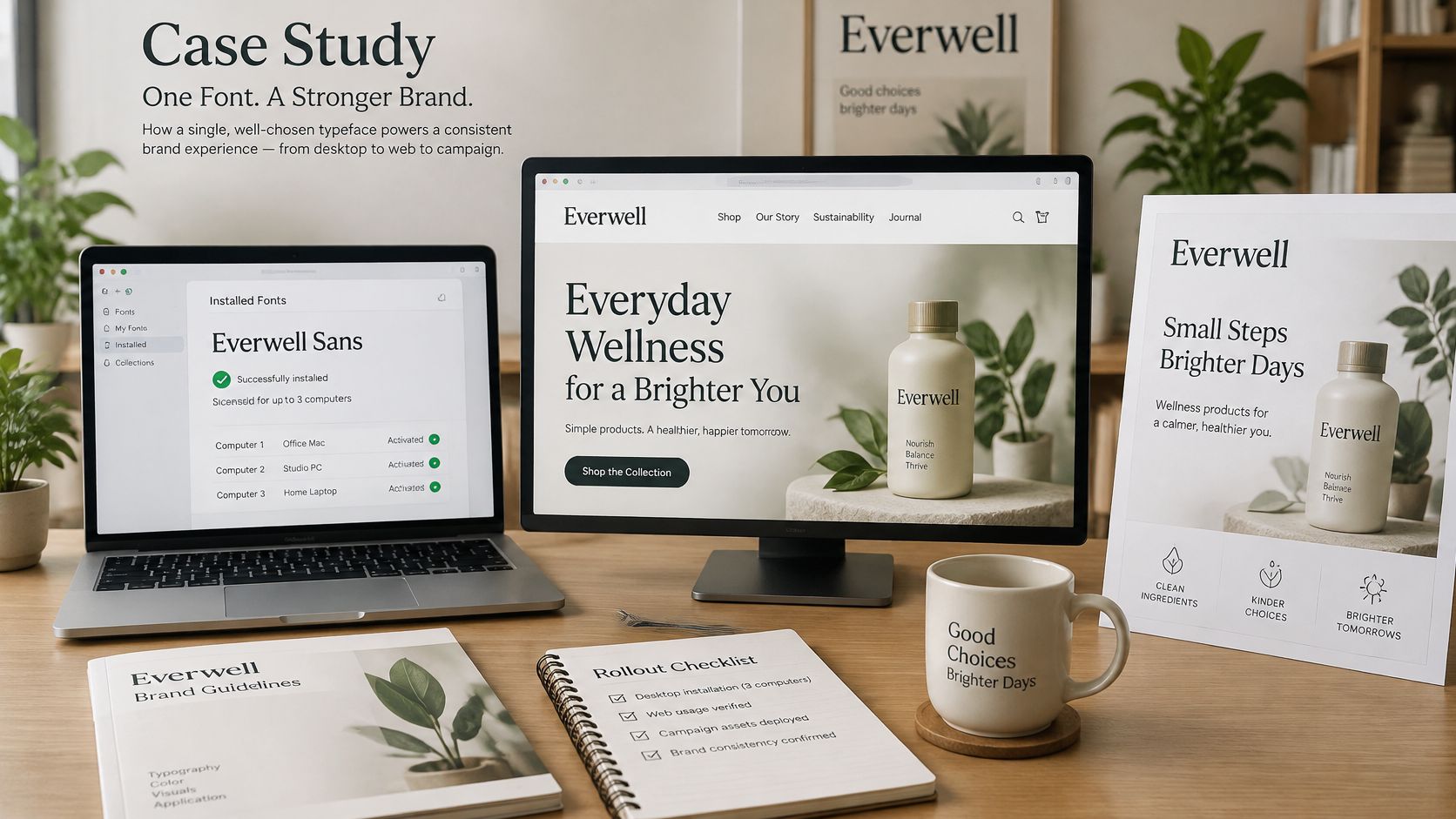
As a concrete contractual example, Florian Karsten's published EULA permits desktop installation on up to three computers within a single organization, and self-hosted web use on a single domain with up to 10,000 visitors per month, unless the order specifies otherwise. These are that foundry's example thresholds, not universal industry limits.
Compare actual use with purchased scope
In this hypothetical case, marketing has installed the font on twelve laptops, the main site receives about 14,000 monthly visitors, and an agency has copied the webfont files to a campaign subdomain. Those deployment counts are scenario assumptions, not claims about a real company.
The desktop deployment exceeds the example computer allowance, and the main site exceeds the example visitor threshold. The campaign subdomain is an undocumented additional deployment requiring review: don't automatically decide that every EULA treats a subdomain as a separately licensed domain.
The audit should record the subdomain's status as unresolved until the actual order or foundry clarification establishes coverage. That distinction prevents a technical observation from becoming an unsupported legal verdict.
Fix the entitlement before redesigning
Work through the remedies in a practical order:
- Read the actual order first. It may already grant broader rights than the default EULA. Recovering that evidence can avoid an unnecessary purchase or replacement.
- Expand the purchased scope where needed. Obtain the appropriate desktop seats and web tier, using the contract's counting units.
- Restrict file deployment. Keep self-hosted files on approved properties and remove the campaign copies unless authorization is confirmed.
- Close the record. Log each decision, date, owner, revised order, and deployment change.
If the campaign must remain live while rights are clarified, use an already approved fallback rather than leaving the disputed files publicly available. Test the replacement before release so a licensing fix doesn't break navigation or campaign layouts.
Other licensors may count users, seats, pageviews, revenue, or term length. A quarterly comparison of installations, traffic, and deployed origins against order records would have surfaced these mismatches before the campaign handoff, without requiring anyone to infer permission from the brand artwork.
Web Font Loading Rules That Protect Readability
font-display values and what readers see
| font-display value | What the reader sees | Best use |
|---|---|---|
auto |
Browser default behaviour | Avoid relying on it without a deliberate choice |
block |
Hidden text for a short period, possibly up to about three seconds, then fallback if needed and the web font when available | Brand moments where the face is essential |
swap |
Fallback text at once, then the web font when it arrives | Body copy and content where readability matters most |
fallback |
Very short hidden period, then fallback, swapping only if the font arrives quickly | Pages where layout stability matters more than the exact typeface |
optional |
Very short hidden period; the web font is used only if it loads quickly | Decorative or secondary text |
Google's web-font guidance explains that browsers may wait up to approximately three seconds before showing fallback text, and that a later font arrival can cause the text to be redrawn. Treat that waiting period as a readability decision, not a visual preference.
Choose visibility deliberately
Use swap when people need the content immediately. Body copy, forms, navigation, and task instructions shouldn't depend on a successful custom-font download to become readable. Reserve block for narrowly justified brand moments, accepting that users may temporarily see no text.
Choose fallback or optional when avoiding a late substitution matters more than displaying the exact face on every visit. Neither setting excuses an unsuitable fallback: compare character widths, line height, x-height, and wrapping on actual content.
Measure the files you serve
Audit each @font-face rule alongside its loading behavior. Keep these checks attached to the corresponding register entry:
- Transfer timing. Measure font requests on key templates under throttled network conditions, including cold-cache visits.
- Visible text behavior. Capture when text first appears and whether users experience invisible text or a conspicuous fallback-to-final change.
- Layout instability. Record measured layout shift and inspect wrapping changes in headings, buttons, navigation, and multilingual content.
- Payload relevance. Compare shipped glyph coverage and variable axis ranges with what the page uses.
A variable file can replace several static files, but it can also ship unused axes and glyphs. Compare the actual production alternatives under identical conditions rather than assuming that fewer requests always means faster readable text.
Use the same test strings across supported browsers and devices. The 99tests cross browser testing guide for 2026 provides a useful testing framework; apply it to font loading, fallback rendering, and text reflow rather than screenshots alone.
Keep the approved system stack, test conditions, measured results, and performance owner beside the rights record. Designers, developers, and compliance reviewers can then evaluate the same deployment without maintaining disconnected versions of what was approved.
Font Checker Pro scans publicly accessible URLs, uploaded files, and images to identify typefaces and produce audit reports that support your font register. Visit Font Checker Pro to audit a live property or handover package, then connect the findings to your orders, EULAs, and named approval owners.