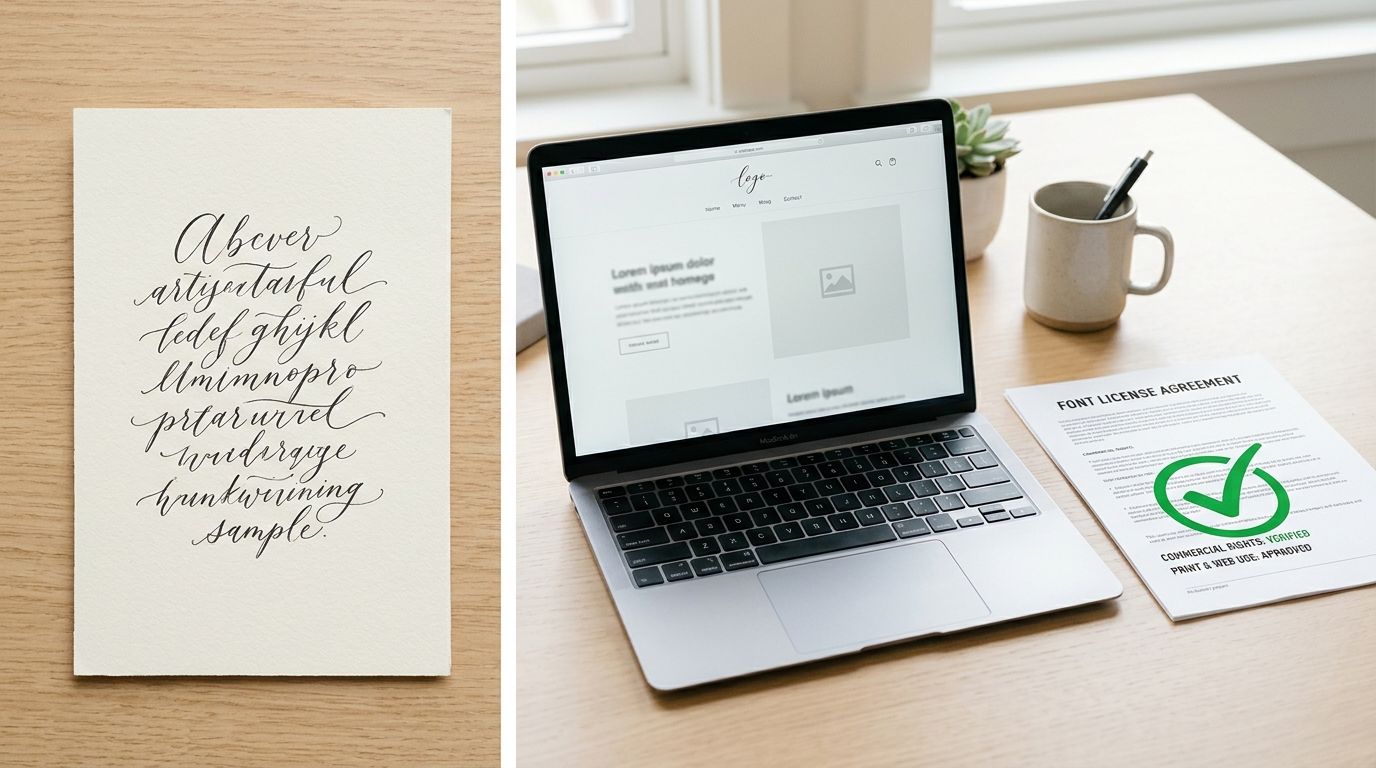
A script font can be fully licensed for your logo and still be unlicensed on your website, in your app, and in the editable file you send to a client. That surprises teams because they bought the font, installed it, and watched it work everywhere. Technical success isn't permission. A desktop file will often render on a server, embed in a PDF, and export in a social graphic even when the license covers only one of those outputs.
That's the risk with a font commercial script families are sold under. The word commercial sounds like a blanket clearance, but foundries usually sell rights by medium, format, user count, domain, and traffic. Script faces make the gap easy to miss because they're reused across logos, packaging, invitations, menus, campaign headlines, and website hero text. Each reuse can be a different licensing event.
I would not start by asking whether a font is commercial. Start by listing every output, then match each output to a specific permission. This guide is informational, not legal advice, and the governing EULA controls every decision. Where exposure is significant, qualified counsel should review the findings. Never treat a font as free or safe without checking its actual license record.
Which License Each Script Font Use Requires
Commercial use is not one permission. A script font licensed for a static logo file can still be unlicensed for a website, an app, or an editable template. You need to classify the output first, then find the permission that matches that exact delivery format.
License Required for Each Script Font Use
| Use | Delivery format | License to check |
|---|---|---|
| Static logo or outlined artwork in print | Outlined vector or image | Desktop license covering logos and print layouts |
| Editable desktop design for a client | Installed OTF or TTF file | Desktop license; the client needs its own license to edit |
| Website text served through CSS | WOFF or WOFF2 files | Web license covering domains and monthly page views |
| PDF export with an embedded font | Font embedded in the PDF | Document embedding permission, subsetted and protected |
| E-book with an embedded font | Font embedded in the e-book | E-book embedding permission, if the publisher terms allow it |
| Mobile or desktop application | Font inside the app | Application embedding license from the foundry or reseller |
| Social-media graphic | Exported image | Desktop license covering design output; confirm in the EULA |
| Merchandise or packaging | Printed product | Check the EULA for product sale and redistribution rights |
Read each row as a separate question. Outlining a logo removes the live font file from the artwork, but it doesn't answer whether the desktop license allowed logo use in the first place. Exporting a social image is different again. Giving a client an editable file is different from both, because now another party needs to install and edit with the font.
The distinction is clear in Adobe's webfont licensing guidance, which says fonts from its service may be used for commercial projects, including digital designs and print materials, but does not permit embedding those fonts in mobile or desktop applications. Browser delivery in a desktop or mobile browser falls under the webfont license, while placing the font inside an app requires an appropriate license from the foundry or an authorized reseller.
Practical rule: If the medium changes, classify the use again. Don't carry a clearance from print into web, app, or template delivery.
For brand work that spans several outputs, a plain-English walkthrough of licensing fonts for brand projects can help you frame the questions before you read the foundry terms. Use the table as a starting point, not a substitute. A commercial label or a legitimate subscription doesn't automatically cover every medium, and the governing EULA remains the document that decides. FontCheckerPro can help locate fonts in URLs, PDFs, images, or font archives, but you still need to compare each finding against that EULA.
Web and Desktop Rights Are Separate Permissions
Think of a desktop license like owning a printed book for your own reading, while a web license is like placing that book on a public shelf with a counted number of visitors. You may own the book. That doesn't mean you've bought the right to put it on the shelf for everyone who walks past.
Fort Foundry's license terms state that a desktop license permits installation on specified users' computers and covers design work such as logos, brand guidelines, print layouts, and PDFs. Its web license instead authorizes hosting font files on a website and calling them through CSS, with the supplied web files typically in WOFF or WOFF2 format and coverage selected by monthly page volume.
Desktop Versus Web License Scope
| Scope item | Desktop license | Web license |
|---|---|---|
| Permitted files | Installed OTF or TTF | Supplied WOFF or WOFF2 files |
| Delivery | Installed on named users' computers | Hosted on a licensed website and called via CSS |
| Typical use | Logos, brand guidelines, print layouts, PDFs | Text rendered in browsers on the licensed site |
| Limit that scales | Number of named users | Monthly page-view tier |
| Domains | No website domains covered by installation alone | Domains named in the EULA |
The most common error is also the simplest. A designer owns a desktop license, uploads the OTF or TTF file to a production server, and links it with @font-face. The page renders correctly, so the team assumes it's covered. It isn't covered by default, because the desktop purchase bought installation rights for named users, not server distribution to site visitors.
Commercial script families make this easier to get wrong. They're often distributed in multiple formats, weights, and alternates, and each format can carry different restrictions. A WOFF2 file supplied for web use and an OTF file supplied for desktop use may contain the same design while sitting under different permissions.
Wording and limits vary by foundry, so check user counts, domains, traffic limits, formats, and whether self-hosting is allowed in the specific EULA. A fuller comparison of the licensing differences between web and desktop fonts is useful when you're separating installation rights from server delivery. Identifying self-hosted files and keeping an exportable record supports that check, but the output is informational and doesn't replace contractual review or legal advice.
Free and Open-License Script Fonts Still Need Checking
Plenty of script fonts are offered at no cost, often under the SIL Open Font License, and many of those licenses permit commercial use. Don't stop at the price. Free doesn't mean unrestricted, and it doesn't mean every weight, alternate, or repackaged copy you find carries the same terms.
Three Checks Before You Rely on a Free Font
- License named in the file: Confirm the license on the download page matches the license file bundled with the font. If they conflict, treat the bundled license text as the governing document and resolve the conflict before launch.
- Official source: Check whether the font came from its official source or a third-party redistributor. A redistributor may have altered, renamed, or repackaged the files, or stripped out the license and copyright notices you need to keep.
- Exact family and weight: Confirm the license covers the specific style you're using. A foundry can release one weight for free while a paid alternate, swash set, or language extension carries different terms.
A summary on a download site is marketing copy, not the license. Save the actual license file alongside the font file, with the source URL and download date. If the license requires you to keep notices with redistributed copies, you need that file intact when a developer bundles the font into a project or a template leaves your organisation.
Then apply the same medium test you'd use for a paid font. A free script in an outlined logo is one use. The same script served as live website text is another. Bundled inside an app or an editable client template, it's another again, because now you're distributing the font file itself rather than artwork made with it.
For the mechanics of open terms, an Open Font License practical guide for teams helps separate what's commonly allowed from what a particular release says. I'd never describe any individual font as safe for a project without this check. The license file, the source, and the exact style decide, and this is informational guidance rather than legal review.
Verify Each Script Font in Seven Steps
Memory is a poor inventory tool. Fonts arrive through themes, page builders, inherited templates, and outside designers, then stay live long after the person who added them has left.
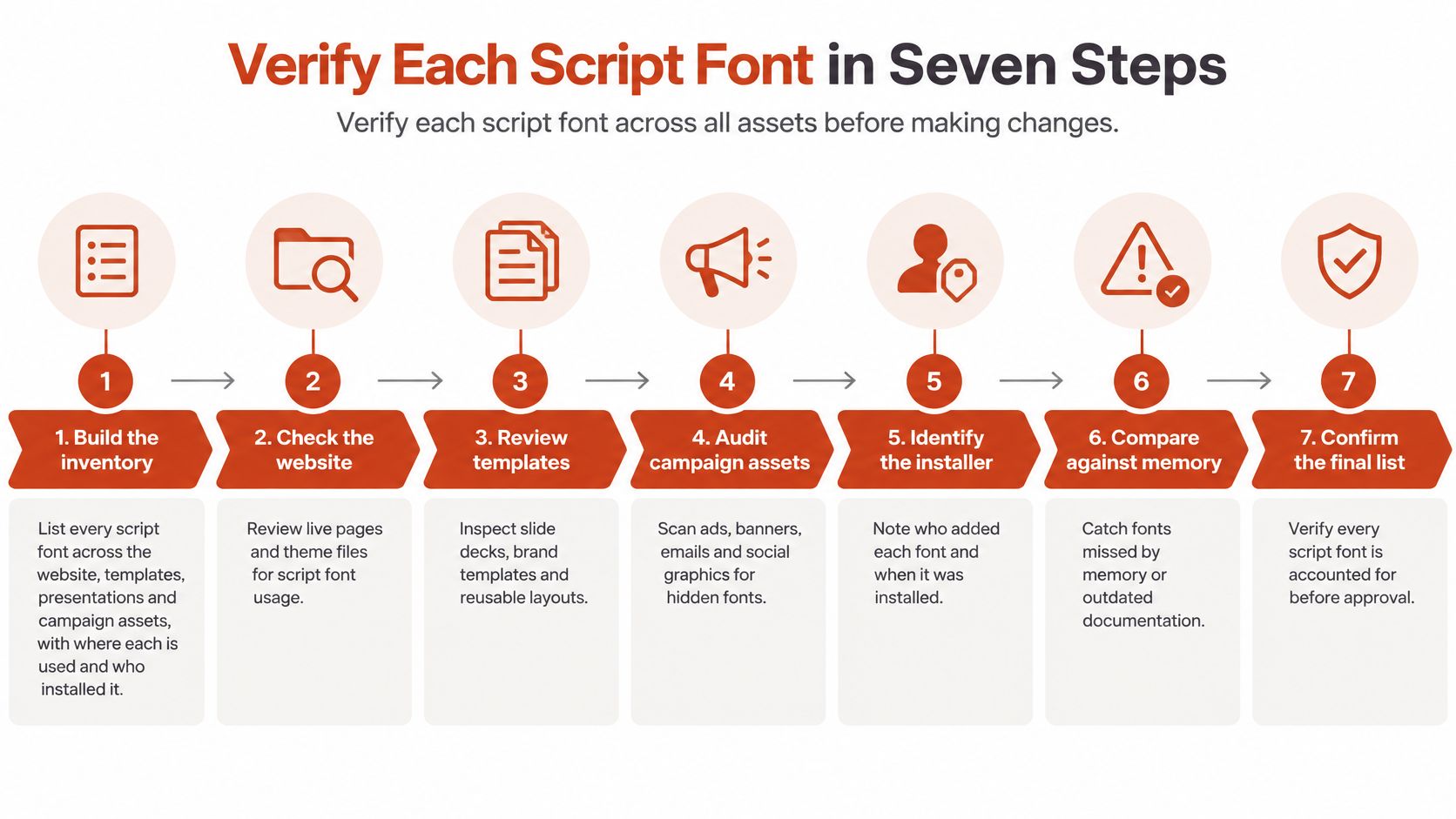
- Build the inventory. List every script font across the website, templates, presentations, and campaign assets, with where each is used and who installed it. An automated scan of live URLs keeps the list from depending on what people remember.
- Identify the source. Record whether each font came from a subscription catalogue, a foundry purchase, a self-hosted file, or an unknown trial. Where there's a rights chain, trace the manufacturer, digitizer, licensee, and successor agreement, because a file name can't prove who holds the rights.
- Collect the license record. Store the purchase invoice, EULA, and license certificate as a PDF or photo next to the inventory entry. A verdict with no document behind it won't survive a client or legal review.
- Check the deployed format. Confirm web delivery uses the supplied webfont files and that desktop files aren't being served to visitors. Foundry Five's EULAs illustrate why this matters, since webfont terms commonly restrict embedding to supplied webfont files, require use on domains controlled by the licensee, impose traffic ceilings measured in monthly page views, and in some agreements prohibit linking directly to desktop CFF OpenType or TrueType files.
- Match domains and limits. Compare licensed domains, user counts, and the page-view tier with observed traffic and the live CSS @font-face source. A trial or desktop font copied into a site can work technically while the distribution mechanism violates the license.
- Match each output to its medium. Test every logo, PDF, template, and app use separately. Weights, alternates, and language extensions may sit under different rights even within one family.
- Record the result. Note the date, owner, and renewal date for each font. Someone has to own the next check, or it won't happen.
Provenance can be longer than you'd expect. The Adobe Fonts page for Commercial Script MN traces the Mecanorma Collection from Mecanorma's withdrawal from the professional graphics market in 1995, through International TypeFounders licensing the digital typefaces from Trip Productions in 2004, to a 2014 permanent agreement confirming exclusive worldwide digital rights. That's 19 years across a rub-down lettering product, a manufacturer, a licensee, and successors, which is exactly why appearance proves nothing.
A step-by-step workflow for checking if your website fonts are legally licensed can support this process. The outcome is informational and doesn't replace legal review.
Trial Copies and Embedding Traps That Create Exposure
The most common trap is a trial or demo copy in production. Evaluation files carry evaluation terms, so they grant no commercial right even when they keep working. Trial cuts often slip in during concept work, survive into the approved design, and ship because nobody replaced the file.
Common License Traps, What Breaks and the Fix
| Pitfall | What breaks the license | Fix |
|---|---|---|
| Trial or demo copy in a live project | Evaluation terms do not cover commercial output | Buy a commercial license before launch |
| Desktop OTF or TTF file on a website | Desktop license does not cover serving font files | Use the supplied WOFF or WOFF2 files under a web license |
| Traffic above the monthly page-view tier | Web coverage is capped by page volume | Upgrade the tier as traffic grows |
| Subscription lapses | License runs only while the subscription is maintained | Renew the subscription or stop using the font |
| Editable file handed to a client | Agency license does not transfer editing rights | Client buys its own qualifying license |
| Font embedded in a mobile app | Web license excludes app embedding | Buy a separate app embedding license |
Subscriptions create a second class of trap. Adobe Fonts product-specific terms describe the license as nonexclusive, non-assignable, non-transferable, and limited to the period during which the user maintains an uninterrupted subscription. Document embedding for printing or viewing is allowed only when the font is subsetted to the necessary glyphs and the document protects or obfuscates the embedded font data.
An agency can't hand its subscription to a client. If the client needs to edit the design and access the fonts directly, the client needs its own qualifying subscription or desktop license.
That changes how you hand over work. Record the provider, subscription status, authorized users, delivery format, and whether files remain editable or are exported artwork only. Checking embedded fonts in a PDF before you send it catches subsetting and protection problems while they're still cheap to fix.
Renewing a lapsed license is usually cheaper than forced font replacement, reprinting packaging, or a retroactive back-licensing claim after launch. Those claims can carry real financial cost, and they're harder to negotiate once unlicensed output is already in circulation. Structured trial and demo-cut detection helps surface these files early, but it doesn't clear them.
Keeping Script Font Licenses Audit Ready Over Time
Compliance decays after launch. Traffic grows past a page-view tier, a subscription lapses during a billing change, a new hire adds a script font to a landing page, and a campaign reuses a face buried in an old template. None of that shows up in the original approval.
Four Routines That Keep the Record Current
- Scheduled scans: Scan the live site and key assets on a set cadence so a newly added font appears in a report rather than in a complaint. I'd run a monthly scan for live sites, plus a check at every new campaign, template, and client handoff.
- Expiry alerts: Track renewal dates and subscription status centrally, with alerts before expiry. Renewal is a routine purchase, while a lapse discovered later becomes a remediation project.
- Audit trail: Keep each report, license record, and decision with its date and owner. A documented trail shows what you checked, what you found, and what you changed.
- Entry rule for new fonts: No font enters a template, theme, or campaign until its source and license are recorded. This single rule prevents most future cleanup.
Homepage checks aren't enough. A script font used only on a pricing page, a seasonal landing page, or an old blog template won't appear on the front page, so the audit has to crawl subpages. Our Drift audit crawls subpages and flags rogue typefaces that the team didn't ship, which is the pattern that catches fonts added by plugins, embeds, and one-off campaign pages.
Understanding what an audit trail is and what its purpose is helps teams decide what to retain for legal and operations review. Retention only works if someone reviews the output and closes open items.
Good looks plain. Every font in use has a source, a license record, a permitted medium, and a renewal date, and every new use gets classified before it ships. If any of those four fields is blank, treat the font as an open item rather than a cleared asset.
Confirm Your Script Font Before the Next Launch
Take one action today. Run the verification steps on the fonts in your next launch, starting with the inventory and the license record for each script face. Don't begin with the whole archive. Begin with what's about to ship, where a wrong answer is cheapest to fix.
State the boundary plainly to your team. This guide is informational, not legal advice, and the governing EULA controls every decision. An audit supports that judgement. It doesn't make it for you, and it doesn't turn an unlicensed use into a licensed one.
We scan publicly accessible URLs, uploaded files, and images, identify the typefaces in them, and produce audit reports you can export for legal and operations review. Our license forensics classifies each @font-face and image-identified face by the domain it loaded from, the Google or Adobe catalogue, or self-hosted origin, and shows the source of each verdict. That gives you evidence to compare against invoices and EULAs instead of a bare font name.
Two limits matter. We don't license typefaces to customers, and identifying a face in a report does not grant any right to use that face. Identification also isn't guaranteed to be error-free, so a person still has to compare findings with the license record before clearing a use.
Where a report flags a font whose medium, domain, or page-view tier is unclear, keep it as an open item. An unclear result isn't a clearance. Confirm each script font against its license record, or involve qualified counsel when the exposure is significant.
Run your next launch pages, PDFs, and campaign images through Font Checker Pro to identify every script face in use and build an exportable record you can check against each EULA. You'll catch trial copies, self-hosted desktop files, and fonts with no license record before they ship, while they're still inexpensive to replace or license properly.