Font management software is worth it when you serve more than a few typefaces across multiple team members, channels, or clients, because manual tracking breaks down and licensing risks compound quickly. The market grew from US$4,024.1 million in 2021 to a projected US$13,466.3 million by 2027, with an implied 18.8% CAGR.
A familiar failure pattern sits behind that growth. A designer ships a campaign, the website launches with a font that was licensed only for desktop use, and months later someone receives a legal notice. The team then has to identify every affected page, replace the typeface, rebuild assets, and explain to engineering why a seemingly small design decision has become an operational incident.
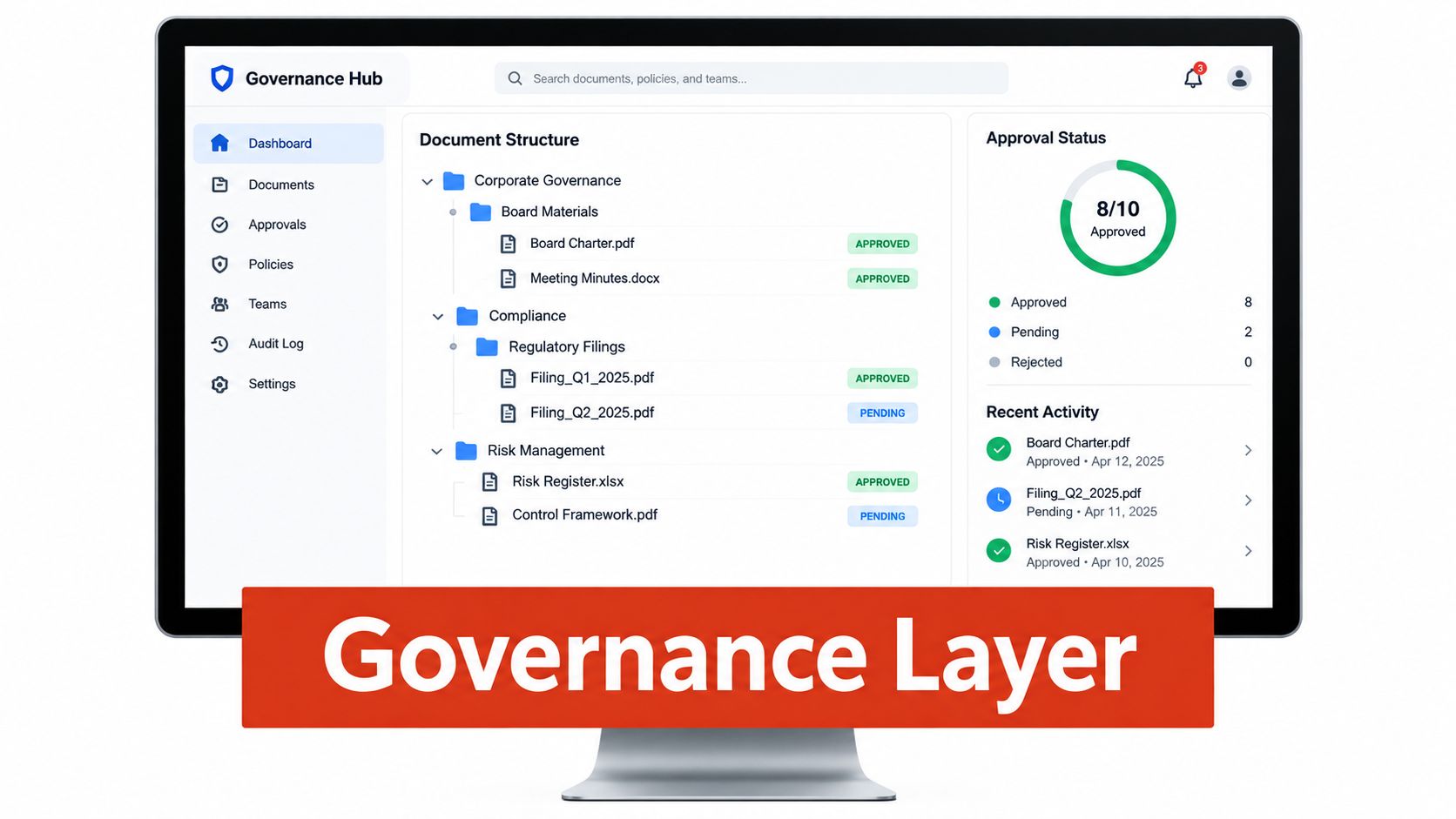
That's why font management software now belongs in conversations between designers, developers, procurement, legal teams, and IT. It isn't only a better font browser. Used properly, it becomes a governance layer that connects licensing compliance, brand consistency, website performance, and deployment control.
Why Your Team Needs Font Management Software
The problem usually starts innocently. Someone downloads a font for a pitch, another designer inherits an old campaign folder, and a developer copies a font file into a website repository because the design handoff contains no licensing instructions. Each decision seems local. The exposure becomes shared once the same font appears in client work, advertising, PDFs, product interfaces, and web deployment.
Historical market data reflects that font control has moved well beyond specialist studios. One industry report identifies publishers, graphic designers, web designers, illustrators, interface designers, packaging designers, typeface designers, motion-graphics designers, advertising agencies, architectural firms, and IT departments among the users of font management software. It also reports that North America held the largest regional share in 2019 at 36.8%, while Windows represented 48.9% of the operating-system segment, evidence that font administration became part of mainstream creative and IT workflows rather than remaining a niche concern. The market history and user categories are documented in this industry report.

Manual ownership creates invisible gaps
Teams rarely lose control because nobody cares about licensing. They lose control because ownership is fragmented.
- Designers install fonts independently: The creative team knows which files it uses, but nobody maintains a complete record of who installed them, where they're active, or which project approved them.
- Inherited assets arrive without context: A brand archive can contain font files with no invoice, license certificate, foundry details, or record of permitted channels.
- Desktop and web rights get mixed up: A license that permits local installation and static output doesn't automatically permit serving the font through CSS or
@font-face. - Client work multiplies exposure: Agencies may use the same family across separate client environments with different ownership, domains, or contractual restrictions.
- Engineering inherits design risk: Developers often discover licensing constraints only after the font has entered a repository, build pipeline, or production CDN.
A useful internal link for teams documenting this shift is the discussion of fonts as more than a creative choice. The practical conclusion is straightforward: typography needs an owner, a record, and a repeatable review process.
Practical rule: If your team can't answer who approved a font, where it's deployed, and what rights cover that deployment, the font isn't governed.
Compliance and performance belong together
A licensing incident can trigger fines, forced purchases, redesign work, or the removal of a typeface from live campaigns. Even when no legal dispute follows, the internal cost is real. Designers recreate layouts, engineers rebuild assets, account teams explain delays, and brand owners approve emergency substitutions.
Performance adds another layer. Font files affect payload, rendering behavior, fallback decisions, and the risk of flash of unstyled or invisible text. A management process that checks licensing but ignores loading behavior can solve one business problem while creating another. The minimum useful system therefore needs to show not just whether a font is present, but where it is used, what rights cover it, and how its delivery affects the user experience.
Core Capabilities to Compare Across Solutions
A font catalog is not the same thing as font management software. A catalog helps people find and preview typefaces. A management system should help an organization control usage, investigate exceptions, and prove what happened later.
Use the following scorecard before a demo. The right category depends on how many people touch the font estate, how often assets move between environments, and whether the team needs evidence for legal or procurement review.
| Capability | Basic Tools | Professional Platforms | Enterprise Systems |
|---|---|---|---|
| Licensing controls | Stores notes or license files | Tracks entitlements, seats, expiry dates, and usage context | Connects rights to users, properties, contracts, deployment channels, and approval workflows |
| Auditing depth | Manual inspection and inventory | Scheduled scans with alerts and exportable findings | Continuous monitoring, historical audit trails, exception handling, and policy enforcement |
| Integration scope | Desktop applications and local libraries | Design tools, websites, notifications, and reporting | CI pipelines, identity systems, asset management, contract records, APIs, and compliance platforms |
| Deployment model | Local installation | Cloud-hosted service or managed desktop application | Private cloud, on-premises, or controlled hybrid deployment |
| Pricing approach | Fixed license or individual seat | Tiered subscription, usage, or team plans | Negotiated tiers based on properties, users, scans, support, and governance requirements |
Licensing controls need context
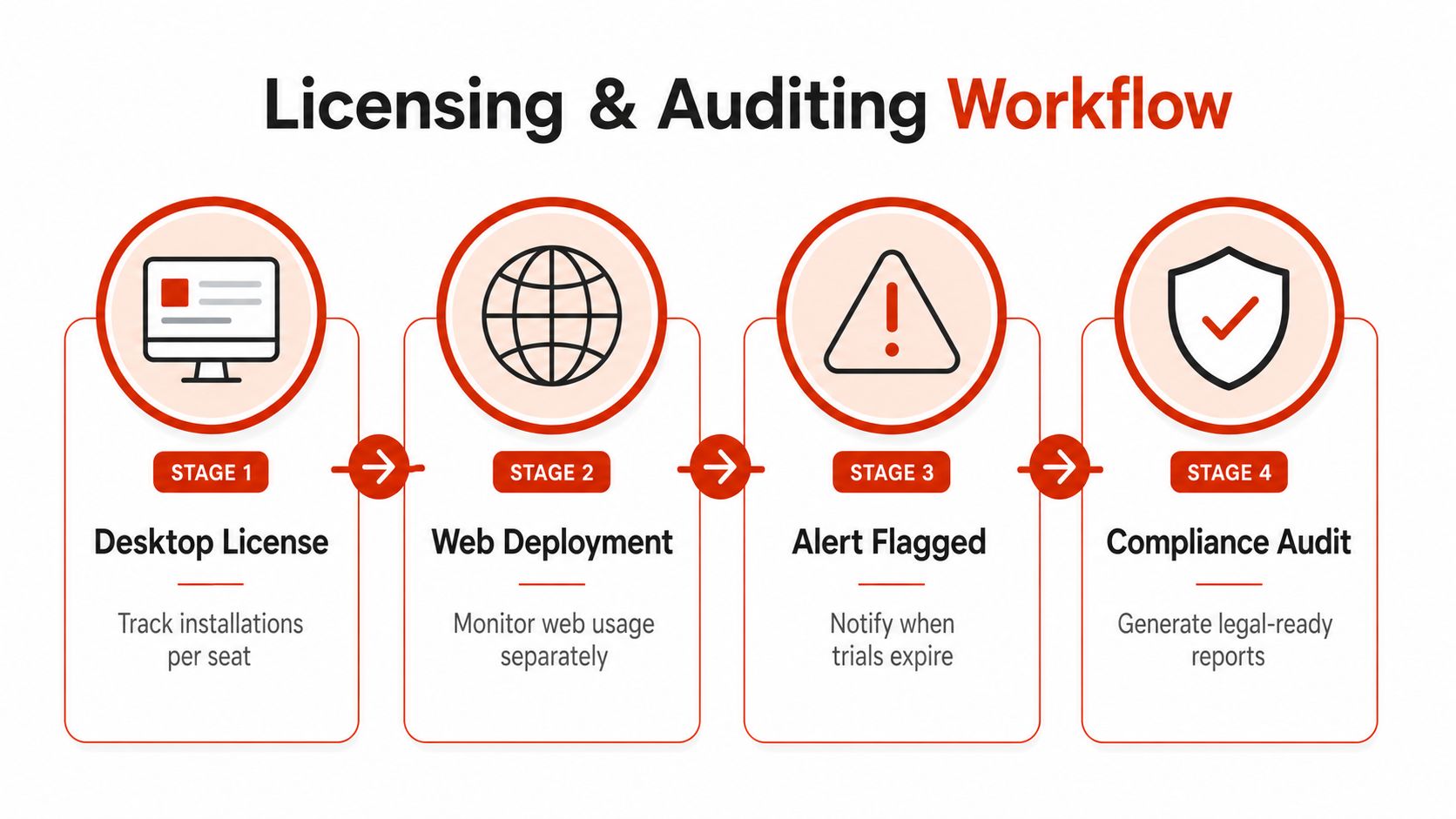
A serious system doesn't merely list installed fonts. It should distinguish a desktop entitlement from a web entitlement, associate a font with the relevant project or property, and flag a mismatch when a desktop-only right appears in a web deployment.
That distinction matters because desktop licenses commonly cover local installation and static outputs such as print layouts, logos, PDFs, and images. Web licenses are separate and generally cover serving a font through a website. The distinction between desktop and web font licensing is outlined in this licensing explainer.
Auditing must reveal uncertainty
Look for scans that identify missing records, ambiguous metadata, trial files, expired rights, duplicates, and fonts that have moved from an approved environment into an unapproved one. A report that says “font detected” without showing the confidence of the license match leaves legal and operations teams with the hardest work.
Pricing deserves equal scrutiny. Seat-based pricing can suit a stable internal team, but it becomes awkward when an agency rotates freelancers or audits many client sites. Scan-based pricing can align more closely with compliance throughput, while enterprise tiers may make sense when governance, support, and private deployment matter more than simple usage volume.
The same principle applies to interface evaluation. Designers who review typography in campaign layouts, product screens, or social previews may benefit from practical ogBlocks UI design examples when assessing how quickly a platform communicates hierarchy, status, and approval state. A polished interface isn't enough, but poor information design can undermine an otherwise capable control system.
Finally, don't treat hosting as a technical afterthought. Compare cloud, private-cloud, and local deployment against data sensitivity, identity requirements, integration effort, and maintenance ownership. A practical guide to self-hosted versus hosted deployment can help frame that decision, but the choice should follow your operating constraints rather than a blanket preference for one model.
How Licensing Controls and Auditing Work in Practice
The useful unit of control is not the font file alone. It is the relationship between a font, its license, the user who accesses it, the channel where it appears, and the deployment that serves it.
A desktop font may be installed on an approved workstation for a print layout, while a related webfont license governs delivery on a particular site. A strong audit records those contexts separately and checks trial copies, expired permissions, self-hosted files, duplicate versions, and metadata that cannot be matched confidently to a known entitlement. The record should also show who reviewed each exception and what evidence supported the decision. The role of a durable record is explained in this guide to audit trails and their purpose.
Build a recurring control, not a rescue exercise
A one-time audit gives you a snapshot. It will not catch a font added after the review, a license that expires later, or a developer who deploys a file from an old project archive. Monotype recommends quarterly or annual audits that compare licensed users with actual usage and identify cases where use exceeds the license scope, including desktop fonts used where a webfont license is required. The recurring audit recommendation appears in Monotype's compliance guidance.
A practical cycle has five steps:
- Discover: Scan live URLs, repositories, PDFs, images, and uploaded font sets.
- Normalize: Match family names, styles, foundries, file formats, and available license information.
- Classify: Separate desktop use, static output, web delivery, internal prototypes, and client-owned assets.
- Resolve: Assign an owner to every exception and record the decision, evidence, and date.
- Monitor: Schedule another scan and alert the responsible team when usage changes.
Missing metadata creates operational risk as well as legal uncertainty. Around 50% of pages in one 2025 state-of-web-typography analysis contained fonts with blank or unrecognized license fields. The same analysis reported that 72% of websites used self-hosted fonts in some capacity, with median desktop LCP at 4,176 ms for locally hosted fonts versus 3,671 ms for external fonts, and mobile median LCP at 8,521 ms locally versus 8,229 ms externally. The analysis of the 2025 web typography data reports these findings. Treat an unknown license as unresolved, not probably acceptable. Route it to someone who can locate the contract, invoice, foundry terms, or client approval.
Reports must serve different teams
Legal rarely needs the same output as engineering. A defensible reporting layer should provide:
- PDF reports for legal and leadership: Include the affected URL or asset, detected family, usage context, license status, evidence, and remediation state.
- CSV exports for operations: Let teams assign owners, track expiry dates, compare properties, and reconcile records with procurement systems.
- JSON feeds for CI: Allow a build or deployment check to fail, warn, or create a ticket when an unapproved font enters a release.
Performance analysis belongs in the same control loop. Measure payload size, identify unused glyph ranges when the data supports it, and flag FOUT or FOIT risk. Record the hosting method and fallback stack as well. A compliant font can still create a poor render path, delay text visibility, or add avoidable work to a release pipeline.
Self-hosting requires evidence, not assumption. It may support control over files and deployment, but it can also expose slow loading, oversized subsets, or configuration errors that affect Core Web Vitals. External delivery may perform better on one page mix and worse on another. Test the actual templates, connect the result to the font record, and make CI checks enforce the agreed threshold or approval state. The right audit therefore protects the license and verifies that the approved choice performs acceptably in production.
Real-World Team Scenarios and Recommended Fits
The right system changes with the team's operating pattern. A small studio, a digital agency, and an enterprise legal department may all say they need font management, but they don't need the same controls or pricing model.

A small design studio with several clients
A studio managing a handful of clients usually needs speed and clarity before it needs a large administrative console. The essential workflow is a quick scan of a website or asset package, a readable license summary, and a clear alert when a trial or time-limited right needs attention.
A lightweight platform can work if it supports:
- Project-level ownership: Each client's fonts stay associated with the correct account or engagement.
- Simple alerts: Email or team notifications reach the person who can fix the issue.
- Useful exports: The studio can hand a license summary to a client at launch.
- Basic performance checks: Designers and developers can see whether the chosen family creates avoidable loading risk.
A desktop-only organizer fails when the team needs to verify a live site. A cataloging tool also fails if nobody can tell whether an inherited font file is licensed for the client's domain. The studio should avoid paying for a large seat-based administration layer unless its collaboration pattern justifies it.
A digital agency auditing client properties
An agency has a different problem. It doesn't only manage its own typography. It must produce repeatable evidence across client sites, campaign landing pages, PDFs, and inherited repositories. The agency needs scheduled scans, comparisons between properties, API access, and reports that can be shared without reconstructing the investigation manually.
Scan-based pricing can fit this model better than a seat-heavy structure when freelancers and specialists rotate between accounts. The agency should also ask whether the system preserves scan history, records remediation, and separates client data. A report that identifies a web font is useful. A report that proves when it was found, who reviewed it, and what changed afterward is much more valuable during a client review.
Agency test: Run the same audit process on two real client properties with different stacks. If the team can't compare findings cleanly, the workflow won't scale just because the dashboard looks polished.
An enterprise legal and IT team
Enterprise teams need centralized governance. Their requirements often include single sign-on, role-based access, private-cloud or on-premises deployment, contract references, approval workflows, and connections to existing asset or procurement systems.
The failure mode here is decentralization. A team may have a global brand library, regional marketing sites, product interfaces, and acquired business units, each with different records. A system that only tracks installations on individual machines won't provide enough evidence for enterprise-wide review. IT also needs a way to prevent unapproved files from entering build pipelines, while legal needs a durable audit trail that survives staff changes.
Here is the rewritten paragraph:
large IT teams and enterprise groups struggle with font license tracking becomes an operational question rather than a design complaint. Central visibility, clear escalation, and ownership matter more than the size of the font catalog.
Independent designers and freelancers sit at the other end of the spectrum. They may only need to verify a font license before handing a site, logo, or source package to a client. A focused scan and an exportable record can be enough. No single tool serves every profile well, so team size, client rotation, data sensitivity, and audit frequency should influence the deployment model as much as feature count.
How to Choose Font Management Software for Your Team
Start with the failure you're trying to prevent. If legal exposure is the driver, prioritize entitlement matching and evidence. If designers lose time searching and activating fonts, prioritize workflow speed and metadata. If engineers own the problem, prioritize performance measurement, repository checks, and CI outputs. If all four groups are involved, choose a system that can expose one source of truth in formats each team can use.
Use a focused evaluation checklist
Before requesting proposals, answer these questions:
- What must be scanned? Define live URLs, PDFs, images, zipped font sets, repositories, or desktop installations.
- Who owns exceptions? Assign responsibility for trial files, missing metadata, expired rights, and unapproved deployment.
- Which license contexts matter? Separate desktop, print, app, web, advertising, and client-owned use.
- Where must the system connect? List design applications, CI pipelines, identity providers, asset libraries, contract records, and notification channels.
- Which deployment model fits? Compare hosted, private-cloud, on-premises, and hybrid requirements against security and maintenance capacity.
- How should pricing scale? Test seat-based, scan-based, and usage-tier models against staff changes, client volume, and audit frequency.
- What evidence must be exported? Confirm that legal, operations, and engineering can each receive a useful report.
Don't judge a product from screenshots. Run a pilot on a real property with a real asset archive. Include a page with self-hosted fonts, an older campaign file, a font with unclear licensing metadata, and at least one page where performance matters. The best evaluation reveals both licensing exposure and rendering impact in the same investigation.
Separate organization from governance
A font organizer can activate and deactivate files, create collections, and improve local discovery. That's valuable for designers, but it doesn't automatically create a compliance program. True font management software should connect an identified font to an entitlement, deployment context, owner, status, and audit history.
Manual review still has a place for unusual contracts and ambiguous foundry terms. It shouldn't be the only control for a growing estate. A comparison of manual checks and automatic font scanning helps clarify where automation reduces repetitive work and where human judgment remains necessary.
Evaluate support, too. A system that detects a risk but offers no workflow for assignment, escalation, or remediation leaves the team with another inbox. Ask how it handles false positives, unknown license fields, archived properties, changing domains, and the removal of a font after a finding.
This article is informational, not legal advice. Licensing terms vary by foundry, agreement, territory, product, and deployment method. Ask qualified counsel to review complex or disputed usage before relying on a software report as the final legal interpretation.
Strategic Takeaways for Typography Governance
Font management software pays for itself when typography crosses team boundaries, client boundaries, or delivery channels. The decision isn't about collecting a larger catalog. It's about controlling who uses which font, under what rights, in which environment, with what evidence.
Choose according to four questions:
- What is the primary risk? Compliance, productivity, web performance, or CI control.
- How does the team change? Stable staff, rotating freelancers, multiple agencies, or global business units.
- What integrations are mandatory? Design tools, websites, build systems, identity, contracts, or asset management.
- Where can the system run? Hosted, private-cloud, on-premises, or hybrid.
Licensing errors become harder to repair as teams and properties multiply. The cheapest mistake is often the one a recurring control prevents before launch. Performance belongs in that control because self-hosted fonts don't automatically outperform external delivery. The relevant question is whether the chosen hosting, subsetting, preload strategy, fallback stack, and rendering behavior work for the actual page.
Start with one focused pilot scan on a live property and one representative asset archive. Require a report that a designer can act on, an engineer can integrate, and legal can defend. That approach turns font governance from a post-launch scramble into a routine operating practice.
Font Checker Pro scans live URLs, PDFs, images, and zipped font sets for licensing signals, typography usage, and performance factors, then produces exportable PDF, CSV, and JSON reports for legal, operations, and CI workflows. Visit Font Checker Pro to run a focused audit and see where your team's font rights and delivery choices need attention.