Nearly half of the respondents to a 2024 global font-use survey said managing font licensing was the hard part of their work. The letters are the easy choice. The harder problem is knowing which people, machines, and delivery paths your permission covers, and a font server license is where that question gets answered in fine print.
What a Font Server License Actually Covers
A desktop license works like a seat ticket for one room. A font server license works more like a permit for activities throughout the whole building: it can cover machines serving people who never bought the font themselves, and it still has boundaries. Mentioning a server in the agreement does not authorize every activity that touches one.
A font server license grants permission to install font software on servers and use it for specified remote services or outputs. Read it as a bundle of rights tied to a deployment. Depending on the agreement, its boundaries can include domains, server counts, traffic, purpose, file formats, and whether users receive font files or only finished artwork. Two licenses carrying the same name can permit very different setups, so the contractual role of each actor and the delivery path matter more than who happens to control the hardware.

The licensed object is the font software itself, which sits separately from the look of the letters. In 1992, the U.S. Copyright Office recognized that scalable font programs can qualify for copyright protection as software, while typeface designs generally remained outside ordinary copyright protection. That gap is why the contract text decides what your deployment may do.
Practical rule: Buying a font gives you the permissions its license states, and nothing beyond them.
That distinction makes understanding what a font license permits more useful than checking whether someone saved a receipt. Installation, hosting, delivery, embedding, and modification are separate questions, and each needs its own answer.
One more thing catches teams off guard. Coverage can drift after launch as servers, domains, and traffic change, so treat a font server license as something you audit on a schedule rather than a receipt you file away.
Don't treat any font as universally free or safe without checking its terms. The guidance below is informational, not legal advice.
Which Hosting and Delivery Setups Need a Server License
A server license works like a set of keys issued for specific doors: the agreement decides which doors each key opens, and using a key on a door not on the list is a violation even when the key technically fits. The delivery path and the contractual role of each actor determine whether a door is on the list, not who happens to hold the key.
An agency builds a small website, hosts it during development, and hands it to a client at launch. The server might stay exactly where it is, but the publisher and subscription holder change at handoff. An agency's entitlement does not automatically become the client's entitlement, and teams get caught here because nothing on the infrastructure visibly changes.
Start with the setup, not the license name. Who installs, publishes, receives, and pays for the font service? Those roles give you a more useful starting point than the name on the hosting account.
Hosting and delivery setups and the license each usually needs
Find the closest setup below, then resolve the final column before deployment. These are review categories, not substitutes for the applicable agreement.
| Setup | Who uses the font | License usually needed | Check first |
|---|---|---|---|
| Public website using the foundry's embed code | Visitors' browsers render the text | Webfont license for that domain | Domain and traffic tier |
| Font files self-hosted on your own web server | Your server delivers the files | Webfont license that permits self-hosting | Format, access control and server scope |
| Agency-built site handed to a client | Agency builds, client publishes | Client's own license; agency cannot assume one license covers multiple clients | Who holds the subscription |
| Site served through a CDN or staging domain | Third-party network and test URLs | Webfont license covering those origins | Whether CDN and staging domains are in scope |
| SaaS dashboard where customers create content | Customers produce output with the font | Separate SaaS or application grant | Whether webfont terms exclude SaaS embedding |
| Font bundled into a desktop or mobile app | Software distributes the font files | Separate application embedding license | Foundry or reseller permission |
| PDF or image exported from a font | Recipients receive artwork | Usually allowed for static graphics; check PDFs with embedded fonts | Whether font software is included |
| Local design work in design applications | Designers install on their own machines | Desktop license with the right seat count | Number of users covered |
Local use and file delivery are different acts, and licenses treat them differently. Naming a system font in a CSS stack uses a font already installed on the visitor's device. Copying a font bundled with an operating system onto your own server is a separate act, and the rights that came with that system generally do not extend to self-hosting it.
Separate infrastructure from permission
A hosting provider's ability to deliver a file does not establish your right to deliver it. When budgeting infrastructure, Bruce and Eddy's resource can help you understand cloud hosting costs; keep font entitlements as a separate procurement check.
A CDN or staging environment deserves explicit review rather than an assumption that it inherits production permission. A self-hosted versus hosted decision guide can help organize those delivery choices.
If your setup is not listed, document who installs the font, who receives its output, and who pays for delivery. Copy the table into your project documentation and add the responsible license holder beside each applicable row. Then put a reminder on the calendar, because setups drift after launch: a configuration that was compliant in month one can fall out of scope when a staging domain, a second client, or a new delivery channel appears.
Desktop, Webfont and Server Licenses Compared
A useful way to frame the three licenses is as passes for different jobs. A desktop license admits named people to their own workstations. A webfont license admits a font to a defined website audience. A server license admits the font to infrastructure that produces or serves output for others. The labels are shorthand only. The contract decides which actor may install the software, which delivery path is permitted, and which outputs count as covered.
Labels can mislead because vendors do not use “server,” “webfont,” and “hosting” in a standard way. Read the grant clauses, the exclusions, and the definitions together. Treat the comparison below as an audit worksheet, not as a product spec.
Rights compared across desktop, webfont and server licenses
| Dimension | Desktop license | Webfont license | Server license |
|---|---|---|---|
| What it authorizes | Installing font software on named users' computers | Embedding fonts in websites through approved embed code or CSS delivery | Installing and using font software on licensed servers for specified remote services |
| Usual unit of scope | Users or seats | Domain, plus page views or traffic tier | Server count, domain scope and traffic tier, depending on the agreement |
| Typical term | Varies by vendor | May be annual under some vendor terms | Varies; read the contract |
| Raw font files on a website | Not automatically included | Only in permitted formats and methods | Only where the contract allows delivery |
| Embedding in apps or SaaS | Not automatically included | Separate grant needed where excluded | Separate grant needed unless expressly included |
| Static outputs such as JPEG or PDF | Usually allowed for static graphics; inspect PDF embedding | Check output and embedding clauses | Depends on permitted output and whether font software is embedded |
Desktop rights normally cover work inside design or office applications. Vendor terms often separate that user-based permission from wider distribution, which is the difference between sending flattened artwork and sending font software.
A JPEG containing rendered lettering does not carry the font program itself. A PDF needs closer inspection because it may embed font software rather than merely display flattened artwork.
Embedding is a separate grant
Webfont permission covers a narrow job: making font software available to a browser under the licensed site scope. Foundry webfont guidance commonly routes application embedding, SaaS product use, kiosk output, and customer-facing authoring tools to different grants.
That split is where teams get caught after launch. A site can remain compliant while the same files inside a mobile app, template generator, or reseller portal fall outside the grant. Moving a desktop download to a website, copying web assets between domains, or packaging webfont files inside an app changes the use, even if the typeface and purchaser remain unchanged.
Audit the operation, not the logo on the invoice. If the role or delivery path changed, recheck the grant.
Use a web and desktop font licensing comparison to prepare the review. If the agreement does not answer a table cell, record it as unconfirmed and ask the licensor rather than filling the gap with an assumption.
How Server Counts and Traffic Tiers Change Your Cost
Server pricing often rises in steps rather than tracking each individual use. One foundry's licensing schedule, for example, priced deployments by the number of servers covered, applying the multipliers below relative to a single-server fee. Treat these figures as an example of how tiered pricing works, and confirm the actual schedule with your vendor before purchasing.
Server-count multipliers and illustrative cost
The cost column is arithmetic using a hypothetical 100-unit base, not a vendor quote or currency amount.
| Servers covered | Multiplier of single-server fee | Illustrative cost at a 100-unit base |
|---|---|---|
| Up to 3 servers | 1× | 100 units |
| Up to 5 servers | 3× | 300 units |
| Up to 10 servers | 5× | 500 units |
| Up to 20 servers | 7× | 700 units |
A tiered schedule works like a transit pass: the ten-zone pass costs the same whether you ride twice or twenty times, until you cross into zone eleven. Before choosing a tier, ask how the agreement defines a server. A temporary instance, a replacement environment, or a service-provider machine may all count, so get clarification when your infrastructure doesn't fit the contract's terminology.
Traffic can change the entitlement you need
Traffic deserves its own review. A webfont agreement may permit server installation for website content within a specified page-view allowance while separately excluding use in a web-based customer product, SaaS application, or authoring tool. Those are two different thresholds. Crossing either one changes which license you need.
A campaign can push a site past its contracted page-view allowance without anyone touching the font files. The developer hasn't changed the CSS or the domain, but the organization's use now exceeds the purchased scope. A successful launch can require a licensing decision alongside the infrastructure work.
Budgeting check: Track the licensed capacity and the actual usage together. A receipt records what you bought. Whether today's deployment still fits it is a separate question, and it needs a fresh comparison every time usage or infrastructure changes.
Use operational controls that procurement and engineering can both inspect:
- Retain traffic evidence. Keep monthly page-view records alongside the agreement and document the measurement method.
- Set an escalation point. Alert the owner before usage reaches the contractual allowance.
- Review product changes. A new content editor may raise a SaaS-permission question even without a traffic increase.
- Record unresolved definitions. Ask the licensor how its thresholds apply instead of assuming your analytics terminology matches.
A web font license compliance guide can support that review. The purchasing decision should cover the deployment you expect to operate, with an identified process for handling changes after launch.
Self-Hosting Rules and Deployed-Font Audit
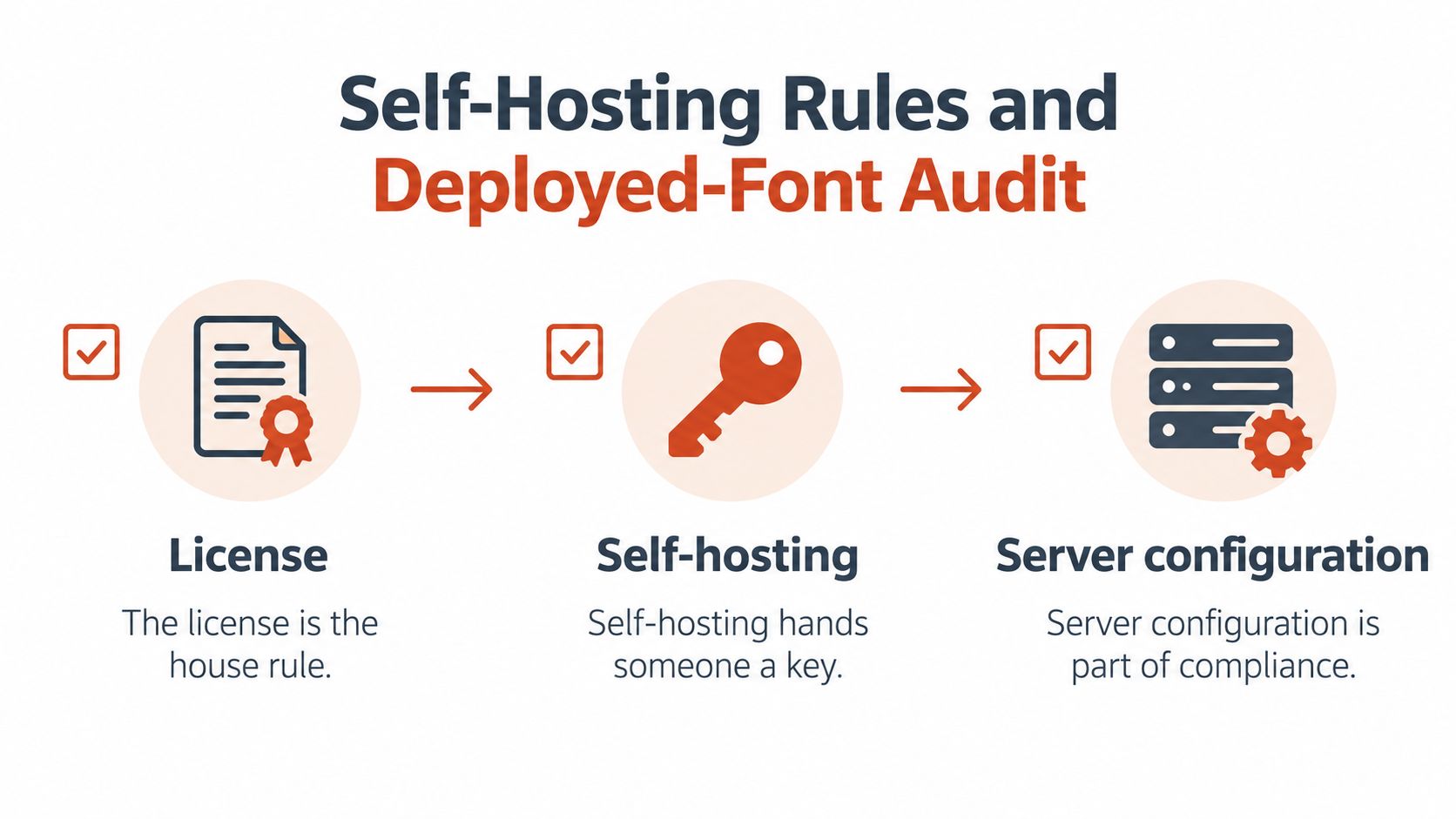
A server license works like house rules issued together with a building key. The key is your self-hosting arrangement: it determines who can reach the font software. The rules determine what those people may do once they arrive. Server configuration sits inside the scope of compliance because it shapes both halves of that arrangement.
Self-hosting permission commonly depends on whose servers carry the files, whether licensee-controlled or a service provider's, and on reasonable measures against unauthorized access or redistribution. One foundry's EULA, for example, can approve delivery to end users while restricting any setup that lets visitors extract or reuse the font software. Treat restrictions like that as technical review items, on the same checklist as the purchasing record.
Turn contractual restrictions into technical checks
Read format and delivery clauses exactly as written. If your agreement authorizes WOFF2 through CSS @font-face, serving TTF or OTF files, converting formats, or switching to a different embedding mechanism is a separate question. Check whether additional formats need their own permission.
Browser delivery and server-generated output are also different cases. Where an agreement requires fonts to remain on licensed servers and permits only rasterized or outlined artwork in the output, a publicly accessible font endpoint doesn't fit that model. Applying browser-webfont assumptions to a restricted rendering service is one of the places teams get caught.
Subsetting can't substitute for permission. It reduces payload and extraction exposure, which helps, yet it doesn't widen the authorized domain, format, server scope, or embedding method.
Audit the deployed files in a repeatable order
A walkthrough on how to check whether your website fonts are legally licensed gives a first pass a workable shape. From there, keep the order stable so results stay comparable across audits:
Inventory the actual deployment. Find font binaries and CSS references across live sites, CDNs, staging domains, repositories, and build outputs. Include published files nobody uses, because reachability is what the agreement governs.
Map each file to its use. Record the licensed domain, delivery channel, traffic tier, and application context for every hit. Distinguish a marketing page from an authenticated customer editor even when both share an asset directory, since those are different contractual roles.
Inspect exposure against the agreement. Review MIME types, public asset URLs, directory indexes, CDN origin permissions, and hotlink controls. Check whether prohibited TTF, OTF, or editable source files are reachable, and whether the server exposes a font that should stay private.
Retrieve the entitlement record. Attach the purchase receipt, applicable EULA version, license holder, seat or server count, and term end date. A filename or an internal approval message can't establish the permitted deployment on its own.
Assign alerts and an owner. Route threshold reminders to someone who can purchase additional rights or approve a replacement, and record who picks up the issue if that person leaves the project.
Rescan after change. Re-check production after deployments and configuration changes, then compare findings with the approved inventory. A new CDN rule or subdomain can widen exposure without notice, so investigate newly introduced files before treating the build as compliant.
Keep a clear distinction between detected use and verified permission. A scan can establish that a file or reference exists; someone still has to compare that evidence with the governing agreement.
Keep evidence usable across teams
Store the font inventory with the assets and agreements it describes. ECORN's discussion of digital asset management for growing brands offers useful organizational context for keeping brand materials discoverable rather than scattered across personal folders.
A usable record lets a colleague answer four questions without asking you: what the file is, where it appears, who licensed it, and what authorizes that use. Add the review date, so an old approval can't be mistaken for a current deployment check.
The outcome worth keeping is a documented connection between each deployed font, its delivery path, and the permission behind it. When that chain breaks at any link, the team is holding an assumption rather than a compliance position.
Expiry, Migration and Old Builds Create Hidden Gaps
A team launches with a valid webfont subscription, then swaps its typography during a redesign. The subscription lapses and nothing looks broken, but an old stylesheet, a cached release, and a Docker image still carry the previous font files, and the site keeps serving them. The launch approval describes an earlier state, not what the team continues to distribute.
That gap matters most during offboarding. Subscription terms commonly prohibit self-hosting and customer or client hosting without the relevant permission, and they require the publisher to hold its own subscription. In an agency handoff, leaving the creator's subscription attached to the client's publishing arrangement is not a substitute for establishing the client's rights. The entitlement sits with whoever holds the agreement, not whoever happens to control the server.

Remove the entitlement and deployment together
Converting a legitimately acquired desktop font into a web format doesn't create server permission. Cancellation works the same way: it calls for a deployment review, not merely a billing update.
- Find remaining references. Inventory font binaries, old CSS, origins, caches, and third-party CDN copies.
- Remove revoked delivery. Purge assets you're no longer authorized to serve and verify the replacement release.
- Inspect retained outputs. Check generated PDFs and brand files for restricted embedded font software.
- Review hidden copies. Assess backups, historical builds, browser caches, Docker images, and build artifacts against retention and redistribution terms.
- Preserve evidence. Keep the license period, permitted domains, removal records, and any written clarification.
You can't necessarily retrieve every copy already cached on a visitor's device. Document the controls available to you and ask qualified counsel about obligations you can't resolve operationally.
Migration moves files faster than rights
A migration to a new host or CDN provider copies the build exactly as it stands, retired fonts included. The files travel; the permission may not, because a grant scoped to specific domains or servers can stop applying the moment the delivery path changes. Treat every infrastructure move as a licensing event and confirm the fonts still deployed are the fonts still covered.
Rollback creates the same hazard in reverse. Restoring a historical build can bring back a font the team already retired without anyone noticing, long after anyone remembers licensing it.
Continuing unauthorized distribution can create contractual or copyright exposure, and standard licensing definitions describe no universal fine for font misuse. Remedies depend on the contract and the jurisdiction, so specific claims, demands, or disputes need legal review rather than a technical judgment call.
Confirm Your Server License Before Your Next Launch
Approve the deployment-specific bundle of rights, not just the purchase. The decision should connect the license holder, permitted operation, delivery path, and ongoing review responsibility.
- Match the setup. Identify the applicable hosting, CDN, SaaS, and client-publishing scenarios in the comparison table.
- Read the operative clauses. Confirm format, domain, server, page-view, and embedding restrictions against the intended architecture.
- Validate the record. Check the named license holder, permitted seat or server count, and expiry date. Resolve missing evidence before sign-off.
- Audit before and after launch. Produce a report that engineering, legal, or compliance can compare with the agreement, then confirm the released assets match the approved files.
- Resolve out-of-scope use. Request a separate grant from the foundry or authorized reseller for excluded SaaS, app, or client-hosting arrangements, or select a font whose terms cover the setup.
This is informational content, not legal advice. Take disputes, ambiguous clauses, and unusual deployment models to qualified counsel rather than treating a technical audit as a legal determination.
Add this sentence to your project brief: The project record must identify who holds each font license, which delivery paths it covers, and who owns renewal and removal.
Font Checker Pro helps you document detected fonts, self-hosted files, and deployed usage for comparison with your license agreements. Visit Font Checker Pro to create an exportable typography audit report before your next launch and give your legal or compliance team concrete evidence to review.