Mesquite Std Medium is a licensed Adobe Original typeface, and desktop rights do not automatically include web use. Teams should verify the exact license, deployment method, domain, and asset usage before publishing, because U.S. copyright law allows statutory damages of $750 to $30,000 per infringed work, rising to $150,000 per work for willful infringement.
The problem often appears on a deadline. A designer selects Mesquite Std Medium for a campaign headline, exports approved artwork, and hands the files to a developer. The developer then embeds the font in a website with @font-face, assuming the desktop license covers everything. The site launches, the campaign performs well, and only later does someone ask a simple question: where is the web authorization?
Mesquite Std Medium deserves careful handling because it combines a distinctive display style with licensing and delivery considerations. It has a clear historical identity, a documented digital history, and practical size guidance, but those facts don't answer whether your specific use is permitted. This article is informational, not legal advice. For a binding interpretation of license terms, consult the applicable rights holder or qualified counsel.
Understanding the Legal Risks of Unlicensed Typography
The campaign team has little time left. The headline has been approved, the landing page is ready, and the decorative lettering gives the brand the exact Western character the client wanted. During final review, however, the compliance lead discovers that the font file came from a designer's workstation, while the website serves live text directly to browsers. No one can immediately produce a web license.
That gap can create a dispute even when the design itself is original. A font license governs permitted use of the font software, and the permission for local design work isn't automatically the permission to distribute that software through a public website. Teams looking for a broader introduction to intellectual-property controls can also review this resource on digital product IP by Wonderment Apps.

Why the exposure is more than administrative
Under U.S. copyright law, statutory damages can range from $750 to $30,000 per infringed work, and can reach $150,000 per work when infringement is willful, as documented in this analysis of statutory damages and font licensing exposure. The figures don't establish what a particular dispute will cost, but they show why a missing license record deserves prompt attention.
A decorative face can appear in several places at once:
- Live website text: The font may be delivered through CSS and downloaded by browsers.
- Static campaign files: A licensed desktop workflow may produce images or PDFs without involving browser delivery.
- Agency handoff packages: Sharing font software with contractors can create a separate distribution question.
- Software or embedded products: Applications may require rights beyond ordinary desktop output.
The safest response isn't to remove every expressive typeface. It's to identify exactly where the font appears, determine which rights each use requires, and preserve the evidence. A structured font legal risk mitigation process can help teams turn that review into a repeatable control rather than a last-minute scramble.
Practical rule: Treat every font file as a controlled software asset, not merely as a visual ingredient.
A project can remain aesthetically successful while still failing a rights audit. Design approval answers whether the typography looks correct. Compliance review answers whether the team had permission to install, modify, embed, distribute, and retain it in the way the project requires.
Design Characteristics of the Mesquite Std Family
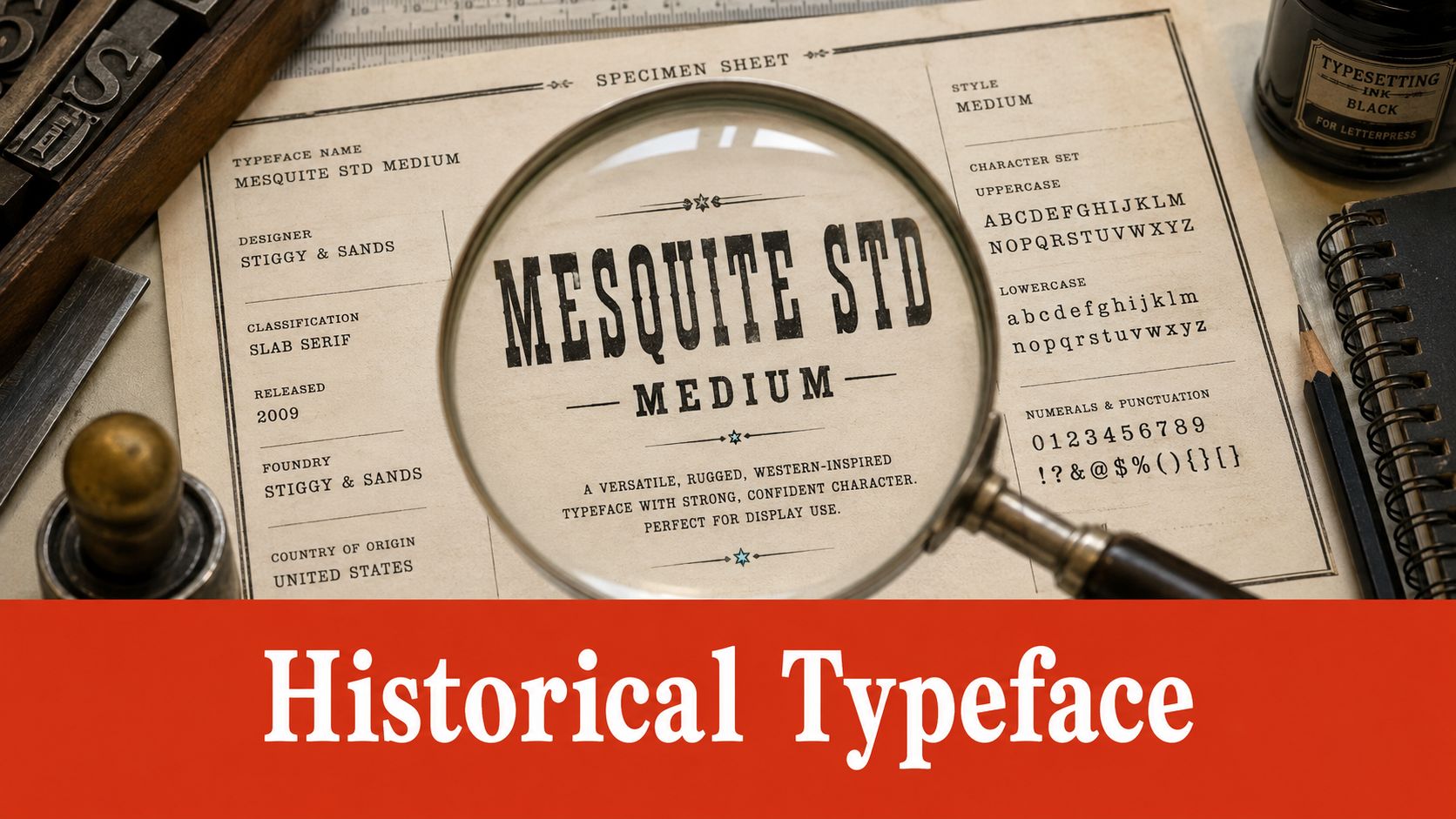
Mesquite Std Medium was designed by Joy Redick for Adobe Systems in 1990 and released as part of Adobe's Wood Type series, according to Adobe's Mesquite typeface information. That origin connects the design to the broader revival of 19th-century wood type in digital typography and to the visual language associated with the American West.
The historical reference matters because it helps explain the face's role. Mesquite Std Medium is a decorative, display-oriented style. Its expressive forms can give a title, badge, poster, or identity system a strong period character, but the same features can make extended reading tiring and small text difficult to interpret.
Start with the role, not the novelty
Use Mesquite Std Medium where its personality has room to work:
- Headlines and campaign titles: Let the face establish mood in short phrases.
- Marks and decorative labels: Test the complete word as a shape, not just as ordinary text.
- Posters and print-led compositions: Give the letterforms enough scale and surrounding space.
- Interface body copy: Avoid treating it as a default reading face. A quieter companion face is usually more appropriate for paragraphs, controls, instructions, and error messages.
A production guide documents 15 pt as a minimum usage size for Mesquite Std Medium, as recorded by FontsGeek's Mesquite Std Medium listing. That figure should be treated as a practical production constraint, not as a universal accessibility rule for every medium or viewing condition. Display typography can still need more generous sizing when contrast, distance, screen quality, or language coverage creates additional difficulty.
Audit the exact style
“Mesquite” and “Mesquite Std Medium” shouldn't be treated as interchangeable labels. The face is reported as a Medium subfamily, and directories describe it as a distinct style within the Mesquite Std family. That distinction helps a team compare the actual face in a file or asset against the face named in a brand guide.
Its digital history also includes OpenType and PostScript build information, showing that the design persisted through later format updates. For teams checking file behavior, this practical guide to OpenType font features provides useful terminology for examining font capabilities without confusing format metadata with usage rights.
Distinguishing Desktop from Web Font Rights
A desktop license generally covers installing the font on local computers for design work and producing static outputs. Those outputs can include print layouts, images, PDFs, and presentations. A web license addresses a different act, serving live text to browsers through @font-face, and may impose domain or traffic conditions.
The distinction is easy to miss because the visual result looks identical. A designer chooses Mesquite Std Medium in a desktop application, while a developer places a related font file on a server. The first action concerns local installation and output creation. The second makes font software available as part of a web delivery system.
Compare the permission with the delivery method
| Use | Typical rights question | Review focus |
|---|---|---|
| Local design installation | Can named users or devices install the font? | Desktop license terms |
| Print and static artwork | Can the team create and deliver the output? | Output and embedding provisions |
| Website text through CSS | Can the font be served to browsers? | Web license and domain scope |
| Contractor collaboration | Can another party receive or install the software? | Transfer and user restrictions |
Web licenses are often structured around pageview or domain limits, so the web authorization must be checked against the actual deployment. One published license, for example, requires self-hosting, supplies WOFF, WOFF2, and EOT formats, begins at 10K monthly views per website title, and requires a separate web license for each URL, as shown in the published webfont licensing terms. Those terms illustrate a general compliance principle. A license can be valid for one deployment and insufficient for another.
Keep the evidence attached to the project
Record the invoice, license certificate, permitted domains, licensed entity, renewal terms, and the exact font files used. If a developer converts or subsets a file, preserve the original and document the transformation. Don't assume that a file extension, an OpenType label, or a download source proves permission.
For a focused comparison of the two licensing categories, use this guide to the licensing differences between web and desktop fonts. The legal review should follow the actual implementation, not the team's assumption about what the original purchase must have covered.
Detecting and Auditing Font Usage Across Assets
Manual review works for a small folder with a known history. A complex website creates a different problem. The reviewer may need to inspect stylesheets, loaded resources, design exports, uploaded files, and brand templates, then match each discovered face to a license record.
The name “Mesquite Std Medium” may appear in a design file while the browser receives a renamed, converted, or subsetted asset. A PDF may retain embedded font information even when the original working file is unavailable. An image may show the typeface without containing searchable font metadata at all.
Manual verification versus structured scanning
Manual inspection gives the reviewer context. They can see where a face is used and ask whether the use is intentional. It also demands consistent technique and careful recordkeeping.
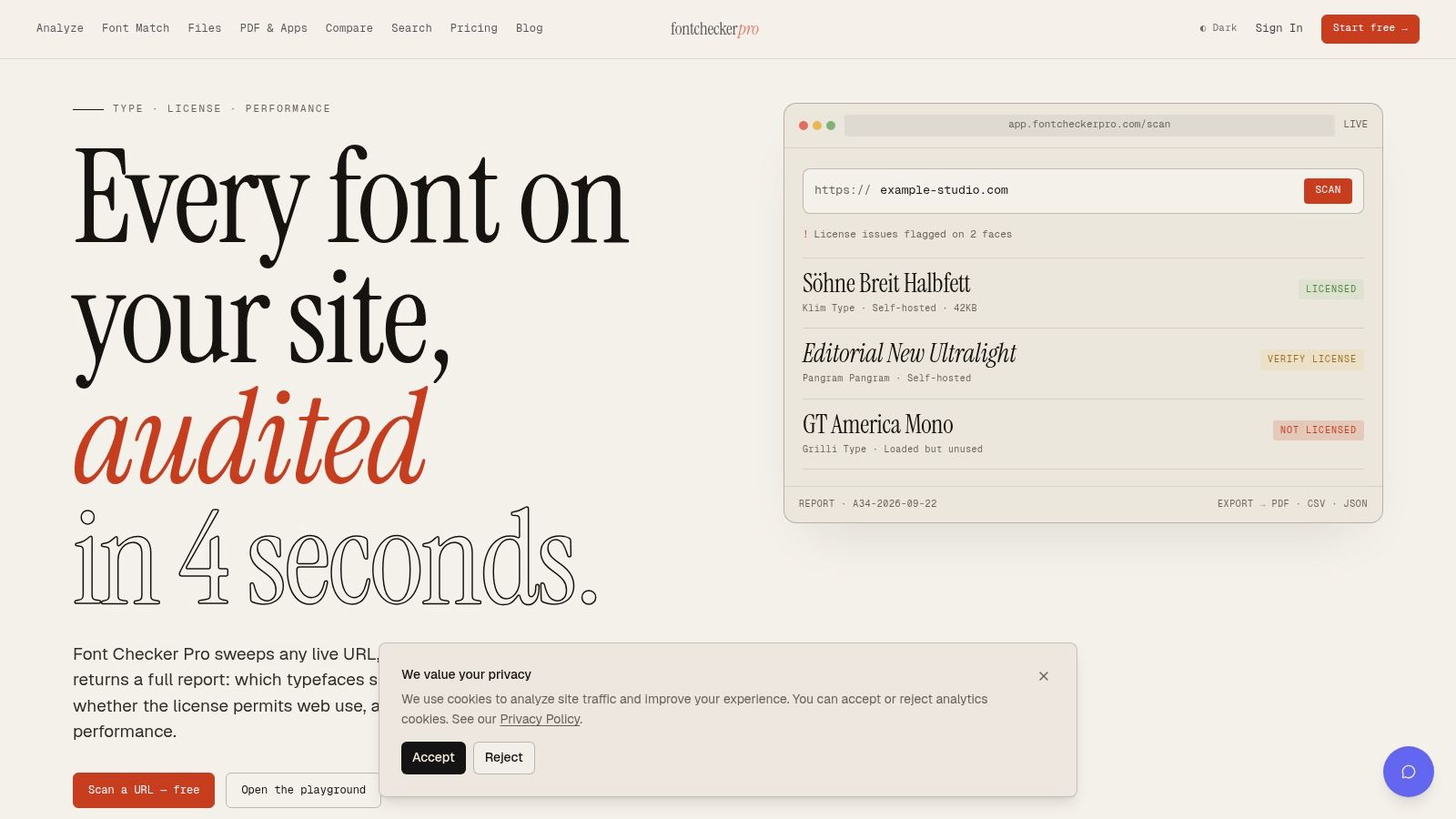
A structured auditing tool can examine live URLs, PDFs, images, and zipped font sets, then produce an exportable report. Font Checker Pro is one option that identifies typefaces, associates them with foundries and license tiers, flags trial or expired rights, and records performance indicators such as payload, unused glyph ranges, and FOUT or FOIT impact.
| Review method | Strength | Weakness |
|---|---|---|
| File-by-file inspection | Useful for understanding design intent | Slow and dependent on complete files |
| Browser and stylesheet review | Shows how a site delivers fonts | Can miss image-based typography |
| Automated asset scan | Creates a repeatable inventory across formats | Still needs human interpretation of license terms |
| Combined review | Connects evidence, implementation, and rights | Requires ownership and documented workflow |
Build an evidence chain
A defensible audit doesn't end with identification. It connects the detected face to:
- The asset location: Which page, PDF, image, or archive contains it?
- The exact style: Is it Mesquite Std Medium, another family member, or a fallback?
- The delivery form: Is the font installed locally, embedded in a static file, or served to browsers?
- The rights record: Which license permits that specific action?
- The decision: Keep, replace, restrict, or obtain additional authorization.
Teams that need a repeatable process can use this complete website font checker audit guide. The value of automation is not that it replaces legal judgment. It reduces the chance that an overlooked asset prevents the legal team from seeing the full picture.
Best Practices for Secure Font Deployment
Secure deployment begins before the developer commits a font file. The creative lead, developer, project owner, and compliance contact should agree on the intended uses for Mesquite Std Medium, then map those uses to the rights purchased.
Create one inventory for the organization, not a separate informal list in every project folder. Each record should identify the family, exact style, source, file format, license type, permitted users, permitted domains, renewal requirements, and approved outputs. Include a status field that makes uncertainty visible. “Unverified” is more useful than an unexamined assumption.
Make the workflow operational
Use the following sequence as a production control:
- Register the source. Save the purchase or license document with the asset record.
- Separate desktop and web entries. Don't let one checkbox imply that both rights exist.
- Restrict distribution. Give contractors only the files and permissions their work requires.
- Control web delivery. Confirm the licensed domain and any stated traffic or title limit before publishing.
- Review static exports. Check PDFs, images, and packaged files for embedded or supplied font software.
- Document exceptions. If a client supplies the file, record who owns the licensing responsibility and what the contract says.
Self-hosting can give a team clearer control over which webfont files reach browsers, but it doesn't create rights that the license doesn't grant. The implementation still needs to match the vendor's permitted formats, domains, traffic conditions, and modification rules.
A clean deployment has two records: proof that the team may use the font, and proof that the technical implementation follows that permission.
Give designers a safe decision path
Designers shouldn't have to choose between speed and compliance. Provide an approved library, a named owner for exceptions, and a short intake form for new typefaces. For Mesquite Std Medium, the form should capture the intended display role, minimum size guidance, output types, and whether a website will serve the font as live text.
This approach protects creativity because it moves rights questions to the beginning, when changing a typeface is inexpensive. It also gives developers clear instructions instead of forcing them to infer permission from a design file.
Integrating Continuous Font Compliance Monitoring
A font audit can answer what exists today. It can't guarantee that tomorrow's campaign, redesign, contractor handoff, or license renewal will preserve the same position. Continuous monitoring treats typography as an operational responsibility alongside accessibility, security, and performance.
Start by assigning ownership. A brand team can own approved type choices, engineering can own delivery, procurement can own license records, and legal or compliance can review exceptions. One person should still coordinate the evidence so that no issue disappears between departments.
Establish a monitoring rhythm
Use a practical sequence:
- Scan new work before launch. Check staging URLs, exported PDFs, and supplied font archives.
- Scan live properties on a recurring schedule. Look for newly discovered faces, changed files, and unexpected fallbacks.
- Track license dates and scope. Record renewals, domain changes, traffic thresholds, and business-entity changes.
- Route alerts to owners. A warning should reach the person who can remove the file, correct the implementation, or obtain authorization.
- Close every finding. Record the decision, evidence, responsible person, and completion date.
For engineering teams, an audit service with an API can connect typography checks to existing release processes. This REST API guide for font audits and compliance is relevant when teams want reports to flow into internal systems rather than remain in isolated spreadsheets.
Measure control, not just discovery
A useful monitoring record distinguishes between a newly found font and a newly found risk. Mesquite Std Medium on an approved poster may be acceptable under a desktop workflow. The same family in live website text may require a separate web authorization. The technical detection is the starting point, while the rights decision depends on deployment and contract terms.
Keep an audit trail that includes the scan date, asset location, detected family and style, file form, license record, decision, and remediation. That history helps a team explain why a font remains in use, why a file was removed, or why a web license was purchased.
Font licensing decisions can affect legal exposure, brand consistency, accessibility, and page delivery at the same time. Make the review routine, assign clear owners, and keep the result attached to the project rather than relying on memory.
Font Checker Pro can scan live URLs, PDFs, images, and zipped font sets to identify typefaces and generate exportable reports for design, engineering, and compliance teams. Visit Font Checker Pro to check Mesquite Std Medium across your assets, document the findings, and build a repeatable monitoring workflow before your next launch.