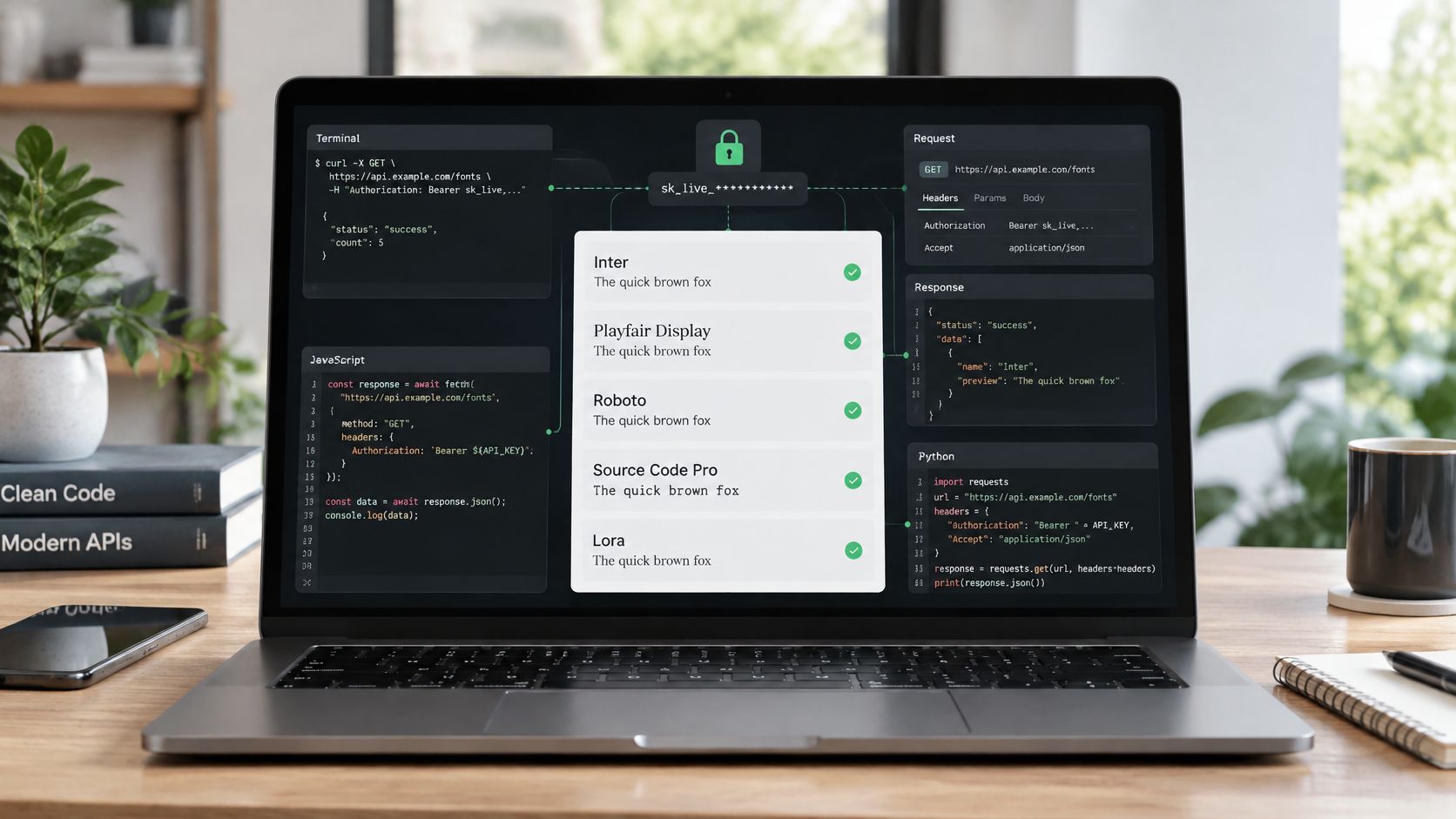
When people say text analysis software, sentiment dashboards, keyword extraction, or topic models often come to mind. That's useful, but it skips a problem that shows up in real design and engineering work every week. A site launches, a client hands over brand assets, someone self-hosts a font, and six months later nobody can prove what was licensed, what was deployed, or whether the live stack still matches the agreement.
That's where text analysis becomes more practical than academic. The hard part often isn't understanding what words mean. It's tracing text as an operational asset across PDFs, screenshots, CSS, repositories, contracts, and production pages. In font compliance work, that means identifying typefaces in visual files, parsing license language, spotting mismatches between desktop and web use, and keeping a defensible record when legal or procurement asks questions.
The legal exposure is real. Under US copyright law, statutory damages for font infringement range from $750 to $30,000 per work, and can rise to $150,000 per work for willful infringement. That doesn't mean every mistake turns into litigation. It does mean typography deserves the same discipline teams already apply to code dependencies, privacy policies, and brand assets.
This guide looks at text analysis software as a toolkit, not a single category. Some tools help you read license terms. Some help you identify fonts inside images and PDFs. Some belong in CI, and some belong with legal operations. Used together, they give designers, developers, agencies, and compliance teams a workable system for making sure every character on a site is accounted for.
This content is informational only and isn't legal advice.
1. Natural Language Processing Libraries. NLTK and spaCy
If your problem is a folder full of EULAs, PDF documentation, and vendor emails, general-purpose NLP still matters. NLTK and spaCy weren't built for typography governance, but they're good at the boring work that compliance programs depend on. They help teams extract structured meaning from messy language, which is exactly what font licenses tend to be.
A common use case is parsing license text at scale. If an agency inherits hundreds of font packages from past projects, nobody wants to read every agreement by hand. spaCy is usually the better fit when you need faster processing and cleaner pipelines for named entities, custom rules, and bulk document handling. NLTK is still useful for prototyping and for teams that want more educational control over tokenization and classification.

Where these libraries actually help
These libraries won't tell you whether a live page is serving an unlicensed file. They will help you normalize the paperwork around it.
- Extract foundry names: Build entity rules to pull foundry names, product names, and usage terms from license PDFs and purchase records.
- Flag risky language: Search for terms like web-only, desktop-only, internal use, modification restrictions, and attribution requirements.
- Standardize records: Convert inconsistent legal text into a single internal schema your procurement or legal team can review.
Practical rule: Use NLP to review license language, not to replace a license decision. The model should triage documents for humans, not make the final call.
In practice, the best workflow is to pair NLP with a downstream audit source. If your team exports font findings from a specialized scanner, spaCy can classify and enrich those results with license metadata from contracts and archived docs. That's especially useful when your organization has accumulated assets over years of redesigns, acquisitions, or agency handoffs.
What doesn't work is treating NLTK or spaCy as a font detection solution. They only see machine-readable text. They can't identify typefaces embedded in screenshots, flattened PDFs, or rendered web content. That limitation is exactly why font compliance needs more than traditional text analysis software.
2. Optical Character Recognition and Font Identification. Adobe Fonts Identifier and Identifont
Most font mistakes don't start in source code. They start in design artifacts. A screenshot in a slide deck, a flattened brand guideline, a scanned PDF, or a client reference pulled from an old campaign can all introduce uncertainty before anyone writes CSS. That's where OCR-driven and image-based identification tools earn their keep.
These tools analyze visible letterforms instead of raw text strings. That makes them useful when the type isn't selectable, searchable, or documented. Design agencies use them before project kickoff to identify typography in client materials. Legal teams use them when they need to verify what appears in marketing collateral. Developers use them to confirm whether implementation matches the intended face.

What image-based tools do better than classic NLP
Classic text analysis assumes the text already exists as text. Font compliance often starts one step earlier.
- Audit visual assets: OCR and font-matching tools can inspect screenshots, scans, and PDFs where no clean text layer exists.
- Support procurement: If a brand guide references a look but not a license record, identification helps teams know what they need to buy or replace.
- Reduce launch ambiguity: Teams can compare the design artifact with the live implementation before a site or campaign goes public.
The coverage gap is real. Academic overviews of text analysis software focus on core techniques like sentiment analysis, entity recognition, and topic modeling, but they don't address image-based font identification for compliance work, as noted in George Washington University's guide to text analysis software.
If you're trying to identify a face from a mockup or screenshot, a practical starting point is this guide on how to find a font name and identify any font.
What doesn't work is relying on image identification alone. A good match still isn't proof of license status. You need a second step that ties the identified font to foundry attribution, deployment context, and actual rights.
3. Automated Compliance and Audit Tools. Snyk and WhiteSource (Mend)
Engineering teams already know how to track risky dependencies. Fonts should be handled with the same discipline. Tools like Snyk and WhiteSource (Mend) weren't built for typography first, but they fit naturally into a governance workflow because they inspect what enters the codebase and what moves through CI.
That matters when fonts are treated like static assets and committed to repositories. A developer drags in a self-hosted file, a contractor adds a package during a sprint, or an old theme ships with bundled assets nobody reviews. By the time legal sees the site, the issue is already in production.
Best use inside a delivery pipeline
These platforms work best as policy enforcement layers. They're good at detecting files, declarations, and dependency behavior that should trigger review.
- Block unreviewed additions: Set rules so new font files or declarations require approval before merge or deploy.
- Surface undocumented assets: Flag self-hosted files that appear in a repository without procurement records or internal attribution.
- Create an audit path: Tie each detected asset to a ticket, owner, and approval history.
A practical enterprise scenario looks like this: legal defines approved foundries and license classes, engineering turns that into CI checks, and operations receives alerts when a build includes assets outside that list. The compliance win isn't the alert itself. It's catching the issue before launch instead of during a dispute review.
Catch the font when it enters the pipeline, not after it reaches production.
These tools also help when vendors contribute code. Outsourcing creates a false sense of safety, but responsibility often stays with the company operating the site. Extensis notes that organizations reduce risk by separating known licensed fonts from assets of unknown origin, maintaining centralized records, and checking employee machines for unauthorized installations in its guidance on hidden risks in font licensing mistakes.
What doesn't work is assuming software composition analysis can answer licensing terms by itself. It can tell you something changed. It can't interpret every usage restriction or verify what the browser renders live.
4. Web Performance Analysis. Lighthouse and WebPageTest
A compliant font setup can still be a bad deployment. Performance tools matter because typography doesn't just create legal exposure. It affects rendering behavior, payload, and perceived quality. If users see invisible text, late swaps, or bloated font delivery, the issue sits with front-end teams long before legal gets involved.
Lighthouse and WebPageTest are useful because they expose the operational side of typography. They help developers inspect render-blocking resources, loading order, and whether font decisions are hurting the page experience. In many organizations, that's the missing link between design intent and production reality.
Performance and compliance should be reviewed together
The common mistake is separating these into different conversations. One team asks, “Do we have rights?” Another asks, “Is the page fast?” The better workflow answers both at the same time.
- Review font loading behavior: Watch for FOUT and FOIT patterns that suggest the stack needs cleanup or fallback tuning.
- Check payload discipline: Large self-hosted sets often indicate unnecessary weights, scripts, or glyph coverage.
- Compare declared and rendered fonts: If the page isn't serving what the design system expects, investigate both performance and licensing records.
Most mainstream coverage of text analysis software doesn't address technical auditing well. Industry commentary has focused heavily on semantic analysis and LLM-driven interpretation, while front-end concerns like font payload, unused glyph ranges, stack hygiene, and fallback strategy are often left out, as discussed in InMoment's overview of text analysis software.
In real projects, performance tools are strongest when they support a question, not replace one. They can tell you a font strategy is inefficient. They can't tell you whether the file came from a licensed source or whether your traffic growth has moved you into a different web licensing tier.
5. Brand Compliance and Asset Management. Figma Plugins and Brand.ai
Most font problems are cheaper to prevent in design than to fix in production. Figma plugins and brand asset systems help by narrowing the universe of typefaces available to designers. If the team only works from approved libraries and design tokens, fewer risky choices make it downstream.
That's useful, but it's not the same as compliance. These tools govern selection and consistency. They don't verify that the live site uses the same files, or that a desktop-approved font also has web rights. For agencies and in-house design systems, that distinction matters a lot.
Strong upstream controls, limited downstream visibility
Design platforms work best when they define what's allowed before implementation starts.
- Limit approved families: Keep teams inside a curated set of documented type choices.
- Separate usage classes: Mark which fonts are approved for brand comps, internal presentations, desktop documents, or live web deployment.
- Keep handoff clean: Make implementation notes explicit so developers don't substitute local copies or trial files.
A practical workflow is to let the design system control the shortlist, then use downstream scans to verify reality. That catches the classic mismatch where a Figma file specifies one family but the site ships another because the developer couldn't access the original file or assumed a similar self-hosted version was acceptable.
If your team is trying to tighten the handoff between design systems and production controls, this resource on creative assets management and workflow streamlining is a useful companion.
What doesn't work is assuming “approved in Figma” means “safe to deploy.” Licensing is channel-specific. A font that's acceptable for desktop comps may still require separate web rights, separate traffic terms, or a different hosting model.
6. Legal and Compliance Documentation Tools. ContractPodAi and LawGeex
Font compliance often fails in the paperwork layer. The font might be legitimate. The license might even be on file. But nobody has translated the agreement into practical rules the design and engineering teams can follow. Contract review platforms help close that gap.
These systems are useful when legal teams need to review batches of license agreements, foundry terms, procurement records, or legacy vendor contracts. They can flag restrictions, classify obligations, and turn legal text into a review workflow. For in-house counsel, that's often more valuable than another design-centric dashboard.
The legal issue teams need to understand first
Font software is protected differently than many people assume. The visual design of a typeface and the underlying font software aren't treated the same way. The software itself can be protected as a computer program, which means copying the file without authorization can create liability even when people mistakenly think only the design matters. That distinction is explained well in this overview of typeface and font copyright.
That legal framing changes how you review risk:
- Desktop and web aren't interchangeable: The same family can have different rights depending on where and how it's used.
- Attribution and modification terms matter: Some licenses add operational obligations beyond simple possession.
- Vendor assumptions are dangerous: Agencies, contractors, and developers may all assume someone else handled the rights.
Legal review is most effective after the team knows exactly which fonts are live. Otherwise, counsel is reviewing contracts in the abstract.
For organizations trying to reduce exposure before a launch or procurement event, this guide on how to protect your business from font licensing risks is worth bookmarking.
What doesn't work is reviewing contracts once and forgetting them. Terms become operational only when someone maps them to actual deployment, hosting, and traffic conditions.
7. Version Control and Change Tracking. Git Hooks and GitHub Actions
Version control is where typography governance becomes repeatable. If your team waits for quarterly audits to discover a new font, you're already late. Git hooks and GitHub Actions let teams treat font files, declarations, and asset changes like any other controlled part of the software delivery process.
This is especially important in multi-contributor environments. Agencies hand projects to clients, contractors push fixes, marketing teams inject landing pages, and old branches get merged months later. Fonts reappear that nobody intended to revive. Change tracking catches that history.
What a sane workflow looks like
The goal isn't to create friction for every commit. It's to create a visible checkpoint when typography changes.
- Pre-commit warnings: Alert developers when they add font files, edit declarations, or introduce self-hosted assets.
- Pull request enforcement: Require review when a branch changes font references, subsets, or delivery method.
- Deployment checks: Run automated scans during CI so the build reflects the live state you intend to ship.
A front-end team can go further by exporting scan results into the repo as machine-readable artifacts. That creates a historical record of what was present, when it changed, and who approved it. For compliance teams, that kind of audit trail matters more than a one-time screenshot from a browser session.
This is one of the most underused ways to apply text analysis software thinking to typography. You're not just reading content. You're treating rendered text assets and their supporting files as governed inventory.
What doesn't work is putting all responsibility on designers or legal. Fonts become risky when they move through code. Engineering has to own the point where that movement becomes production.
8. Analytics and Monitoring Platforms. Google Analytics and Segment
A font problem often shows up first in user behavior, not in a legal review. A checkout page starts converting worse after a redesign. Support tickets mention “weird text” on mobile. Session recordings show layout shifts after a webfont timeout. Analytics platforms help teams catch that pattern early and decide whether the issue is visual, technical, or both.
For font compliance work, that matters because licensing and typography decisions do not stay isolated inside brand guidelines. They affect delivery method, fallback behavior, load timing, and readability. Analytics will not confirm whether a team has the right license, but it will show whether a font choice is creating measurable product risk.
The practical use case is correlation. Track what changed, where it changed, and what happened after release.
- Monitor before-and-after performance: Compare key pages before a font swap, subset change, or hosting change.
- Split by device and page intent: A font issue on an editorial page may be tolerable. The same issue on signup or checkout is expensive.
- Log rendering failures as events: Record font load failures, fallback activation, layout shifts tied to text, or unexpected asset blocking.
- Watch geography and traffic source: Regional CDN issues or campaign-specific landing pages often expose typography problems faster than sitewide averages.
A legal team can use that data differently than engineering. Engineering uses it to isolate breakage. Legal and procurement use it to decide whether a disputed font should be removed immediately, replaced, or kept in place while terms are clarified. That is one reason text analysis software works better here as a toolkit than as a single product category. Analytics, OCR, code scanning, and documentation systems each answer a different part of the same compliance question.
If your team is reviewing hosted webfont terms, this guide to Google Fonts license formats and compliance helps frame what analytics can and cannot prove.
The broader market is growing for the same reason. Teams want operational visibility around text, content, and the systems that deliver them. Analysts at thebusinessresearchcompany.com/report/text-analysis-software-global-market-report describe that expansion in the text analysis software market. In practice, the takeaway is simple. Typography decisions belong in measurement workflows, not just design reviews.
One caution matters here. Strong engagement metrics do not resolve a licensing problem. They only help quantify the business impact while the team fixes the underlying issue.
9. Font Delivery and CDN Services. Google Fonts API and Typekit (Adobe Fonts)
Official delivery services simplify a lot of font operations. They bundle hosting, documentation, and a more structured path to deployment. For startups and smaller teams, that usually reduces chaos because fewer people are passing raw files around manually.
But “officially delivered” doesn't mean “ignore the terms.” Licensing still depends on how the font is used, where it's hosted, and whether your deployment model matches the agreement. The biggest misunderstanding here is the web-versus-desktop split.
The licensing distinction that trips teams up
Desktop rights and web rights are often separate. Desktop licenses usually cover installations on a fixed number of machines. Web licenses commonly depend on site usage metrics such as monthly visits or page impressions, which means the obligation can change as the site grows. APR's overview of font licensing explains this distinction clearly in its guide to web versus desktop font licensing.
That creates a practical checklist:
- Document the source: Know whether a font is served through a hosted service or from your own infrastructure.
- Track usage growth: A license that fit the site last year may not fit the site now.
- Avoid duplicate hosting assumptions: Teams sometimes self-host a font they originally accessed through a managed service, which can create a new rights question.
If your team works with hosted libraries regularly, this explainer on Google Fonts licensing, formats, and compliance is a helpful reference.
What doesn't work is declaring any font “free” or “safe” without checking the actual terms and deployment context. Even familiar services need policy discipline when agencies, subsidiaries, and client environments are involved.
10. Font Checker Pro. Automated Typography Auditing and Licensing Verification
Most text analysis software categories solve one slice of the font compliance problem. NLP reads contracts. OCR helps identify visual type. CI tools catch file changes. Performance tools reveal rendering costs. Font Checker Pro is the tool that pulls those concerns into a single audit workflow built specifically for typography.
That specialization matters because font compliance is not just a content problem. It's an attribution problem, a deployment problem, a legal record problem, and often a performance problem at the same time. A general-purpose stack can help, but it usually leaves teams stitching together screenshots, spreadsheets, contracts, and build logs.

Why a specialized audit layer changes the workflow
Font Checker Pro scans live URLs, PDFs, images, and zipped font sets, then returns an exportable typography report. In about four seconds per page, it detects the typefaces in use, attributes foundries and license tiers, and flags issues like trial copies, expired rights, or self-hosted files that appear to violate terms. Its image-based font identification returns top matches with confidence scores from an index of more than 61,000 families and reports 99.4% accuracy on common faces.
That combination is what general tools usually miss.
- Live auditing: It checks what's deployed, not just what the design file or repo says should be there.
- Compliance reporting: Teams can export PDF for legal review, CSV for operations, and JSON for CI integration.
- Ongoing monitoring: Recurring scans and Slack or email alerts help teams catch new rogue fonts or lapsed rights quickly.
The practical fit is broad. Agencies can audit client estates before handoff. Enterprises can maintain a centralized record across business units. Independent designers can verify typography before launch. Legal teams get something more defensible than a manual browser inspection.
If you want to see the workflow in context, this walkthrough on detecting font license violations on your website in 1 minute with Font Checker Pro is the right next step.
Top 10 Text Analysis Tools Comparison
| Tool | Core features | Licensing & compliance | Performance & accuracy | Target audience | Value / Pricing |
|---|---|---|---|---|---|
| NLP Libraries – NLTK & spaCy | Tokenization, POS, NER, dependency parsing, batch text processing | Excellent for parsing license text and extracting foundry names; not for detecting fonts in assets | spaCy: fast & accurate for large text; NLTK: more educational/ slower | Legal teams, data engineers, compliance automation builders | Free, open‑source; requires development and model training |
| OCR & Font ID – Adobe Fonts Identifier, Identifont | Image-to-font matching, confidence scores, similar-face suggestions, batch tools | Identifies typefaces visually but does not verify licensing or foundry rights | Accuracy varies with image quality; useful for legacy assets and design files | Designers, agencies, brand auditors | Some free tiers; paid plans for advanced/volume usage |
| Automated Compliance – Snyk, WhiteSource (Mend) | Repo scanning, license policy checks, CI integration, alerts | Flags embedded font files in code and license mismatches with custom rules; not typography‑native | Strong for dependency/license scanning in code; not for live sites/PDFs | DevOps, engineering, security & compliance teams | Commercial SaaS (subscription); may need custom rules/config |
| Web Performance – Lighthouse, WebPageTest | Font load timeline, FOUT/FOIT, payload size, waterfall analysis, unused glyph detection | No license verification; helps measure UX/perf impact of typography choices | Industry-standard metrics; actionable optimization guidance | Performance engineers, front-end developers | Free / open-source; integrates into CI/CD |
| Brand Compliance – Figma plugins, Brand.ai | Central font libraries, design tokens, real-time enforcement, version control | Prevents misuse at design stage but does not audit implementation or licenses in production | Ensures design consistency; not a runtime validator | Designers, brand teams, design systems | Subscription-based; reduces design rework |
| Legal Doc Tools – ContractPodAi, LawGeex | AI contract review, clause comparison, risk flagging, exportable summaries | Analyzes license language and hidden restrictions; requires manual doc uploads; doesn't detect fonts in use | Good at clause detection; needs legal interpretation | Legal teams, compliance officers | Enterprise pricing; speeds contract review |
| Version Control – Git hooks, GitHub Actions | Pre-commit hooks, automated scans, scheduled workflows, Slack/email alerts | Catches font commits and blocks non-compliant additions in repos; doesn't scan external live assets | Highly effective in CI/CD for repo-contained fonts; needs integrations for license lookups | Developers, SREs, DevOps teams | Low cost to implement; development effort required |
| Analytics & Monitoring – Google Analytics, Segment | User behavior, cohort analysis, custom events, performance correlation | Does not identify fonts or licenses; ties font performance to business metrics | Shows UX impact (bounce, conversions) but not technical font details | Product managers, marketers, analysts | Free/paid tiers; helps justify typography investments |
| Font Delivery & CDN – Google Fonts, Adobe Fonts | Hosted fonts, API delivery, built-in licensing, CDN performance | Bundled hosting and licensing simplifies compliance when used correctly; web vs desktop terms still apply | Optimized CDN delivery; good performance defaults | Startups, agencies, teams preferring hosted solutions | Google Fonts: free; Adobe Fonts: subscription via Creative Cloud |
| Font Checker Pro – Automated typography auditing | Detects fonts across URLs, PDFs, images & font files; foundry attribution; license tiers; performance benchmarks; exports & REST API; alerts & scheduled scans | Built‑in license verification; flags trial/expired/unlicensed self‑hosted fonts; audit trail and legal‑grade PDF exports | 99.4% image ID accuracy on 61,000+ families; ~4s per page; glyph/ payload & FOUT/FOIT metrics | Designers, developers, agencies, legal/compliance teams, enterprises | Scan-based subscriptions (pay per scan); exports (PDF/CSV/JSON); Pro/Enterprise API plans |
Choosing the Right Text Analysis Tool for Your Team
A legal review lands on Friday afternoon because a rebrand went live with a self-hosted font no one can trace. Design approved one family, engineering shipped another weight set, and procurement has an invoice that may or may not cover web use. That is the actual selection problem. Teams are not choosing a generic text analysis tool. They are assembling a working system for font compliance across code, assets, contracts, and production pages.
The best choice depends less on job title than on where font risk enters your process.
Engineering teams usually get the fastest return from change detection and deployment checks. Put file and stylesheet monitoring in version control. Add CI rules that flag new font files, unexpected hosts, or license metadata changes. Pair that with page-level testing so the team can inspect what loads in production, including fallbacks, blocking behavior, and duplicate requests. These controls catch drift early, but they do not answer whether an inherited font package was licensed for the current use case.
Design teams need stronger controls upstream. Restrict approved libraries in the design system, standardize tokens, and reduce ad hoc font imports inside working files. That lowers the odds of accidental misuse and gives developers a cleaner handoff. It still leaves a gap between approved typography and shipped typography, especially when agencies, legacy templates, exported PDFs, and image-based assets enter the workflow.
Legal and compliance teams need documentation that connects rights to actual usage. Font licensing often separates desktop, app, ebook, server, and web rights. Traffic thresholds, pageview terms, and regional restrictions also appear in real agreements. Contract review software helps sort those terms, but counsel still needs a verified inventory of what is live, what is embedded, and where self-hosting occurred.
Adoption trends support that broader shift toward automated analysis. Analysts at mordorintelligence.com/industry-reports/text-analytics-market project continued growth in the text analytics market, particularly in software and cloud deployments. That forecast does not validate any single compliance program. It does show that organizations are putting more analysis work into repeatable systems instead of one-off manual review.
A practical stack usually has four layers:
- Upstream control: Design systems and asset governance define approved fonts and reduce untracked choices.
- Midstream enforcement: Repository checks, build rules, and release gates catch font changes before they reach production.
- Downstream verification: Live audits confirm what appears across pages, PDFs, images, and packaged assets.
- Documentation: Review records, exports, and recurring scans create evidence the team can use during procurement, dispute review, or internal audit.
Font Checker Pro fits at the verification layer and connects the rest. It gives teams a current record of deployed typography across URLs, PDFs, images, and font files, then turns that record into reports that engineering, design, and legal can each use without manual reconciliation. In practice, that matters more than another dashboard. Compliance work stalls when every team has partial data in a different format.
The strongest setup accepts a messy reality. Teams inherit old assets. Vendors change. Microsites ship outside the main pipeline. A font that was approved for a desktop workflow can still appear on a public site, in a PDF download, or inside a campaign image. General text analysis software was not built around that chain of custody problem, so teams need a toolkit that combines text, visual, operational, and legal checks.
No tool converts a license interpretation into legal advice. The software helps teams find what is in use, document changes, and reduce blind spots. Counsel should still review material rights questions, especially where contracts are old, traffic has grown, or proof of purchase is incomplete.
This information is for educational purposes and doesn't constitute legal advice.
If your team needs a practical way to audit live typography, trace foundries, verify license tiers, and keep a defensible record across web pages, PDFs, images, and font files, Font Checker Pro is the most direct place to start. It works well for agencies, front-end teams, and compliance groups that need recurring scans, exportable reports, and a clear view of what is in production.