A designer can install Avenir Next Ultra Light for a desktop layout, then discover that the same file cannot be uploaded to a live site. Its thin strokes also need a rendering check: at small sizes, they may lose clarity, like fine pencil lines fading on a rough surface.
The popular advice to “use the light weight for an elegant look” skips two production decisions: whether the weight stays legible on screen and whether the license covers the way it will be delivered. A desktop installation establishes access to a file, not permission to embed or self-host it online. Designers, developers, agencies, and compliance teams should check the file, its intended role, and the license terms for each channel. Licensing notes here are informational, not legal advice.
Avenir Next Ultra Light at a Glance
Avenir Next spans 40 styles, from Ultra Light to Black. In that range, Ultra Light is suited to delicate display work, while heavier styles provide stronger strokes for text that must remain clear at smaller sizes. The family is a geometric sans associated with Adrian Frutiger's Avenir and later extended as Avenir Next. For production, the style name is only a starting point: the font file's internal data helps identify what you can use.
| Asset | What it is | Axes or weight role | 2026 list price |
|---|---|---|---|
| Avenir Next Ultra Light | Lightest named preset in the family | Static instance; match CSS weight to name table and OS/2 class | From $97.99 per style |
| Avenir Next family | 40 styles, Ultra Light through Black | Full static weight range | $999.00 for the complete family |
| Avenir Next Variables | Variable implementation named by Adobe Fonts | Weight and width; presets from UltraLight to Heavy, Condensed to Roman | Sold under the vendor's variable offering, not the static style price |
The Kreativ Font listing for Avenir Next gives the 2026 retail figures and describes the 40-style family. A listed price does not license web embedding, self-hosting, or sharing font files with a client. Those uses depend on the applicable license.
Identify the file, not just the filename
A file called “AvenirNext-UltraLight” could be a standalone static face or a variable font with an Ultra Light preset. The filename is like a label on a box: useful for orientation, but it does not confirm what is inside. Check the name table, OS/2 weight class, variation axes, glyph coverage, and embedding permissions against the intended implementation.
Adobe Fonts describes Avenir Next Variables as having weight and width axes, with presets from UltraLight to Heavy and Condensed to Roman. That makes the distinction between a named preset and a separate file important when selecting an asset and setting it up for use. The license should also match the delivery channel. This guide provides informational guidance, not legal advice. The following sections explain how role, screen rendering, licensing, and CSS affect the choice.
Family Categories Around Ultra Light
Choosing Avenir Next Ultra Light is a file and use decision, not just a way to make Regular look prettier. Thin strokes can disappear at small sizes, and a desktop font installation does not establish permission to use the font on a website. Match the weight, width, file type, and delivery channel to the design and the license.
Choosing weight, width, and channel for Ultra Light
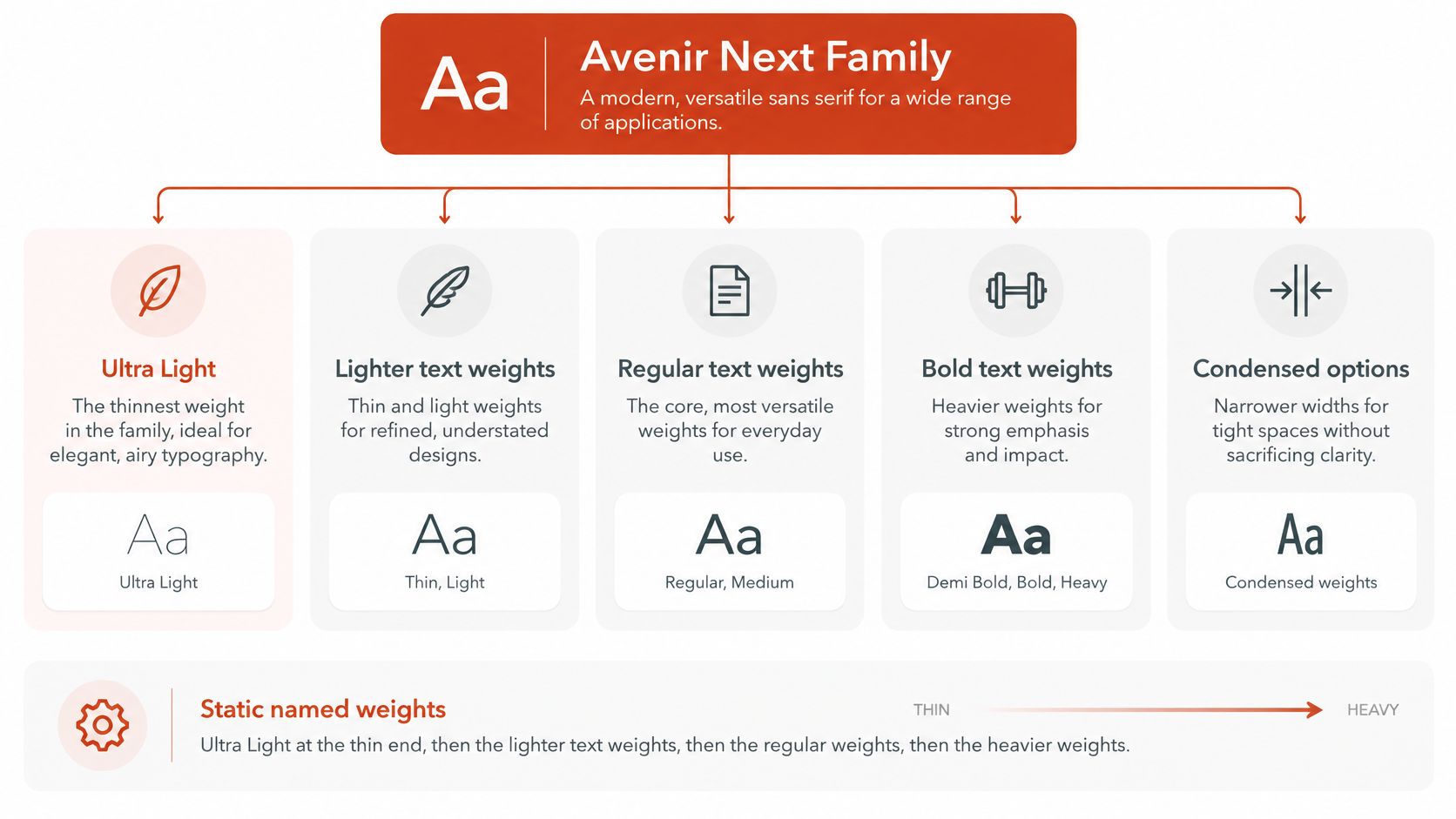
Static named weights. Each static weight is a separate font face. Ultra Light sits at the thinnest end, followed by lighter text weights, regular weights, and heavier weights. For a large campaign lockup, a static Ultra Light file can provide the delicate look without including unused weights. A compact navigation label has a different job: choose a stronger text weight so its strokes remain easier to read.
Width. Roman and Condensed refer to letter width, not stroke weight. Condensed can help a headline fit its measure, but it does not strengthen Ultra Light. Choose width and weight independently, then check how their combination reads at the intended size.
Variable file. A variable font uses weight and width axes to provide multiple variations in one file. If a marketing site uses several weights and widths, one variable file may suit the design, provided the applicable license allows that use. A site using only Ultra Light may not need the full variable file.
Channel. A PDF logo and a webfont declaration are different uses. Exporting a logo to PDF from a desktop design application creates an output; it does not grant permission to load the font through CSS. Store and deploy the font only for the use named in its license. For example, use a desktop-licensed file to create the permitted logo PDF, and use a webfont file in an @font-face rule only when web use is licensed. Licensing notes here are informational, not legal advice.
Stroke Proportion and Design Traits
Avenir Next has a geometric sans structure, with relatively even strokes and open counters that give it a calm, technical tone. Ultra Light keeps that family skeleton but uses the thinnest preset. Compared with Book or Regular, its junctions, punctuation, and fine details carry less ink. That's why it can feel airy in a wordmark but fragile in a paragraph.
Consider four specimens. In a three-word headline, the capitals can stay clean and distinct when the line is large. A 12-word subhead has more lowercase forms, and as the size comes down, those thinner strokes can become harder to follow. A pull quote may look elegant when its stems sit clearly on the pixel grid, while a small caption is often the first specimen to lose definition.
How spacing and glyph coverage change the result
Slight positive tracking can give delicate letters more room on screen and reduce the impression that strokes are merging. Tight tracking is more of a print choice for very large type, where the letterforms remain clear at the final output size. Neither adjustment can make a thin stroke suitable for every use.
Figures and lining behavior should be verified in the licensed cut rather than assumed from the family name. Glyph coverage and OpenType features can differ across editions. Italic or Condensed cuts, if licensed, can also create a denser visual colour on the page, so assess those styles on their own.
Ultra Light isn't Regular made transparent. The shapes may belong to the same family, but the stroke drawing differs. Compare both weights side by side in the actual layout, then judge the text by how clearly it reads, not by how refined the specimen looks. The recommended role depends on the size and use; where thin strokes fail on screen is a separate legibility question.
Recommended Roles for Ultra Light
| Role | Ultra Light | Why | Prefer instead |
|---|---|---|---|
| Large hero or poster line | Yes, if contrast and size stay high | Thin stroke still has enough pixels | Keep Regular as the small-screen swap |
| Short subhead | Caution | Fails quickly as size drops | Book or Regular below headline size |
| Body copy | No | Stroke contrast collapses in paragraphs | Regular or Medium |
| UI labels, placeholders, captions | No | Small sizes and antialiasing erase stems | Medium or a system UI face |
| Dark-theme display | Caution | Thin light strokes can bloom or disappear | A heavier weight in the same family |
| Static logo or print lockup | Often, under a desktop license | Artwork can be outlined or exported | Does not authorize serving the font on the web |
A large hero line is a reasonable place to try Ultra Light. For example, a short headline on a high-contrast desktop layout can keep its character if a stronger weight is ready when the viewport gets smaller. Dark and light backgrounds both need checking, because the same delicate stroke can appear uneven in either context.
An article paragraph has a different reading burden. Set it in a text weight such as Regular or Medium, and reserve Ultra Light for a short display introduction if that treatment survives the actual layout. A mobile tab label shouldn't rely on thin stems: a stronger family weight or a system UI face is more likely to hold its shape under antialiasing.
Print doesn't guarantee legibility either, but the medium changes the conditions. Light strokes can suit a display-size print lockup on coated stock, while the same design may look broken on a low-resolution screen. Choose Ultra Light when the line is short, large, and clearly separated from its background. If it's smaller than a headline or longer than a few words, use another family weight and keep Ultra Light as an accent.
When Ultra Light Fails on Screen
A 12px caption in light gray is a useful stress test. Set the same words in Ultra Light and Regular: the thin stems may fade into the background, while Regular keeps more of its letter shapes visible. A point size alone does not predict screen legibility, so compare the actual text and conditions. For context on point size across screens and print, see this explanation of 12-point type.
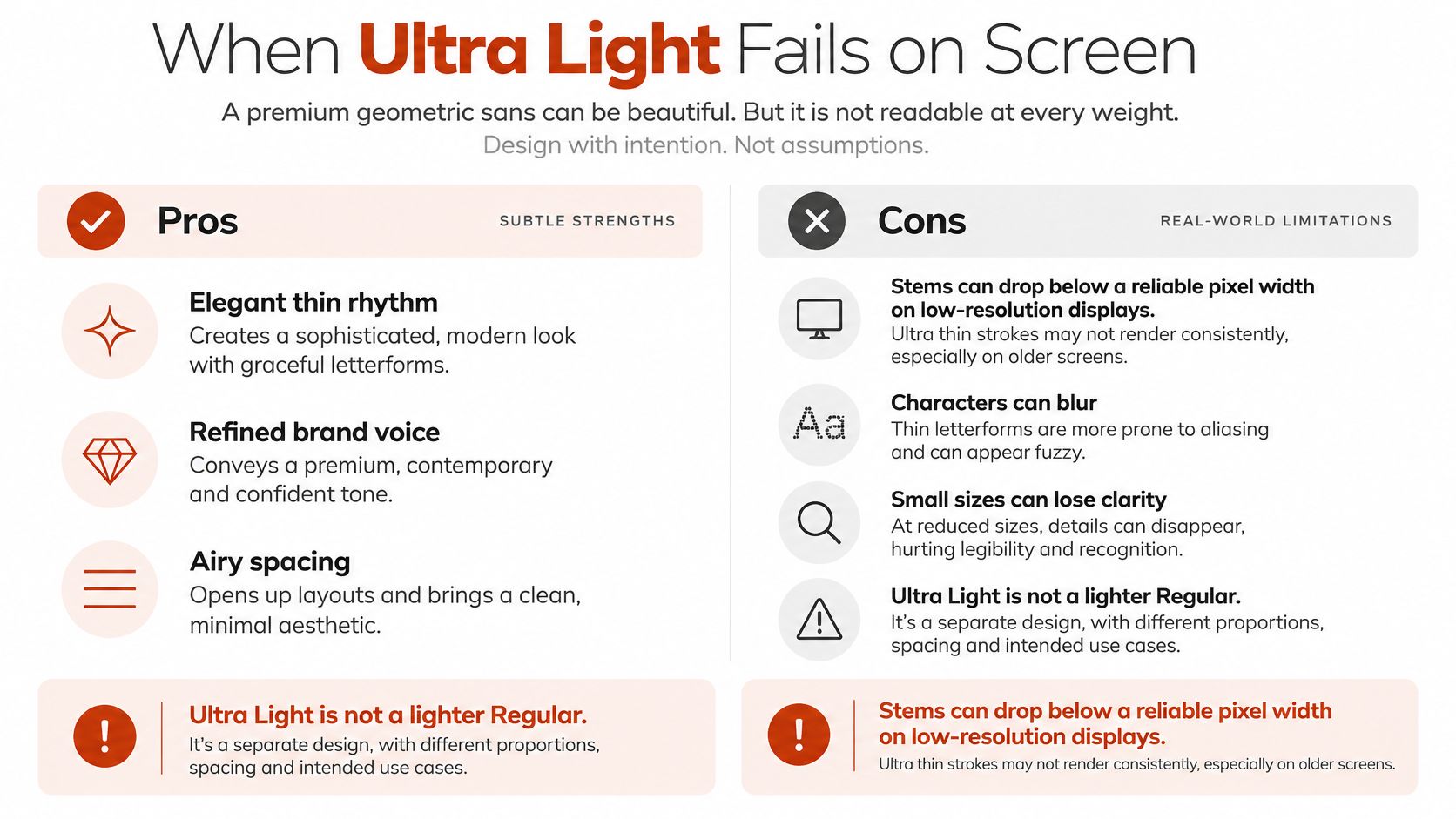
Two kinds of contrast affect the result. Colour contrast is the difference between the letters and their background. Internal contrast is the definition within each letter's hairline strokes. Antialiasing can soften those strokes until they look gray or incomplete. Pale gray backgrounds can swallow delicate strokes; dark backgrounds can make thin light strokes bloom or lose definition. Body copy, small labels, placeholder text, disabled states, and text for people with low vision need particular scrutiny.
Compare the same text in real conditions
A missing font weight can change the result before a reader sees the page. The browser may synthesize bold from a thin face or use a system font with different letter widths, changing the brand's appearance and shifting nearby content. Font loading creates another failure point: text can be invisible during FOIT, then swap to a thin face that is harder to read.
| Environment | Size | Ultra Light | Regular control |
|---|---|---|---|
| 1x Windows, Chrome, ClearType | Same test size | Check whether stems and small details stay distinct | Compare whether the same string reads more clearly |
| Retina macOS, Safari | Same test size | Check the weight's appearance at the target scale | Compare the same string at the same size |
| Android, dark theme | Same test size | Check for blooming, fading, or broken strokes | Check whether the heavier strokes remain stable |
Use the same string and size for both weights, then compare across browsers, operating systems, device pixel ratios, and light and dark themes. Include fallback and font-loading states, not just the fully loaded specimen. Adobe's Avenir Next World page provides information about the type family. The practical test is still whether its Ultra Light strokes remain distinct in your layout.
If users can choose higher contrast, provide a stronger weight as an option. Check fallback metrics too, since a font swap can reflow a headline. These checks show how the design behaves across common conditions, rather than certifying accessibility conformance.
Desktop Rights and What They Exclude
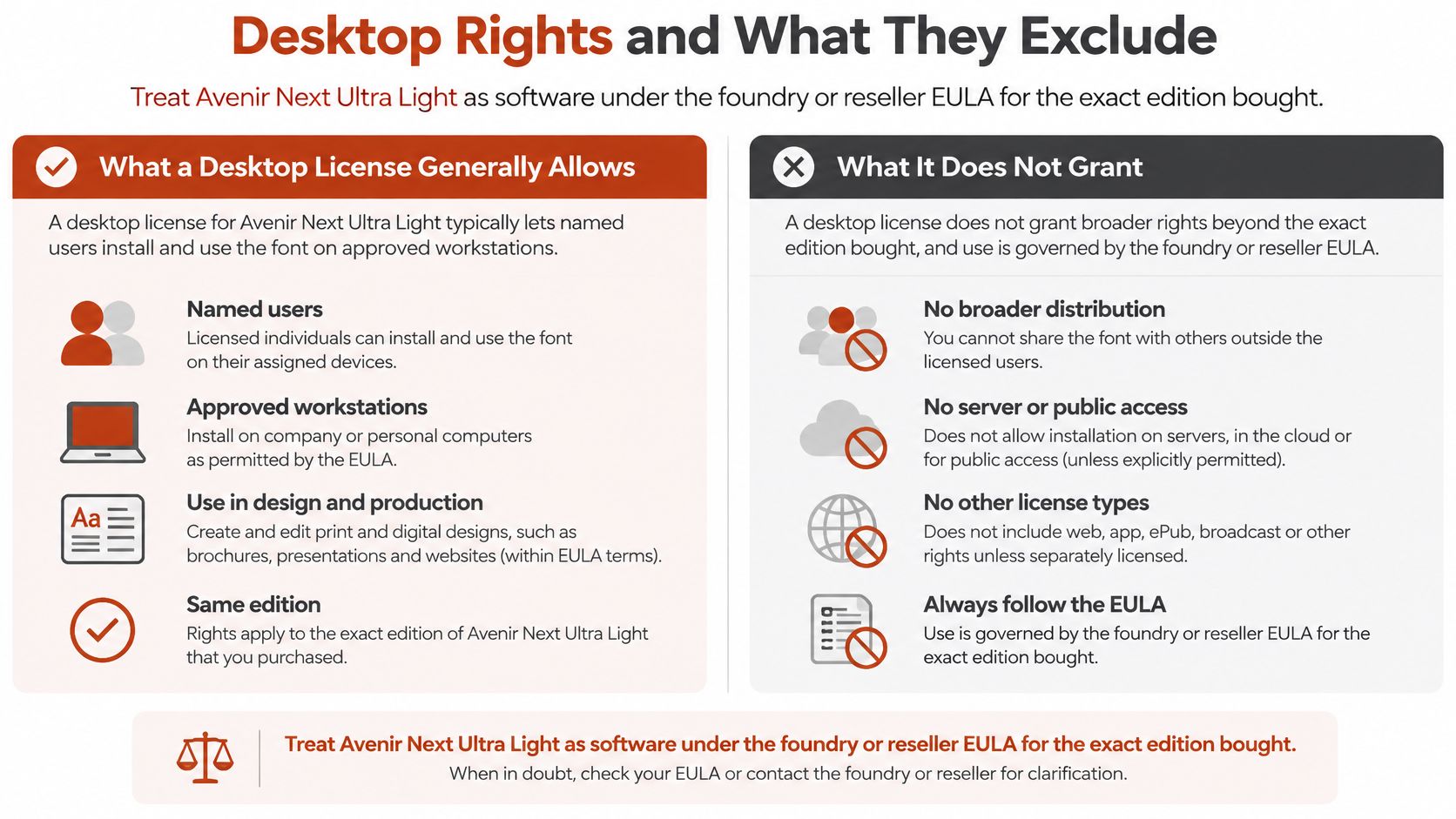
A desktop license covers specific users, computers, and uses. It does not travel with the font file to every new setting. Check the EULA for the exact edition of Avenir Next Ultra Light: it may allow named users to install the font on specified computers and use it in applications such as Illustrator, Photoshop, or Word. Depending on its terms, it may also cover logos, print materials, brand guidelines, and PDFs.
Three uses call for separate authorization in the applicable license: self-hosting the font on a website, embedding it in an application, and converting desktop files for web delivery. A desktop installation is a key that opens only the uses named in the license, not proof of broader rights. Adobe's font licensing guidance also distinguishes desktop use from self-hosting and application embedding. For a plain-language overview of what desktop licenses commonly address, see this desktop font license guide.
Keep evidence for the edition you use
Using a premium font file on a public website without the right authorization can prompt a takedown demand, force a replacement, and create redesign work. Keep the purchase record, EULA, licensed users or seat count, and edition name together. These records help you identify which file and uses the license covers before anyone distributes it.
A public repository or a self-hosted file does not document permission. Client handoffs need the same care: check which files contractors can access and what the client receives. A workstation installation alone does not establish that the recipient may use the font on another computer or in another project.
Licensing notes are informational, not legal advice. Have counsel review the terms for the edition in use. A license may allow creation of a static brand asset while reserving separate rights for delivery of the font file itself.
Webfont Entitlements Domains and Page Views
A desktop purchase does not establish the right to deliver Avenir Next Ultra Light through a website. The webfont terms determine where the file may load and how traffic is counted. Monotype's font licensing documentation describes webfont licenses as annual, potentially limited to a single domain, and measured by page views. Each page load that calls a kit's CSS counts as a page view for each webfont in that kit.
An agency or hosting provider should check coverage for each client website rather than assume one license covers them all. Desktop terms generally focus on users or installations, while webfont terms specify the site and permitted traffic for CSS-delivered WOFF or WOFF2 files. The file format alone does not establish permission.
| Question | Desktop license | Webfont license | If you skip it |
|---|---|---|---|
| Who may have the files | Named users or workstations | The licensed site build, not a shared client pool | Contractors or other clients may receive files without coverage |
| Formats | Typically OTF or TTF to install | WOFF or WOFF2 for @font-face |
Converting desktop files may be prohibited |
| Where it may run | Design apps and static exports | A named domain; subdomains only if the EULA says so | Another domain may be outside the license |
| How usage is counted | Seats or installations | Page views; each kit font can count on each page load | Overage may move you into a higher fee tier |
| What the price buys | Right to design with that edition | Annual web coverage at a traffic level | A shelf price does not establish web permission |
Ask specific questions before deployment
Write down the licensed domain, whether subdomains or client domains are included, the supplied formats, the monthly page-view allowance, and what happens if traffic exceeds it. Some licensing schedules restrict converting OTF or TTF files into web formats or embedding desktop font software in a site or app. A traffic tier can affect the fee, so confirm how page views are counted before launch.
Check the file's route through the project, too. Copying it to a design-system repository, CDN, staging host, or client handoff may count as additional distribution under the terms. A public asset repository shows where a file is stored, not whether the domain or its traffic is covered.
If self-hosting is permitted, WOFF2 offers a practical web format. Brotli-based compression can reduce transfer size by about 30% versus WOFF, according to web.dev's font best practices. Subset the file to the scripts and symbols the product uses, and retain its license record. Subsetting changes file coverage, not the rights granted by a desktop license. Keep the deployed file's hash and coverage details with the project record.
For a structured set of procurement questions, use this guide to website font licensing. Licensing terms vary by edition, so check the actual agreement for each domain and expected page views.
CSS for a Static or Variable File
Start by identifying the binary. If the name table and OS/2 data show a static Ultra Light face, declare its CSS weight to match the metadata. If the file is Avenir Next Variables, it may expose weight and width axes; a variable file can cover several styles, but may add unnecessary payload when the site uses only Ultra Light. Adobe Fonts identifies those axes and the available presets on its Avenir Next family page.
Use this order for a production build:
- Serve WOFF2 only when self-hosting is allowed by the web license.
- Subset to the scripts and symbols the product needs. Use
unicode-rangeto scope coverage and keep the license record with the subset. - Write one scoped
@font-facerule with the family name your components will use. - Set
font-display: swapso readable fallback text appears while the file loads. This guide to font-display swap and fallback behavior covers the trade-offs. - Preload only when Ultra Light is guaranteed above the fold. Extra preloads can compete with more critical resources.
- Build a fallback stack with metric overrides so the font swap doesn't shift the hero.
- Don't let the browser synthesize a bold from this thin file. Define a real stronger face for text that needs more weight.
- Record the deployed hash, coverage ranges, and network request, then compare them with the purchased kit.
Ultra Light is especially sensitive to poor fallback metrics and synthetic styling: either can make the stroke look inconsistent even when the file is correctly licensed. Teams planning a custom stack can also consult tailored web development services for implementation context. The CSS declaration is only one part of the release check; the deployed file still needs to match the permitted asset.
Avenir Versus Avenir Next and Stand-In Fonts
Three mix-ups can send a team toward the wrong file or an unsupported deployment.
First, Avenir and Avenir Next are related designs, not interchangeable names for a single binary. A license for one doesn't establish rights for the other. Check the family name in the font's name table instead of relying on a marketing label.
Second, Ultra Light is one preset among many. A static Ultra Light file is a practical choice when the design needs only that preset. If the layout uses several Avenir Next weights or widths, a variable file may simplify the build, provided the license covers that file and its intended use.
Third, a geometric sans already installed on a device is a temporary stand-in, not a visual match. Document the substitution and when the team plans to remove it, then check its metrics against the approved design. Don't let a fallback become the brand font because a file was available.
Adobe Fonts and a retail EULA are different supply paths, but neither removes the need to check the intended use. Teams assessing a related family or file can use the Avenir Next World font profile as a point of comparison, then confirm the actual asset and its terms.
Pre-Publish Checklist and Next Step
Before handoff, mark each item yes or no. A no means the team needs to resolve the file, design, or license question before publishing.
- File identity: Does the file name match the name table and OS/2 weight class?
- Font type: Is the binary confirmed as either a static Ultra Light instance or a variable font with weight and width axes?
- Design role: Is Ultra Light reserved for large display text rather than body copy or small UI?
- Fallback plan: Is a stronger weight available for smaller breakpoints, dark-theme layouts, and fallback rendering?
- Desktop evidence: Is there an invoice and EULA for print, PDF, or design-application use?
- Web entitlement: If CSS loads the file, does the webfont entitlement cover the domain, subdomains, client sites, format, and monthly page views?
- Conversion: Has the team avoided converting OTF or TTF to WOFF2 unless the EULA permits it?
- Web build: Does the build use WOFF2 when allowed, a real subset,
font-display: swap, and preload only for a guaranteed hero? - Deployed file: Do the live request, file hash, and coverage match the licensed kit, without synthetic bolding?
- Fallback metrics: Does the fallback preserve the intended layout when the webfont loads?
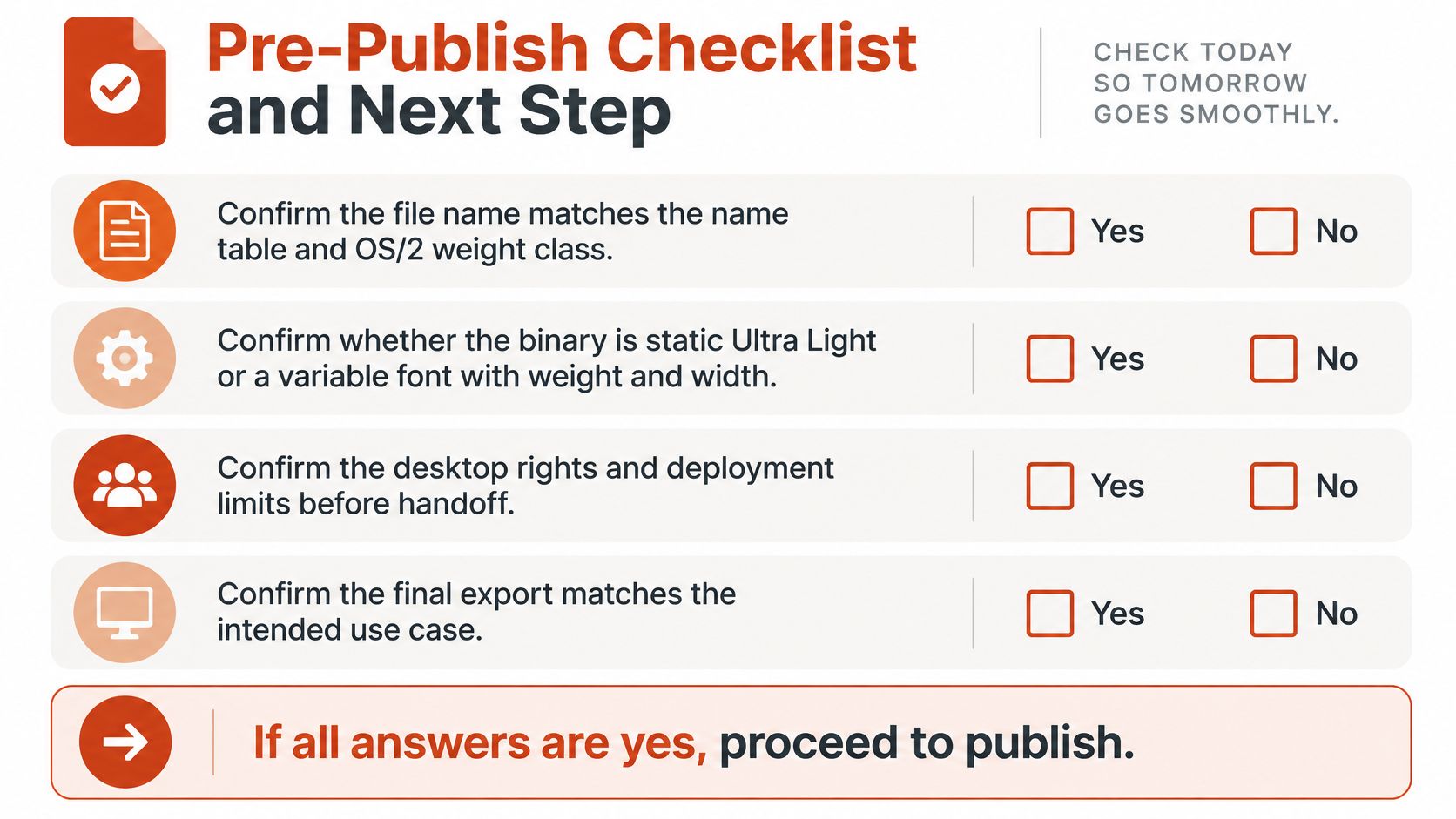
Publish only when three answers are yes: the role survives size and contrast testing, the build contains the file that was licensed, and the channel matches the paperwork. If any answer is no, use a stronger licensed weight or a system fallback for live text while procurement clears the Ultra Light file.
For the audit pass, inventory the site, PDFs, images, and any zipped font set from an agency. Match each finding to an invoice and EULA, and compare the network request with the allowed domain and format. Font Checker Pro can gather URL, PDF, image, and zip evidence into an exportable audit trail for that review, but it doesn't replace counsel. This article is informational, not legal advice, and a 2026 retail listing doesn't make Avenir Next Ultra Light universally free or safe.
If your team needs to verify where Avenir Next Ultra Light appears, Font Checker Pro scans live URLs, PDFs, images, and zipped font sets and produces an exportable report for design, engineering, and compliance review. Use Font Checker Pro to organize the evidence before handoff, then have counsel confirm the applicable license terms.