The audit report date is the date the auditor signs and dates the report, and it can be no earlier than the day sufficient appropriate evidence supports the opinion and management has approved the financial statements.
You may be looking at a signed report, a delivery email, and a filing receipt that all show different dates. Before you update the compliance calendar, identify what each date records. The distinction matters whether you're managing financial statements, preparing client records, or preserving evidence for a digital-asset review.
What the Audit Report Date Means for Your Records
A signed contract offers a useful analogy: you date the commitment, not the courier's delivery or the registry's receipt. An auditor's report follows a similar distinction between completing the work and distributing the result.
For a hypothetical example, an auditor signs on 14 March, permits release on 20 March, and the regulator receives the filing on 30 April. Only 14 March is the audit report date. The other dates document separate actions, not competing versions of the same event.
The auditor's opinion, the conclusion expressed about the financial statements, rests on audit evidence, the information supporting that conclusion. The date records when the auditor had the basis needed to stand behind the opinion.
Record-keeping test: Label the event beside the date. A date without an event description leaves the next reviewer guessing.
Under international standards, the auditor needs sufficient appropriate evidence, meaning enough relevant and reliable information, and management or another recognized authority must have approved the statements and accepted responsibility. These are substantive conditions, not paperwork to complete afterward.
Find the date on your current report. Then compare it with the approval record, delivery email, and filing acknowledgment so each document has a clear role in your records.
Audit Dates in Sequence and What Each One Controls
The audit calendar is a sequence of different decisions. Don't turn every milestone into a field called “audit completed.”
Follow the sequence
- Fiscal year-end closes the accounting period being audited. It isn't the date the auditor finishes checking it.
- Fieldwork covers the auditor's testing and inquiries, including confirmations, requests for information from outside parties, and legal correspondence.
- Financial-statement approval records management's or the governing body's acceptance of responsibility.
- Evidence completion means the auditor has resolved the matters necessary to form the opinion.
- Audit report date records the auditor's dated conclusion, subject to those completion conditions.
- Report release occurs when the auditor permits the entity to use the report.
- Final file completion concerns administrative assembly. Professional guidance describes completion generally within 60 days after release, but teams must confirm the rule applicable to their engagement rather than treating that period as universal. Professional guidance on report release and documentation completion distinguishes these events.
- Regulatory filing or tax submission follows the applicable authority's deadline, including any valid extension.
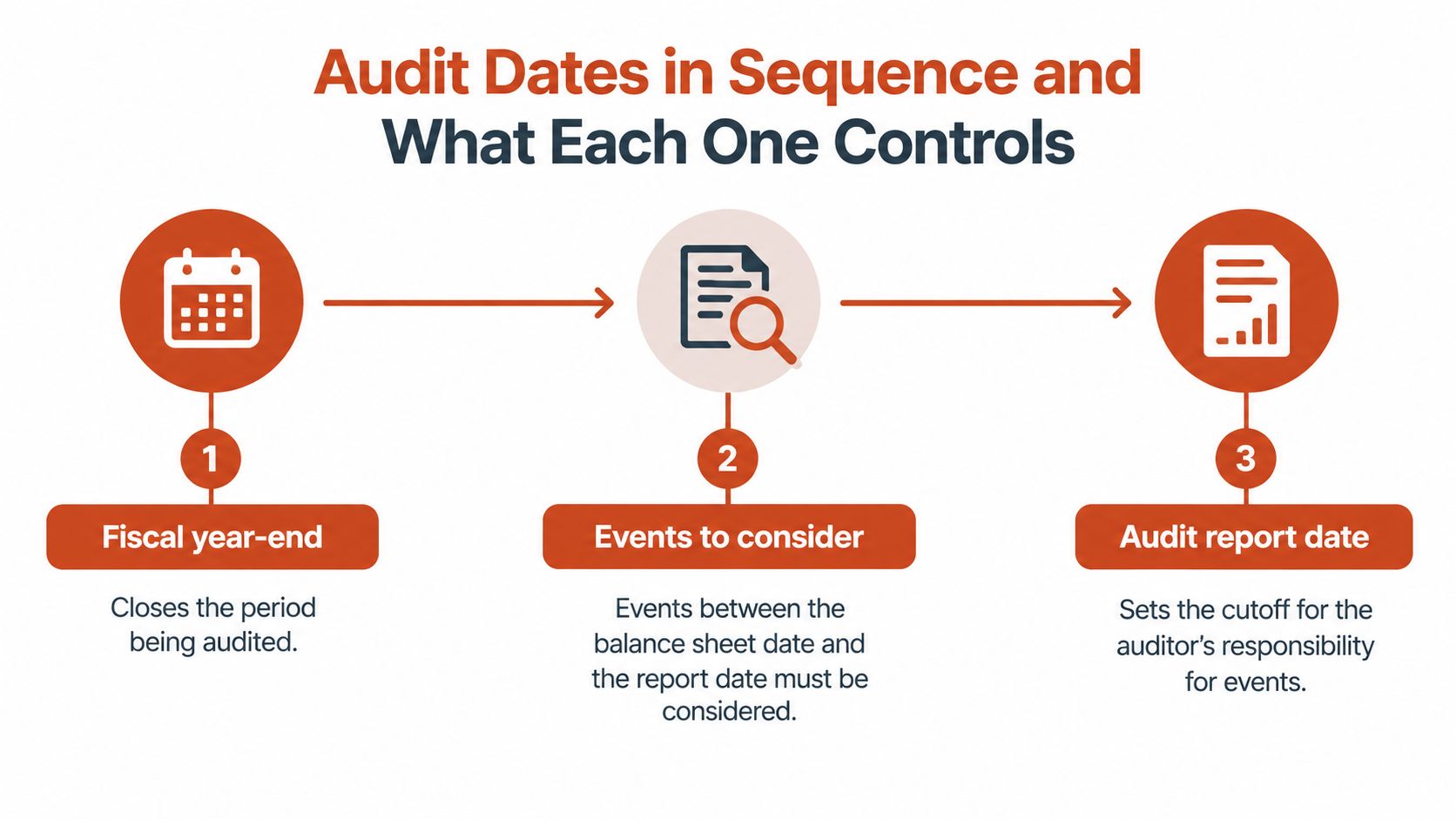
Audit dates compared by what they mark and who controls them
| Date | What it marks | Set by | Can it change after signing? |
|---|---|---|---|
| 1. Fiscal year-end | Close of the period being audited | The entity's reporting period | No, once set for those statements |
| 3. Financial statement approval date | Acceptance of responsibility for the statements | Management or governing body | Preserve the original; separately record any revised approval |
| 5. Audit report date | Evidence supports the signed opinion | Auditor | Don't overwrite it; document any formal re-dating or reissue |
| 6. Report release date | Permission to use the report | Auditor, coordinated with the entity | Record any new release separately |
| 7. Final audit file completion | Administrative assembly of documentation | Applicable standard and audit firm policy | Administrative assembly isn't new audit work |
| 8. Regulatory filing or tax deadline | Required submission date | Regulator or tax authority | May change through official notice |
Use the report date in the opinion's audit trail, the chronological record of supporting actions. Use the applicable release and file-completion rules for documentation controls, and the submission deadline for filing. File completion shouldn't automatically become the starting point for retention, the period records must be kept.
For regional preparation, Smart Classic Business Hub's UAE audit timelines and preparation tips provide planning context. Teams managing website assets can apply the same event-based organization through a digital asset audit framework.
Calling the end of fieldwork the report date can produce the wrong calendar. If a report is formally reissued, preserve the original and record the subsequent date, reason, and relevant intervening events.
Why the Report Date Works as a Legal Cutoff
The report date isn't just a timestamp someone adds before exporting a document. It identifies the point through which the auditor's completed work supports the opinion, including consideration of subsequent events, events occurring after the reporting period that may affect the financial statements.
ISA 700 (Revised), the international standard governing the auditor's report, became effective for audits of periods ending on or after December 15, 2016. Its dating requirements make the date a substantive control point and recognize that administrative processing can delay delivery after the report has been dated.
The report date says when the auditor finished the work needed for the opinion, not when the world learned about it.
Dating too early would represent an earlier completion point than the evidence supports. That can improperly shorten the period addressed by the auditor's work and weaken the defensibility of the conclusion.

Keep an exception record
Suppose a material event, an event significant enough to affect a financial-statement user's decision, becomes known after signing but before release. Don't assume the signed date means the team can ignore it.
Record what happened, when the team learned about it, who evaluated it, and the auditor's decision about further action. Document whether disclosure or formal re-dating followed, rather than changing the original record without noting the change.
For broader record governance, a practical digital asset compliance guide can help teams organize supporting records. The financial-audit takeaway remains specific: preserve the signed date, the delivery or filing date, and an explanation of relevant post-signing events.
Evidence to Finalize Before Dating the Report
Use a completion checklist before asking the auditor to date the report. Treat it as a working control for the engagement, not a substitute for the auditor's applicable professional requirements.
- Final statements: Confirm that the approved financial statements are the version accompanying the report, with dated approval retained.
- Management representations: Obtain the signed representation letter, management's written confirmation of relevant responsibilities and information, with dating agreed with the auditor.
- External confirmations: Resolve bank and other confirmation requests, including documented alternative work where appropriate.
- Legal and related-party matters: Clear legal correspondence and information about parties connected to the entity.
- Subsequent-event review: Complete the required consideration of events through the report date.
- Review points: Close outstanding questions and record the reviewer's sign-off.
- Partner review: Document review by the engagement partner, the auditor responsible for the engagement.
- Supporting evidence: Make the evidence for key assertions, management's claims within the statements, identifiable in the audit file.
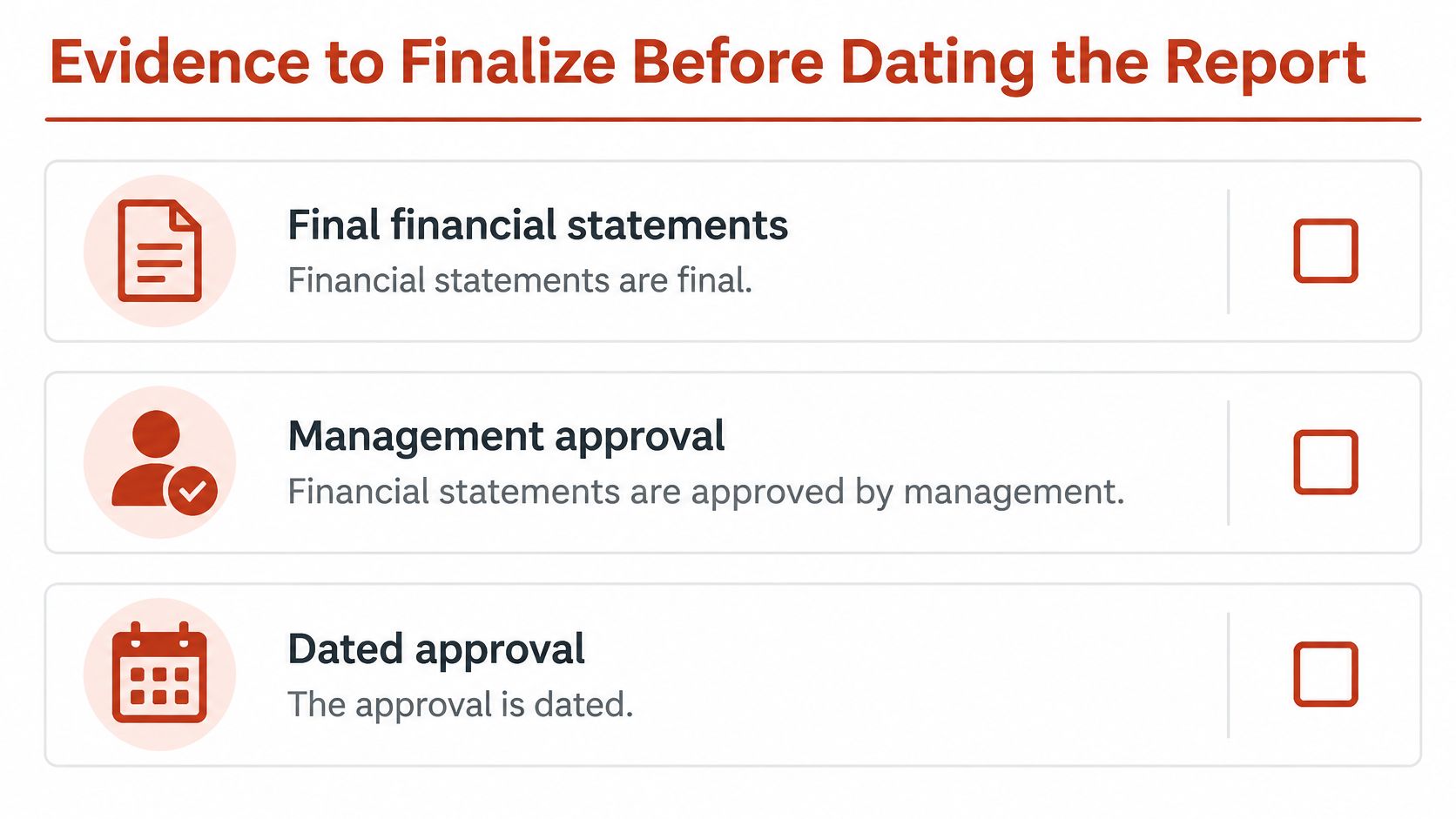
Separate substantive completion from assembly
PCAOB AS 3110 on dating the auditor's report establishes that the date cannot precede obtaining sufficient appropriate evidence. The PCAOB, the United States public-company audit overseer, therefore connects dating to evidential completion rather than a preferred calendar slot.
Approval and representations document responsibility. Confirmations, legal information, and subsequent-event work support the auditor's conclusions. Reviews establish that unresolved questions haven't been mistaken for administrative loose ends.
Before signing: If an unresolved matter could affect the opinion, ask the auditor what must happen before the report can be dated.
For organizing the underlying accounting records, the Bookkeeping and Accounting of Florida readiness guide offers a preparation resource. A compliance documentation framework for teams can help assign owners and preserve approvals.
Administrative assembly may continue afterward, but it isn't permission to finish missing procedures or invent conclusions retrospectively. Store the signed checklist beside the report.
Deadlines That Move the Date You Track
Two dates share the word "deadline," and mixing them up is where compliance trails break. The report date belongs in the audit file, because it records when the evidence work ended. The filing deadline belongs in the compliance calendar, because it records when the regulator expects the submission. An extension moves the second one only, while the signed opinion stays anchored to its original date.
Reporting on India's CBDT extension for the 2026 assessment year gives a clear example: the ordinary tax-audit-report deadline moved from September 30 to October 21, 2026, audited returns moved to November 21, and transfer-pricing cases carry a reported October 31 deadline. The CBDT, India's Central Board of Direct Taxes, publishes the notices that confirm each date.
Reported submission deadlines, India AY 2026-27
| Case | Submission deadline | Deadline basis | What to verify |
|---|---|---|---|
| Ordinary tax-audit report | October 21, 2026 | CBDT extension | Latest notice and portal status |
| Transfer-pricing case | October 31 (reported) | Category-specific rule | Whether the notice applies to the entity |
| Audited tax return | November 21 (reported) | CBDT extension | Filing channel and acknowledgment |
AY means assessment year, the tax assessment period. Filers under SEC or UK accounts rules follow separate calendars set by their own regulators, where the deadline depends on filer category or company type rather than a single announced date. The discipline stays the same: pull the date from the authority's current notice, then log it in the compliance field rather than beside the report date.
Keep signed statements and representations to support completion, delivery records to establish transmission, and portal acknowledgments to demonstrate submission. Check the governing authority's current notice before relying on any deadline.
Applying the Dating Discipline to Font Records
A website font review also needs a dated scope and supporting evidence, although it isn't a financial audit opinion. Record the pages reviewed, files observed, license documents examined, and review date so a later reader knows what the record proves.
Desktop and web licenses aren't interchangeable. A desktop license covers installation on licensed computers for static materials such as logos, print layouts, and PDFs. A web license authorizes serving font files through CSS @font-face, the browser instruction that loads a font. Domain or traffic limits live in the controlling agreement, so read it before you deploy.
Match permission to deployment
Holding a desktop file does not establish self-hosting rights, the permission to serve the font from your own website infrastructure. The file works like a key: it opens only the doors the license names.
Say a desktop-licensed display face (a font designed for headings) is loaded through @font-face on a marketing site. The license check would find desktop permission only, leaving two fixes: buy the web license or remove the font.
Hosted access needs the same check: subscription coverage ends when the subscription does and delivers files through the provider's infrastructure, so confirm whether self-hosting is allowed.
Work through a practical website font audit guide, then keep the applicable EULA, the end-user license agreement, the invoice, and dated notes on where each font loads. The review date acts as a control point: it fixes which files and permissions existed when the finding was recorded, so the next reviewer can repeat the check. Interpret the terms with qualified counsel where needed.
Confirm Your Date Trail Before Sign-Off
Before handoff, make the record understandable to someone who wasn't in the room. Jumpstart Partners' discussion of tracing the numbers during investor diligence provides useful context for maintaining traceable evidence, alongside this explanation of what an audit trail records and why it matters.
- Create one date sheet for each engagement, separating the report date, release date, and filing deadline.
- Check approval order. Confirm the financial-statement approval record doesn't follow the report date.
- Preserve completion evidence, including the signed checklist and representation letter with the relevant report version.
- Verify filing requirements. Save applicable extension notices and the submission acknowledgment.
- Capture font records separately. Review the live site and retain dated findings with license documents, noting unresolved permissions rather than marking them approved.
Choose an owner for that sheet today and have the auditor resolve any unexplained date mismatch before sign-off. This guide is informational and not legal advice, so confirm dates and license terms with a qualified auditor or counsel before relying on them.
Font Checker Pro scans live URLs, PDFs, images, and zipped font sets, with PDF reports for legal teams and CSV exports for operations. Visit Font Checker Pro to create dated typography records, schedule recurring scans and license-lapse alerts, and keep findings alongside your supporting license documents. Pricing is by scans rather than seats, so you can organize reviews around the assets you need to check.